
Tag: android l

  • Smartphones getting Android Lollipop update soon

    Smartphones getting Android Lollipop update soon

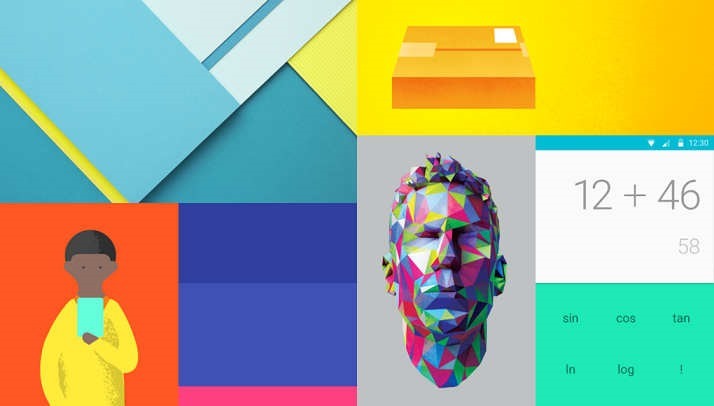
    Android-L-images.jpg

    Recently Google started the roll out of Android Lollipop that is Android 5. In the coming weeks and months,many flagship phones and tablets that are getting the Lollipop update. So far the following phones and tablets are confirmed in the list of devices that will be getting the Android Lollipop:

    Google Nexus 6: This is the launch device for the Lollipop. It will come with the Android Lollipop installed on it. For now, it is not available in India.

    Google Nexus 9: This tablet is also a launch device for the Lollipop. It will be available in India in the coming weeks.

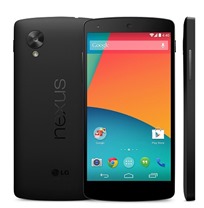
    Google Nexus 5: The last year’s flagship Google phone should receive the Android Lollipop in the coming days.

    Google Nexus 7 (2013): This tablet is also likely to get Android Lollipop in the coming weeks or within days.

    Google Nexus 4: Google is also providing update for its 2 years old device too.

    Google Nexus 7 (2012): Yes, it is.

    Google Nexus 10: The big Nexus tablet will also get the Lollipop update. Incidentally, this tablet was never officially sold in India.

    Micromax Canvas A1: Budget Rs.6,500 Android One phone from Micromax will receive the Android Lollipop update.

    Karbonn Sparkle V: This one too is an Android One phone and hence would get the Lollipop.

    Spice Mi-498 Dream Uno: Powered by Android One, this Spice phone will also get the Lollipop.

    All Moto Phones: Motorola has confirmed that that all Moto phones — Moto X (2014), Moto X (2013), Moto G (2014), Moto G (2013) and Moto E — will get Android Lollipop. In fact, the Moto devices may even get the Lollipop days before the some Nexus devices get it because Motorola is very aggressive about updating its phones.

    Select Xperia phones: Sony has confirmed that “the premium Z series” devices will get Android Lollipop . These are Xperia Z, Xperia ZL, Xperia ZR, Xperia Tablet Z, Xperia Z1, Xperia Z1S, Xperia Z Ultra, Xperia Z1 Compact, Xperia Z2, Xperia Z2 Tablet, Xperia Z3, Xperia Z3v, Xperia Z3 Compact and Xperia Z3 Tablet Compact. Sony Z Ultra Google Play edition will be the first to get it. Other Xperia phones will get it in 2015.

    Selected HTC phones: They stated “We’ll be updating the HTC One (M8) & (M7) within 90 days from today. ”

    Also Read: The Motorola ‘Monster’ Droid Turbo with QHD Display

    Unconfirmed but these devices will get Android Lollipop

    • Samsung Galaxy S5
    • Samsung Note 4
    • Samsung Note 3 and Galaxy Alpha
    • LG G3HTC One M8 (Eye)
  • Have a Nexus 5 or 7 ? – Install ‘Android L’ Right Now

    Have a Nexus 5 or 7 ? – Install ‘Android L’ Right Now

    Android-L-images.jpg

    Google just released its first ever developer preview of the upcoming version of Android. But If you can’t wait for official release, then there is a chance to install Android L on your Nexus 5 or Nexus 7 (2013). You can download the relevant OS file from Google servers and install them on your device. These versions are meant for developers.

    Requirements

    google-nexus-5-011

    An Unlocked Nexus 5 or Nexus 7 (2013-Wifi)

    Android L OS file (Download)

    ADB and Fastboot installed on computer (Install Now)

    Must Read: Google IO 2014: Everything Google Announced

    How to turn on USB Debugging ON

    Open developer options on your Nexus device. These options are hidden by default. You have to go to Settings > About Phone and then tap on the build number 7 times. After doing that you can access the developers options. Now make sure to enable USB Debugging.

    NOTE: Installing Android L will erase all your data on the phone, so first have a backup of photos, music, files or any other data before proceeding.


    How to install Android L Developer Preview on Nexus 5 or Nexus 7

    Step 1: Download the Android L OS file for your device from the above link.

    Step 2: Unzip/Extract the downloaded file.

    Step 3: Connect your device to your computer via USB cable and turn on USB debugging ON (see above).

    Step 4: On your computer, Open up a command line/terminal for ADB.

    Step 5: Type the following command to access your device’s bootloader.

    adb reboot bootloader

    Step 6: Go to the folder containing the Android L OS file.

    Step 7: Now, Enter following command to run the installation script.

    flash-all

    Step 8: Now just wait for the process to complete. If you have done everything right, Android L Developer Preview will be installed on your phone. It may take upto 10-15 minutes. Have a snack !

    Warning: Installation of this may void your warranty.Also, if something goes wrong during the installation process, we are not responsible. This process is tested and worked fine.

    Instructions from google (https://developers.google.com/android/nexus/images#instructions).