Tag: apple

  • Everything Apple announced that you care about

    Everything Apple announced that you care about

    Apple had their big event on 9th September of 2014 in Cupertino and many products were announced. So, here comes the info about the new iPhone to a Apple Watch you need to know.

    iPhone 6 and iPhone 6 Plus

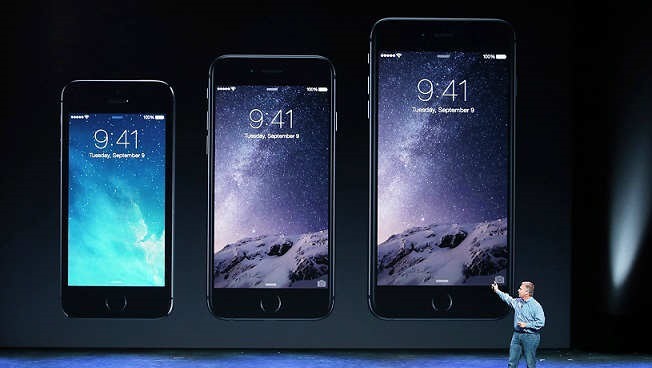
    After a long time and a series of rumors around the web, Apple finally launched their new iPhones. the iPhone 6 and the iPhone 6 Plus.The iPhone 6 is 4.7-inch, compared to the iPhone 5s’ 4-inch. The iPhone 6 Plus is even bigger having 5.5 inches display.Both models are also thinner with a new outer design. Packed with a new 64-bit A8 processor which is more energy efficient while still being 25 percent faster CPU and 5 percent faster graphics.
    apple-iphone6

    The motion coprocessor is also upgraded. The M8 can now track your activity even better by logging when you walk up stairs and how far you travel. Both new devices will come with iOS 8.

    Camera upgrades include an 8MP iSight camera, True Tone flash, 1.5 micron pixels, f/2.2 aperture and an all new sensor for bigger panoramas that expand up to 43 megapixels. It can also shoot 1080p videos at 30 fps and 60 fps with continuous auto-focus; slo-mo vids shoot at 120 and 240 fps. The front-facing cam offers a burst mode and single shot HDR and HDR videos.

    The iPhone 6 will start at $199 for 16GB, $299 for 64GB and moves up to $399 for 128GB (all with 2-year contract). The iPhone 6 Plus starts at $299 for the 16GB version, $399 for the 64GB, and $499 GB for 128GB (on contract). Both will ship on September 19, pre-orders starting on September 12. In India, iPhone 6 will be available on October17.

    Apple Watch coming early next year

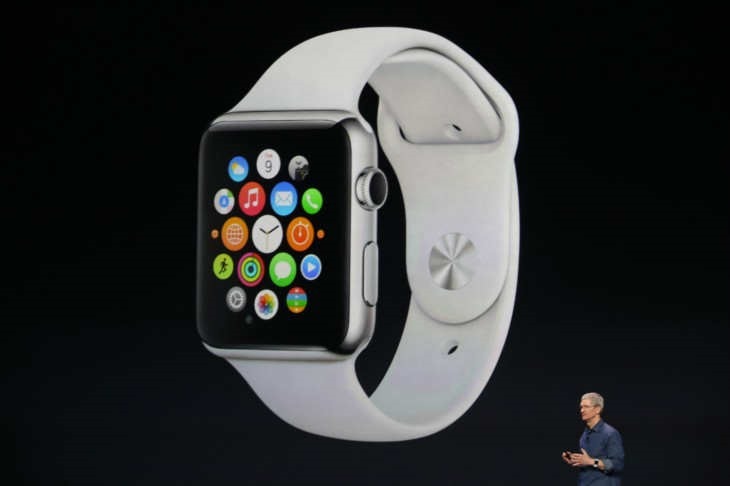
    Apple announced their highly-anticipated smartwatch, named Apple Watch. It comes with various customizable options, with six types of strap and two metal frame colors. It features all kinds of iOS integration as well as activity tracking features. It can also recognize between taps and clicks by detecting force.
    apple_watch

    Apple Watch comes with Siri, shareable heartbeat and animated and customizable emojis. Apple will open the WatchKit SDK for third-party developers to create functionalities on the Apple Watch.

    The watch starts at $349 and is expected to be available in early 2015. The Apple Watch requires an iPhone 5, 5c, 5s, 6, and 6 Plus for most of it’s features.

    Apple Pay

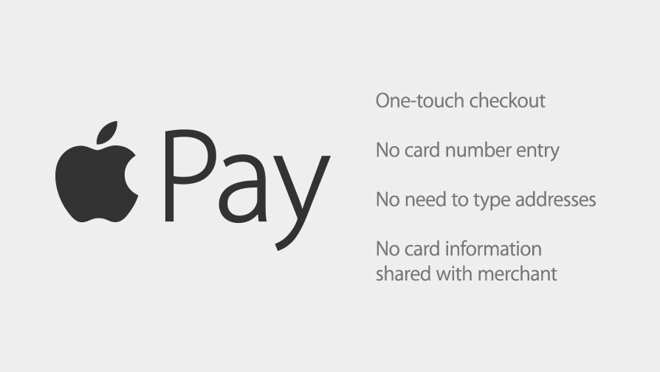
    Apple Pay is a new NFC payment system that allows you to pay for items at stores. Once you add your credit card information, you can just have to touch your iPhone to pay for your items. Apple Pay creates a one-time device-only number instead of using the assigned credit card number so if your phone is stolen, you can suspend the payments without needing to cancel your credit card.
    apple_pay

    Apple Pay will launch first for Visa, Mastercard and American Express. Supported retailers include Apple, Disney, McDonald’s, Whole Foods, and online merchants like Uber and Groupon with one-touch payment. Apple Pay will come to iOS 8 devices in October.

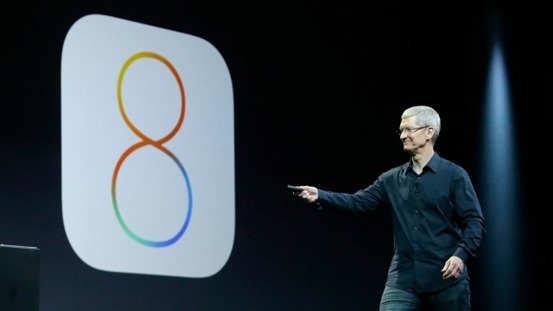
    iOS 8 to release on September 17th

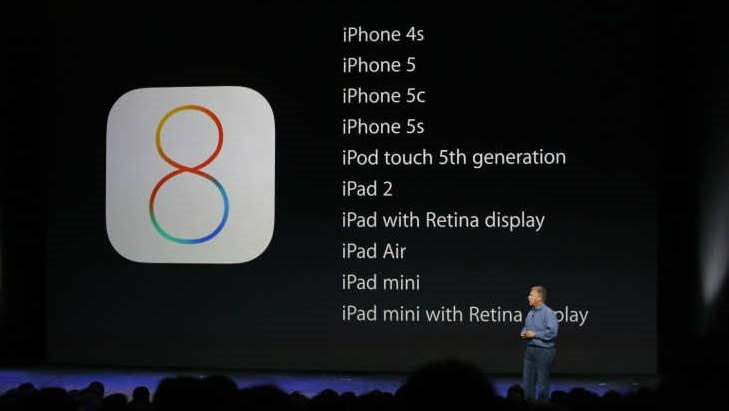
    iOS 8 will be out for download for all supported devices on September 17th. It will be a free upgrade.
    ios8-launch

  • iOS 8 features that are ‘inspired’ by Android

    iOS 8 features that are ‘inspired’ by Android

    Apple2-640x360

    Apple recently unveiled the latest version of its mobile operating system iOS 8 at its Worldwide Developers Conference in San Francisco. According to company this is “the biggest release since the launch of the App Store,”.

    Many of these Android inspirations are more regular and obvious than others, including the new QuickType typing suggestions in iOS 8, Apple’s new support for third-party keyboard modifications applications, the “Hey, Siri” word for always-on listening features, the Widgets support in the Notification Center, the battery stats shown in iOS 8’s Settings, actionable notifications, and the improved photo backup in iCloud. Developer-oriented features, like the ability of uploading an app video in the App Store or to offer app beta tests to customers will also sound familiar to Android users.

    QuickType and third-party keyboards support

    Apple showed a big deal about its brand new QuickType keyboard. The keyboard features predictive typing and can learn based on your typing habits. In addition to QuickType, iOS 8 will also bring support for third-party keyboard applications. But Android users have had these features for years.

    ‘Hey Siri’

    There are improvements to Siri including addition of 22 new dictation languages and song recognition integration using Shazam. But the ability to launch Siri by speaking the phrase “Hey Siri” when the phone is plugged into a car reminds us of Android’s Google Now where the phrase “Ok, Google” the app can be launched.

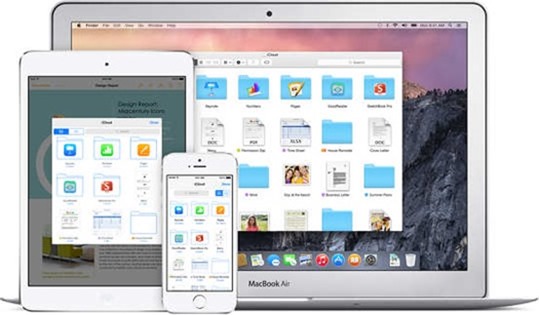
    iCloud Drive Storage

    With iCloud Drive, a Dropbox-like service for storing documents on the cloud. In addition to Dropbox, Android and Apple users already have Google Drive. As iCloud is limited to 5GB of free storage, Google Drive offers 15GB for free, while Dropbox initially offers 2GB for free alongwith the ability to earn up to 20GB as referral bonus.

    icloud-drive

    Widgets

    Apple users will finally get access to basic widgets in new iOS update. Not same as on Android where you can place widgets on your home and lock screens, however, iOS 8 widgets will be limited to the pull-down Notification Center.

    Interactive Notifications

    Interactive notifications will let users to quickly respond to messages, accept calendar appointments without having to enter the app itself. Android has offered these kinds of actionable notifications since 2012.

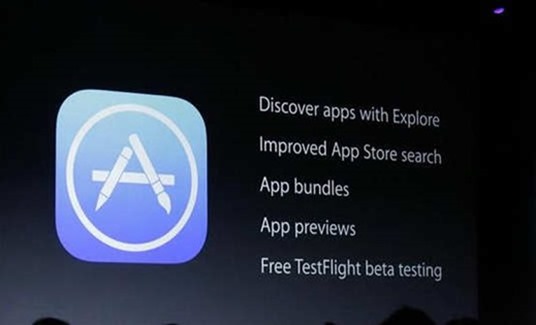
    App Store Previews

    Now in App Store is what Apple calls “App Previews,” similar to Google Play Store where you can watch app demo videos before downloading the apps.

    14-wwdc-2014-keynote-1

    TestFlight

    TestFlight, a new technology Apple acquired this year which will give iPhone and iPad owners the facility test their apps in beta before they are officially released in the App Store. Also it is known that Google has allowed Android users to test their beta apps already.

    Don’t call it a rip-off. Apple adds its own imprint on features that Android users have long enjoyed. They are adding thier own spin. Notifications, for instance, will be interactive straight from the lock screen, which is not currently the case on Android.

  • Apple iPhone 5c only at 99

    Apple iPhone 5c only at 99

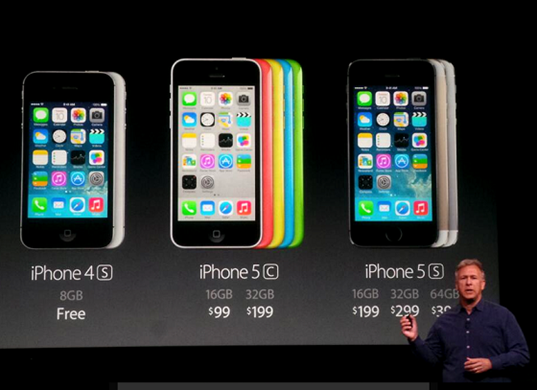
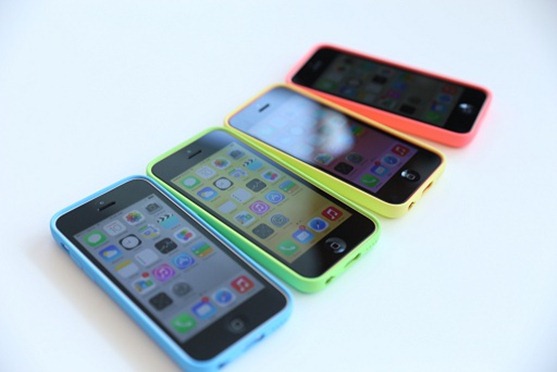
    iphone_cs_34_fullwidthApple finally revealed its two new iPhones, the iPhone 5S and the iPhone 5C. As the naming scheme implies, the 5S is the high-end successor to the iPhone 5 and it features (among other things) a snappy new 64-bit A7 processor, an M7 co-processor for tracking motion (you know, for fitness apps), and a Touch ID fingerprint sensor built into the home button. If it weren’t apparent at first glance, the 5S looks nearly identical to the original iPhone 5, though the black and white (sorry, silver) versions are joined by a gold model that was the subject of many a rumor in the weeks leading up to the event. iPhone 5c, a colorful plastic phone that starts at $99.
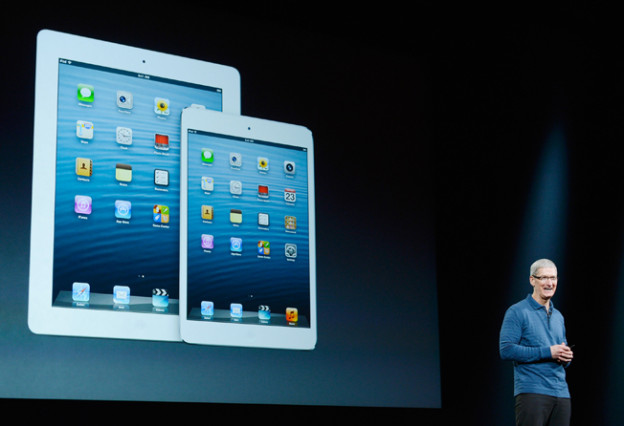
    The new phones arrive September 20th.

    Though the new color schemes are flashy — you can get the phone in silver, gold, or a darker space gray — the biggest changes are internal, with a new A7 chip that’s been reengineered for 64-bit architecture. Apple claims this will make the 5s several times faster than its predecessor. The camera has been updated with a new, larger Apple-designed sensor and a host of other features, and as rumored, the home button is now also a fingerprint scanner.

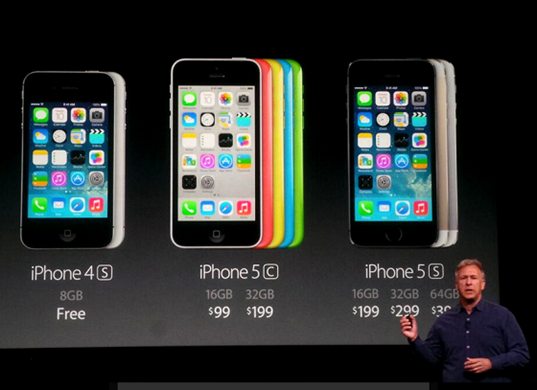
    The iPhone 5C will cost $99 for a 16GB model or $199 for a 32 GB model, with contracts. A colorful variety of cases will cost $29. The iPhone 5C will go on sale on Sept. 20, with pre-orders starting on Sept. 13.

    img_9100

    Apple has also confirmed the weirdest rumored feature of the iPhone 5s: a fingerprint sensor built right into the home button. Called Touch ID, it’s a substitute for the traditional PIN or password, with a thin capacitive sensor layered on top of the button.

    The iPhone 5c features a 4-inch Retina display, A6 chip, and an 8-megapixel iSight camera (the same as the iPhone 5), as well as an improved FaceTime HD camera on the front . Also available are custom, soft-feel rubber slipcases for $29 each based on the iOS7 color scheme. Though it is indeed a cheaper iPhone, the difference is more dramatic on contract; if you want to buy it unlocked, it starts at $549, in comparison to the $649 5s.

  • Apple Unveils iOS 7 : How ‘Big’ it is ?

    Apple Unveils iOS 7 : How ‘Big’ it is ?

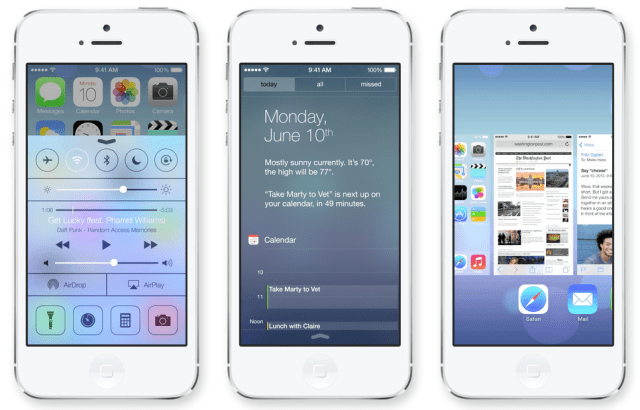
    Apple has officially taken the wraps off of iOS 7 at its Worldwide Developer Conference today. iOS 7 is the latest version of Apple’s mobile operating system that debuted back in 2007 on the original iPhone. According to Apple CEO Tim Cook, iOS 7 is the biggest change to the platform since the iPhone was introduced five years ago. The new design is evident in everything from sharper, flatter icons, slimmer fonts, a new slide-to-unlock function, and a new control panel that slides up from the bottom of the screen for frequently accessed settings. The stock apps have all been redesigned — including a major revamp of the weather app with new animations that are scarily reminiscent of Yahoo’s great-looking Weather app graphics.
    New Look

    • iOS 7 has a new font leading the way, which seems to be a sort of Helvetica Neue Ultra. It’s very skinny, clean, and it was hinted at in the iOS 7 banners that went up for WWDC yesterday.
    • Instead of white bars on a black background, Apple will now tell you what kind of service coverage you have with five little dots, which are white and grey depending on how strong the signal is across a translucent background.
    • The lock screen is changed for the first time in iOS’s history, with no more shine top or bottom bars for slide to unlock or the clock. Instead, Slide to unlock is translucent above the background image.
    • Default app icons are now flatter, but not quite flat, just as predicted.
    • Jony Ive’s hand has had its way with iOS notifications. The notifications panel isn’t laced with dark grey linen anymore, but actually has a very flat look to it. There is a today view, that lets you see friends birthdays, upcoming invitations, calendar, stocks, and a quick look at tomorrow.
    • The apps all seem to have a white base, except for the stocks app which has a black background and the weather app, which shows motion in the background to convey the current weather.
    • The keyboard is more white, than grey, with a translucency that lets you see what’s underneath the keyboard.
    • New Features

      2

      Control Center

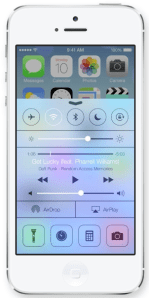
      • Control Center is a pull-up tray that is available in your lock screen.
      • You can adjust brightness, volume, and other settings including Wifi, Airplane mode, rotation lock, or Bluetooth.
      • The Control Center even offers a flashlight, along with tabs for music, camera, and other quick-access apps.
      • The Control Center takes on the environment it’s in, so if you swipe up while you’re in mail, it will have the same blue and white coloring under that translucent panel.
      Multitasking
      • iOS 7 lets you multitask between all third-party apps with much better battery consumption.
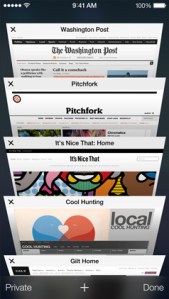
      • You can double-tap the home button to enter into multi-tasking mode, just like always, but the interface for multitasking has been revamped. It appears to offer live previews, but Apple wasn’t clear about that.
      safari_tab_screen

      Safari

      • Safari opens straight into full screen mode now, with the option to pull down to bring up the search bar at the top.
      • The search field has been improved to be a unified smart search field, which lets you have access to all your favorite websites with a single tap.
      • Tabs come with a totally new interface, scrolling in a vertical carousel, and there are no longer any limits. In other words, you can have as many tabs as you want, as opposed to just 8 like before. Swipe a tab off to the side to throw it away.
      • The new Safari is integrated with iCloud keychain from OS X Mavericks, and also comes with parental controls.

      AirDrop

      • You can share sharesheets with other people by simply tapping their name. No NFC required.
      • Airdrop supports iPhone 5, iPad 4th gen, iPad Mini

      Camera And Photos

      • The Camera app lets you swipe between your various camera types, such as panorama or HDR so you can quickly take a pic instead of fumbling around with settings.
      • Photos marks the first update to the photo gallery on iOS since it was introduced.
      • You can search based on date, and location, within the photos app.
      • Instagram must be flattered — Apple has introduced photo filters so you can add a little professionalism to the picture.
      • Users can share via AirDrop, iCloud photo-sharing, as well as shared Photo Streams.
      • You can even share video with iCloud photo-sharing.
      siri_ask_screen

      Siri

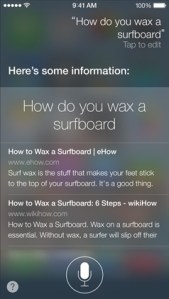
      • Siri has a new voice! It sounds similar, but also weird. You can choose a male or female voice, if you like. Voices include languages like French, German, and other languages “over time.”
      • The visual UI has also been upgraded, with a sound wave going along the bottom.
      • Siri has also been integrated with settings, letting you tell her to turn on bluetooth, or lower the screen brightness.
      • The company has also added support for Twitter, Wikipedia, and shows web search results direct from Bing.

      iOS in the Car

      • iOS in the Car depends a lot on Siri.
      • It puts the iOS homescreen on the screen of your car, and lets you search for directions, listen to music, etc.

      App Store

      • You can now search for apps based on location. In other words, search for apps by the Louvre and see a lot of French museum apps.
      • The App Store also automatically updates apps for you in the background now. Hallelujah again!
      itunesradio_mystations

      iTunes Radio

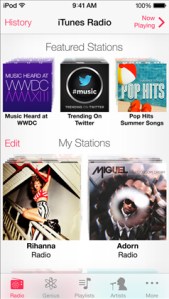
      • Apple has finally introduced the much-anticipated iTunes Radio, which gives a Genius-like experience to the entire 26-million title iTunes catalog.
      • You can see the full list of songs on each station by clicking history, with purchase and preview buttons built right in to send you to the iTunes store.
      • iTunes Radio also lets you customize each station by clicking a star to show that you want more of this type of music.
      • iTunes Match users will get an ad-free experience, but others will be able to use the app for free with a few audio and text ads.

      Activation Lock

      • This is for those of us who have had an iPhone stolen.
      • If a thief steals your phone and tries to turn off Find My iPhone, they can no longer turn the device back on without your iCloud password.
      • Users can also block messages and calls from other users.

    Coming This Fall

    • Developers will have access to iOS 7 on Monday and it will hit iOS devices this fall.