Tag: apps

  • Event Planning: Applications for Your Smartphone

    Event Planning: Applications for Your Smartphone

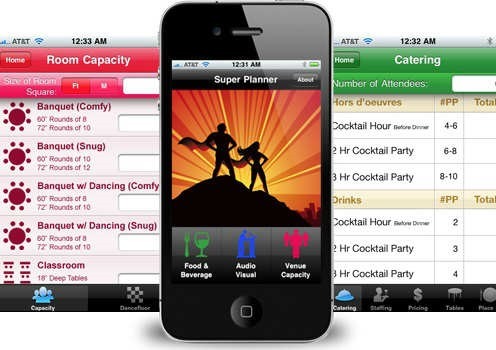
    super_planner_appWith the incredible pace of life that we are currently living in, it’s easy to get overwhelmed on your event planning campaigns and be left scrambling to make it a success.

    Luckily, in today’s age of technology there are certain tools that can make your job a little easier – one of the best things an events agency and its workers can utilize is the applications on their smartphones. There are many different options all of which can help automate at least some parts of the event planning process, easing the load on the planner and allowing him to focus on more important aspects.

    So here are five of the best apps for event planners which can be a big help when planning any event:

    Super Planner

    If you’re looking for an app that can provide with well calculated estimations like calculating venue capacity, staging, catering and many other aspects of the event planning process, then Super Planner is the perfect solution

    Let’s say you need to figure out a venues’ capacity – you just choose one of the fifteen different layouts, which include classroom, theatre, reception, conference and many others, input the size of the room and the app will tell you how many people can you comfortably fit.

    You can even calculate things like dance floor capacity, number of drinks needed, or even how many staff members you’ll need. It’s literally a one-stop-shop for everything you need calculated and is an irreplaceable tool for all modern event planners.

    Event Espresso

    Now for everything related to organizing your registration and ticketing there’s probably not a better choice than Event Espresso – the app easily integrates with WordPress and helps you turn your blog or site into a professional event planning website, where you can set up custom registration forms and emails, decide on seating limits, set multiple price options and even offer discount codes.

    This efficiency can help you take your event planning to a whole new level – having a reliable way to manage all of your registration and ticket options is a great way to gain an edge over competition and increase your profits. This works great for both family and corporate event management.

    You don’t have to rely on third party services which charge ticketing fees and can reduce the time you have to spend manually processing registrations, creating a more eco-friendly event registration process.

    Hootstitute

    Now of course for any events agency who wants to stay current it’s an absolute must to be up-to-date with all of the social media that is now surrounding everything in our lives, including events.

    Hootsuite works great for this purpose – you can manage all of the posting, liking and tweeting through all of the main social networks, and can even create streams of information that will help you stay ahead of everything related to your events.

    Use the app to quickly go through and respond to messages on all the social media platforms and get in-depth data reports that help you improve your social media visibility. Another cool feature is message scheduling – you can arrange up to 350 messages to post in advance.

    Summary:

    It does not matter anymore whether you do corporate event management or simply work more with family events – all of them require a lot of attention and you need every tool you can get to make the planning process easier.

    So utilizing these apps can go a long way to helping you stay ahead of everything that’s important and also gain ground against your competitors who are not yet using technology to their favour.

    Author Bio

    Sarah Hill is a professional blogger and creative content writer. She works as a Marketing Manager @Group Se7en Events. Group Se7en Events are London’s leading Event Production and Management Company, delivering global meeting and free venue finding service.
  • Best android apps to overcome the iPhone’s Craze

    Best android apps to overcome the iPhone’s Craze

    Partly due to the Apple’s strict guidelines and partly due to Google’s open approach, presently Android is ruling the app market. Some of the Android apps offer functionality that your iPhone and iPad can’t have (at least not for now). There are many amazing things only an Android app can do and is missing on an iOS device. 4 such amazing apps are explained below. Read them and know for yourself.

    AirDroid

    clip_image002

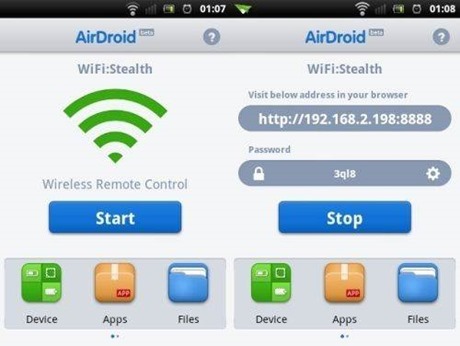
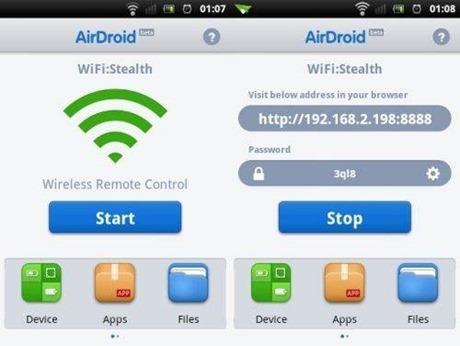
    Airdroid is free software that supports wireless transfer of files to a computer. Not only this it help in maintaining files, ringtones, contacts, images, videos, music and more.

    Key features:

    • · Works on Mac, Windows, Linux and Chromebook
    • · Receive and send SMS – individually or in groups
    • · View and manage photos on Android. Transfer them between computer and android
    • · Play and manage music on android. Transfer them between computer and android
    • · Export and import apps
    • · Export and set any ringtone
    • · Supports flashlight. View through both front and back camera
    • · Push url to Android and open it with Android Browser
    • · Share clipboard content between Android and computer
    • · Requires Android 2.2 and up
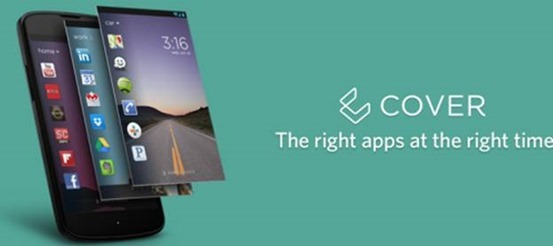
    Cover

    clip_image004

    No more hunting for the required app on the various screens you have on your smartphone. Cover puts the app required by you automatically on your lock screen for easy access whether you are at home, office or car. It makes a kind of geofence around the places you visit.

    Key features:

    • · Allows app switching
    • · “Peek” feature allows viewing apps from the lockscreen
    • · Have different ringtones or ringer volumes
    • · Have separate wallpapers for home, office or car
    • · Requires Android 4.1 and up

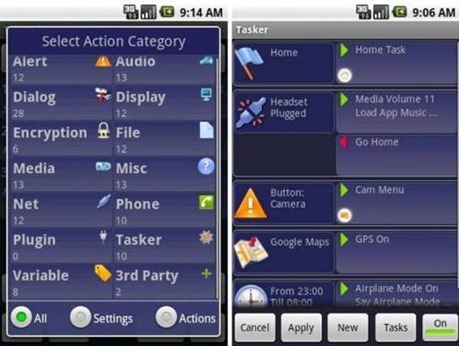
    Tasker

    clip_image006

    Tasker carries out some tasks on the basis of contexts such as date, time, event, location, gesture and application in pre-defined profiles or in home screen widget.

    Key features:

    • · Passcode-lock application
    • · Alter home icons and wallpaper every day or in a specific location
    • · To return to the home screen: turn the phone upside down, turn 90 degrees to the left and back to toggle speakerphone during a call
    • · Zip/unzip file data on the fly
    • · Display a pop-up when an SMS arrives
    • · Verify battery levels to a file or SD card
    • · Record automatically you say over the phone to SD card
    • · Create home widget start wireless settings dialog, send an SMS with your GPS location.
    • · It supports Android 2.3 and above.
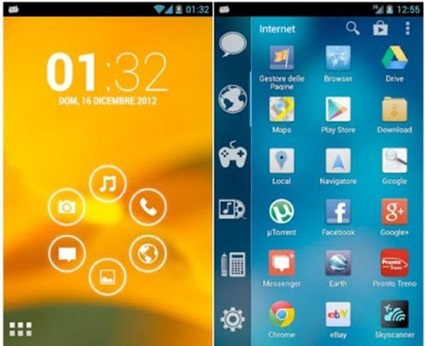
    Smart launcher

    clip_image008

    Smart launcher has minimalist design and user friendly user interface which allows you to launch any applications in a few keys.

    Key features:

    • · Customizable lock screen with lot more colors
    • · Live wallpaper support
    • · Supports every screen and device
    • · Fast search
    • · Easy access to apps information
    • · Hide any app by long pressing an app, then selecting menu – hide.
    • · Widget (PRO version only)
    • · Drawer organized by categories
    • · Change single icon in the drawer
    • · Ready to use without special configurations
    • · New release compatible with API
    • · Requires android 2.1 and up

    Do you know any iOS app that does what these apps do? I am sure “no” is the answer. Install them on your Android devices today.

    Author Bio:

    Simon is a Mobile app developer by profession and writing-enthusiast at heart. He mainly covers topics related to Technology, Android and iOS Apps, and now days he is passionate to cover and write reviews or issues faced by iPhone and android application development services. He prefers and loves to read about the Changing technology trends and review them of his own.

  • How to Root Nokia X and Install Google Play Store

    How to Root Nokia X and Install Google Play Store

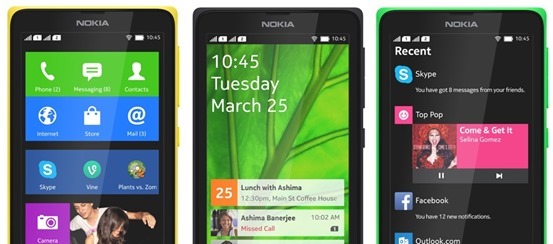
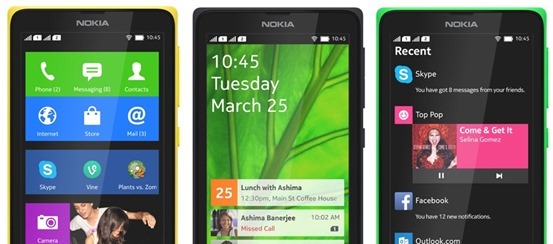
    If you just got your Nokia X and very much like to Install Google Play Store, Google Apps and Google Now Launcher in Nokia X, then are at the right place, this article will guide you on how to root Nokia x and install Google Play store on it. You cannot download apps directly from Play Store on Nokia X as the operating system on the phone is not a ‘pure’ android but is a forked version of android. Therefore, the phone is missing the google apps and it has microsoft apps pre-installed with it. Google Play Store is also replaced with Nokia Android Store.X-screens

    Also: Nokia launched its first android phone series X, X+ and XL at MWC 2014

    How to root Nokia X and install Google Play Store

    The unofficial method is from XDA Developers senior member Kashamalaga. Hence, all thanks to him for bringing this so early.

    This method is not same as conventional rooting and please take care while rooting your phone. Follow all the instructions step-by-step and carefully.

    Requirements

    Steps to follow

    1) You will need a rooted device, So Use Gandalf Exploit included in Framaroot app for rooting.

    2) Extract and copy all apks from “NokiaX_Gapps_KashaMalaga_28.02.2014.zip” to /system/app and change permissions for this files using your file explorer.

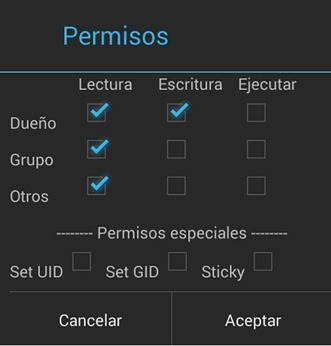
    3) Set the permissions for the APKs to “read” for all and “write” for just the first one from top, as below.PPBaJre

    4) Reboot your device.

    5) Extract and install as usaul every single needed apk include in “NokiaX_SomeGoogleApps.zip“. (If want to use Google Now Launcher, open it after install it)

    6) Now launch Google Play Store and login to your Google account and you are Done.nokia-x-root

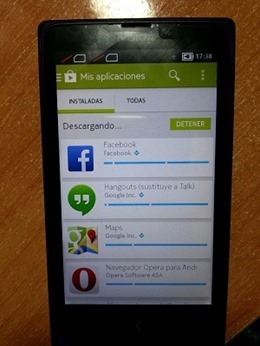
    That’s all, now your Nokia X device has all the Google Apps and by doing this you will be able to download all the app from Google Play Store.

    Love flappy bird ? Read: How to download Flappy Bird on Android and Hack the score !

    For more information and support, you can also check the thread on xda.

    UPDATE: How to root the new v11.1.1 Nokia x update

    • Download the required files click here and extract the files.
    • Enable debugging mode in Nokia by going into Settings.
    • Connect Nokia X to the PC.
    • Now update ADB drivers.
      • Go to desktop on PC
      • Right click on computer and click manage
      • Select Device manager
      • In the list, Nokia X will be listed with a Question mark icon.
      • Right click and select update driver, then select Browse my computer for driver option.
      • Now select the path of above extracted folder, in the folder select driver file.
      • Now drivers are updated.
    • Now Reconnect the Nokia to the PC.
    • Open kingroot app from the extracted folder.
    • Now kingroot will detect Nokia X as Android device. Now root the device using the App.
    • Now your device is rooted.
    • For installing Play Store and apps, follow the steps same as above.

    For more information and support for rooting v11.1.1 Nokia X update, you can also check the thread on xda.