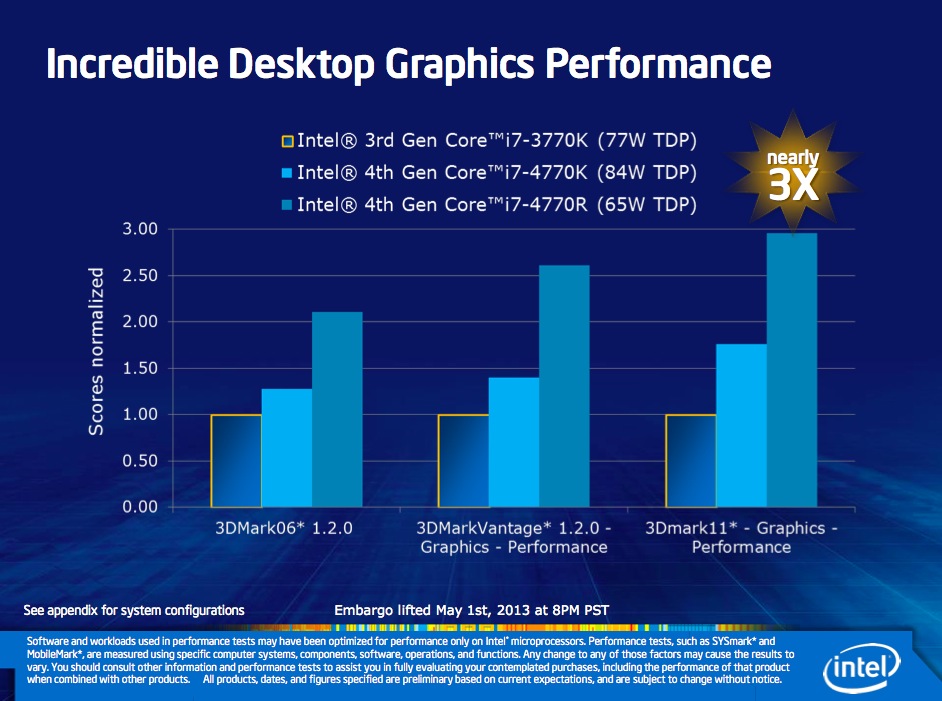
The fourth generation of Core i3, Core i5 and Core i7 CPUs has now been released. Or at least detailed in an official capacity. Oddly enough, the mobile lineup hasn’t been fully detailed, although Intel did share the core features, which we’ll explore separately. The desktop collection has been fully listed, however. There are fourteen chips in the line if we’re reading things right, all but one quad-cores.
Of those, eight are sure to ship through retail, while the others could be OEM parts, sold only as part of already configured OEM PCs.
One new Intel feature for folks wanting to hook up their PC to a quad resolution HD TV Intel’s 4K HDTV capability and an almost 2x improvement in 3D game graphics. If you get confused over all these Intel generation chips, keep this simple guide in mind: Intel 2rd Generation processors have HD 3000 graphics (that shows up in the computer’s system information) while Intel 3rd Generation chips have HD 4000 graphics and the Intel 4th Generation processors have HD 4600 graphics.
When combined with Intel’s desktop motherboard DZ87KLT-75K, the new Intel 4th Generation Core i7-4770K 3.5 GHz processor becomes the equivalent of turbo charging every part of your car. The two work in tandem for not just being faster than last year’s 3rd Generation 3770K 3.5 GHz Core i7 processor but also pushing the limits on overclocking (speeding up the frequency) of the CPU (general processing) GPU (graphics performance including video handling) and the system’s RAM memory. I used Kingston’s Hyperx/fb-dimm 2400MHz 16GB kit that let me overclock the RAM from the standard 1333MHz to almost 2400MHz. I was able to overclock this 4th Generation evaluation system to just under 4.5 GHz before my test PC became unstable. I know I know…too geeky. It is what it is!
As odd as it may sound, only three chips have Hyper-Threading technology (double the number of logical cores vs. physical ones). The big names are Core i7-4770K and Core i7-4770 (quad-core, 8 threads). At the opposite end of the spectrum there is that lone dual-core we have mentioned, Core i5-4570T.All newcomers possess GT2 integrated graphics of varying performance, from 1.15 GHz to 1.25 GHz.
Speaking of clock speeds, the x86-64 cores themselves range from 2 GHz to 3.5 GHz (base) and 3 GHz to 3.9 GHz (Turbo Boost).
For those who don’t know, the GT2 graphics chip is also called HD 4600 and has 20 execution units. Other features that all CPUs share include a PCI Express 3.0 controller, 8 MB L3 cache, a dual-channel memory controller and, for the K-series, unlocked multipliers (good for overclocking).

Haswell is the sort of CPU upgrade we’ve come to expect from Intel: a whole bunch of incremental improvements over last year’s model, all delivered basically on-time and as promised. Again, we’ll need to have test systems in hand to verify all of the lofty claims that the company is making here. But at least on paper, Haswell looks like a big push in the right directions. It increases GPU power to fight off Nvidia and AMD, and it decreases overall power consumption to better battle ARM.
Unfortunately, the parts that will actually be doing battle with ARM haven’t even been announced yet. Powerful quad-core chips are all well and good, but if you’re waiting to see what Intel has in store for Ultrabooks you’re going to have to wait a bit longer. For our part, we’d guess that Computex will bring those CPUs along with a flood of accompanying Haswell Ultrabooks, convertibles, and tablets. Once we see those computers, we’ll have a better idea of what Haswell can do that Ivy Bridge couldn’t.
Exact retail availability for the processors has not yet been announced, but expect that information to be available in the coming weeks.
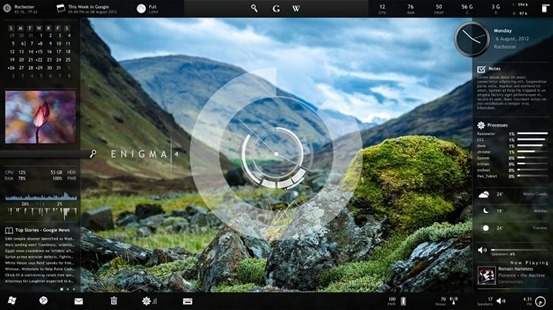
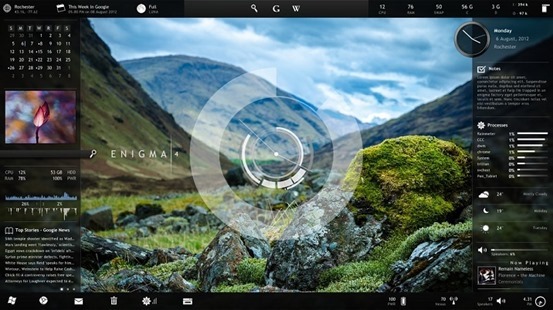 Windows Desktop customization app Rainmeter has a pool of various configuration options, informational tools, and settings that let you customize almost every square pixel of your desktop exactly how you like it—plus it looks fantastic. It’s powerful and effective once set up.