Tag: kit kat

  • Android 4.4.4 KitKat update for Moto G, E and X in India

    Android 4.4.4 KitKat update for Moto G, E and X in India

    android_4.4.4_update_india

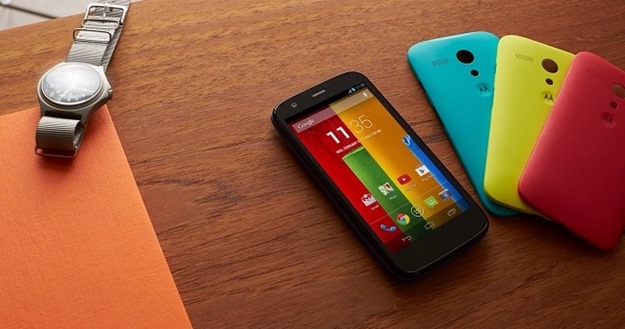
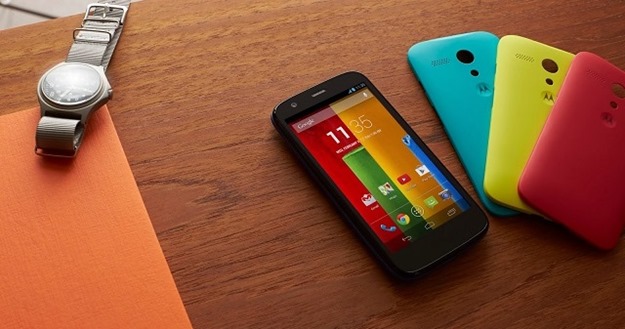
    Motorola India has confirmed they will be rolling out the latest Kitkat update, Android 4.4.4, for Moto E, Moto G and Moto X. The company announced this on twitter

    It will be a phased-rollout and you will receive notifications to update the OS but you can also access be accessed through the settings menu. This release continues to reinforce Motorola’s commitment to offering its users a pure, bloat ware-free and seamless Android experience.

    Steps for updating Moto G, E or X to Android 4.4.4 KitKat:

    1. Go to Settings of your device.

    2. Select “About phone” and then go to “System updates”.

    3. Select “Download”. After the download is complete, click “Install”.

    4. After the software is installed, your phone will re-start automatically.

    This update from 4.4.3 to 4.4.4, is mostly a security update.It will fix several bug fixes and have a new look dialer, alongwith the security enhancements and bug fixes for OpenSSL-related activities.

    The Moto E is available at Rs 6,999 in India, while the Moto G is selling at Rs 12,499 for the 8 GB model and Rs 13,999 for the 16 GB variant. The Moto X is Motorola’s flagship product priced at Rs 23,999. All these moto phones are available exclusively on Flipkart.

  • LG G Pro 2 – Android v4.4.2 (KitKat) with Quad core 2260 MHz processor

    LG G Pro 2 – Android v4.4.2 (KitKat) with Quad core 2260 MHz processor

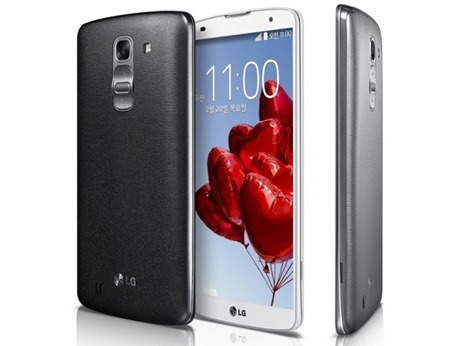
    lg-g-pro-2LG has been coming up with superb devices for a while now. We saw them launch the Optimus G, Nexus 4, G Pro, G2, Nexus 5 and various other devices that impressed us. This Korean manufacturer has working hard to give tough competition to the market leader. The recently launched LG G2 is a powerful device which brought some new hardware and software features with it. Now they have showcased another new device which would go against the popular phablets in the market. This new device is LG G Pro 2, the second iteration of their LG G Pro phablet.

    This device is slightly bigger than the previous device and has got some new hardware and software features. They have put the powerful Snapdragon 800 chipset in it that we saw on the LG G2 and Nexus 5. Also they have increased the display size and battery capacity over the G Pro. The camera has also been improved and you can do lot more than ever. So here is a closer look on this upcoming device.

    Design

    The device measures 157.9 x 81.9 x 8.3 mm and weighs 172 gms, exactly the same as G Pro. You can see already from the numbers that the device is huge, even bigger than the Samsung Galaxy Note 3. Using the device with one hand is something we humans can’t do. While the G Pro had a physical home key up front like older LG devices, this one follows the scheme we saw on the G2. The power and volume controls are on the back of the device. You can easily operate these controls using your first finger once you get accustomed to this setup.

    The build quality is pretty good though now we would love to see them use some premium materials. The device will be available in three colours: white, silver and titan. Just like the G2, the G Pro 2 has got a very slim bezel around the display. The display measures 5.9 inches measured diagonally. The LG logo sits below the display where the physical key used to be on the G Pro. Overall the design is neat and the device surely feels premium.

    Display

    The device, as we already said, has a 5.9 inch display. It is an IPS LCD display like on many other high end LG devices. It has a resolution of 1080 x 1920 which gives it a pixel density of 373 pixels per inch. It used to be almost 400 pixels per inch on the G Pro due to smaller display size. Being an IPS display, it has got superb colour replication and viewing angles. Sunlight readability should be good too as it has got decent brightness. Watching high definition videos would be an absolute treat on this device. To protect the display from scratches, they have gone for gorilla glass 3 protection on the display. So even if you put keys and coins in the same pocket as your phone, you won’t end up with scratches on the display.

    Hardware

    Like the Nexus 5 and G2, this device runs on the Qualcomm Snapdragon 800 chipset. This is one of the most powerful chipset powering many popular devices. The quad core processor runs at a clock speed of 2.26 GHz. The graphics are handled by an Adreno 330 GPU and it has got 3 GB of RAM. You get the storage option of 16 and 32 GB with a micro SD slot that can house storage up to 64 GB. They have switched the 3140 mAh battery in G Pro for a slightly bigger 3200 mAh battery in this one.

    For connectivity you get the usual options like USB 2.0, GPRS, EDGE, 3G, 4G LTE, Wi-Fi, Bluetooth 4.0 and Infrared.

    Camera

    The device has got a 13 megapixel camera. While the resolution is same as the G Pro, there have been a number of other improvements. It has got optical image stabilisation with the lens assembly mounted on springs. The competition is stiff with all the rivals boasting high end camera specs so they would have to live up to the expectations. You get the usual goodies like face detection and high dynamic range photography. They have added something called ‘magic focus’ which allows you to alter the depth of focus. The upgrade here is in the video section. Instead of 1080p, you can record videos in 2160p at 30 fps. You can also record slow motion videos at very high frame rate. It supports 1080p videos at 60 fps and 720p videos at 120 fps.

    They have done something fresh to the front camera as well. With the 2.1 megapixel front camera, they have added something to shoot selfies in dark. You can reduce the size of viewfinder and it would put a white border around it. This would illuminate your face in dim lit environments.

    Software

    The device runs android 4.4.2 Kit Kat with the LG UI on top of it. This is pretty standard but they have added some new features like the Knock Code. Some LG devices previously got the Knock-on feature which allowed people to turn on the display by tapping on it twice. On this device, the display is divided into four zones and you can set a combination to tap on the display. This would turn on the display and unlock the device as well. Also there is content lock which can be used to password protect certain files, photos and videos. There is also a mini view like on the Samsung Galaxy Note 3 which scales down the display for one handed operation.

    Verdict

    This device seems promising and with all the new software features, a tough rival to the Galaxy Note 3. We are yet to see when this device makes it to our market. If they price it well, it might sell in good numbers.

    Author Bio: The article has been written by Kundan Kumar, who is passionate about technology. He’s working at 91mobiles.com and writes about the latest in the tech domain, right from devices to innovations. You can follow me on Twitter

  • Moto G : The Budget Smartphone review

    Moto G : The Budget Smartphone review

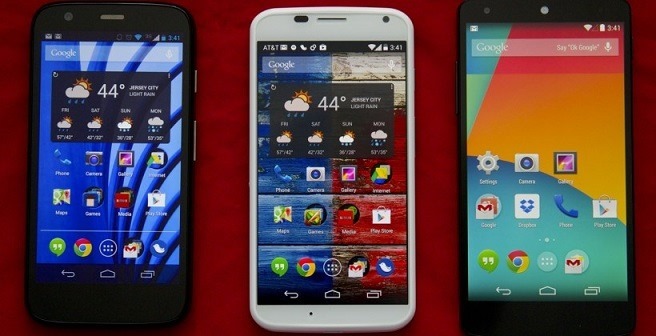
    Moto_GThe Motorola Moto G is an important phone, for Motorola at least. It’s the first new Motorola phone to be released in the UK in ages, and the first we’ve seen since Google bought Motorola back in 2012. It’s also superb. Thanks to its 720p screen and solid Snapdragon 400 processor, it offers far better specs than any other big-name a phone selling for under £150. If you want a sub-£150 or $179 phone, get this one. It’s that simple.
    Design

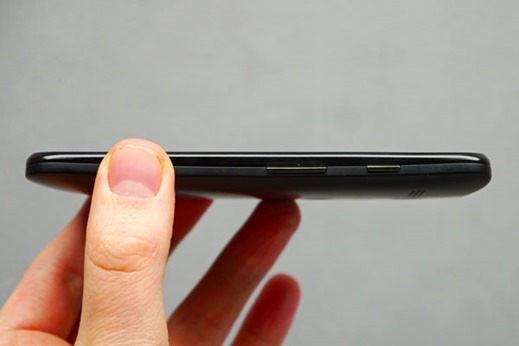
    The design on the Moto G doesn’t, by any means, follow the current smartphone trend of the straightest possible form and thinner-is-better chassis approach. Its thickest side is the curved back which is almost 1.2 cm thick, while the thinnest part is just over 6 mm.moto-g-1

    Its kinship with the Moto X is quite evident: both have the same exchangeable back side made from a slightly rubberized polycarbonate, built with the headphone jack at the top side as well as a cut out for the camera, an LED flash and finally a Motorola logo. Just like the Moto X, there’s a whole rainbow of colors from which to choose.
    The interface is largely vanilla, which is good, but there are a handful of Motorola flavoured additions. Motorola Migrate helps you bring all your content such as photos, videos and text message history – as long your old phone was Android. Motorola Assist helps to avoid disruptions when you’re in a meeting or asleep which we’ve found extremely handy.

    Display

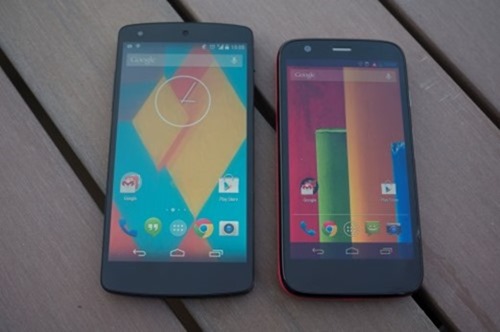
    The Motorola Moto G’s most impressive feature is its screen. This is the first time we’ve seen a 720p screen on a phone that costs less than £140. Moto_G_vs_Nexus_5_Custom
    This gives the phone the sort of ultra-sharp text and images that we’ve only seen in much more expensive phones to date. 720p resolution stretched across a 4.5-inch display gives a pixel density rating of 329 pixels per inch (ppi). Higher-end Androids may offer 1080p screens these days, but that’s still higher than the ppi rating of the iPhone 5S (326ppi).

    Design your smartphone : Moto x

    Processor

    The processor on the Moto G is a Snapdragon 400 with four cores, a clock speed of 1.2 GHz and 1 GB of RAM.

    Battery

    Motorola touts ‘all day’ battery life for the Moto G and this is certainly the case in our testing. The Moto G will last a day and if you are a light user then you’ll probably even get a couple of days from the handset.

    Tech Specs and Price

    The technical aspects that come with the Moto G aren’t in the class of superior smartphones, but sit somewhere in the middle ground. The quad-core processor with 1 GB of RAM and Android 4.3 operating system ensure that the system runs smoothly at all times. The 5 MP camera is in tune with the price class, while the battery for the device is actually quite good. Considering the price of 199 USD for the 16 GB version, the Moto G offers a great price-performance ratio.

    Processor Qualcomm Snapdragon 400, Quad-Core, 1.2
    GHz
    Display 4.5-inch, 1,280 x 720 Pixel, 329 ppi,
    LCD
    RAM 1 GB
    Internal
    storage
    8/16 GB
    Dimensions 129.9 x 65.9 x 6-11.6 mm (curved back
    side)
    Weight 143 grams
    Battery 2,070 mAh
    Camera 5 MP (back), 1.3 (front)
    Connectivity GSM/GPRS/EDGE/UMTS/HSPA+, Wi-Fi 802.11 b/g/n,
    Bluetooth 4.0, GPS, GLONASS
    Android
    version
    Android 4.3 Jelly Bean
    Price 179 USD (8 GB), 199 USD (16
    GB)

    The Motorola Moto G is one of the best phones of the year, and the first time we’ve seen a phone of this calibre launch at under £200 SIM-free. That it’s so much cheaper than £200 is a minor miracle. This phone deserves to sell by the bucketload. 

  • All you need to know about Nexus 5

    All you need to know about Nexus 5


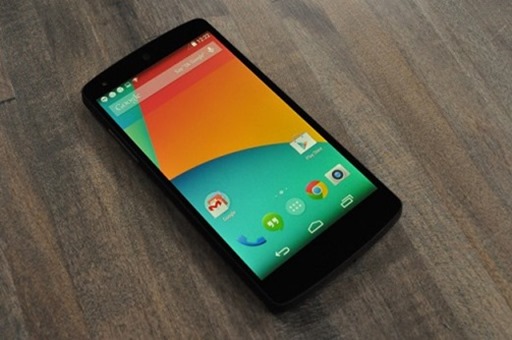
    nexus-5-lookAfter weeks of speculation, Google and LG have officially announced the Google LG Nexus 5.
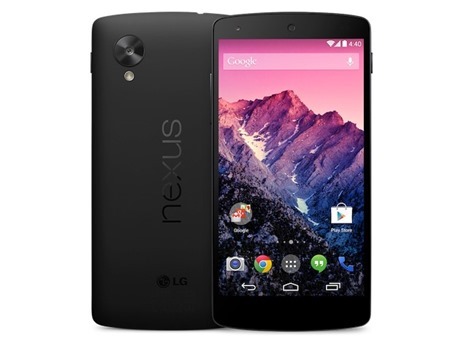
    LG-Google Nexus 5’s technical specifications –
    4.95-inch 1920×1080 display (445 PPI) – Corning Gorilla Glass 3 – Android 4.4
    KitKat – Qualcomm Snapdragon 800, 2.3GHz quad-core processor – Adreno 330,
    450MHz GPU – 8 megapixel rear camera with optical image stabilisation – 1.3
    megapixel front camera – 16GB or 32GB internal storage (actual formatted
    capacity will be less) – 2GB RAM – 130 grams weight – 69.17×137.84×8.59 mm –
    Dual-band WiFi (24G/5G), 3G/4G LTE – NFC (Android Beam) – Wireless charging –
    2300 mAh battery – Standby time up to 300 hours – 16GB for Rs 28,999, 32GB for
    Rs 32,999

    Read more at: http://ibnlive.in.com/news/google-nexus-5-with-android-44-kitkat-launched-16gb-for-rs-28999-32gb-for-rs-32999/431647-11.html?utm_source=ref_article

    Google Nexus 5 is the first to run Android 4.4, which brings a new dialer that automatically suggests people the most likely call while Caller ID by Google matches an incoming phone number to a business even if that number isn’t stored in the contact list. Users can send and receive text messages directly from Hangouts, and Hangouts for Android now supports location sharing.
    The 5-inch display makes it suitable to fit in the palm of your hands, but while carrying it in my pocket while walking through San Francisco, it sort of felt like it was out of place — perhaps I’ve grown too accustomed to the fact that I’ve had 3- to 4-inch phones for the past few years. Although you can hold the device in one hand, it doesn’t immediately feel comfortable enough size to manage all your affairs as such. Trying to type out emails or using certain apps required the use of both hands.
    Price tag of Rs. 28,999 for the 16GB variant ($349 in the US) and Rs. 32,999 for the 32GB variant ($399 in the US).

    Google Nexus 5 technical specifications
    Processor: Qualcomm Snapdragon 800 with 2.26GHz Quad-Core Krait CPU
    Operating System: Android 4.4, KitKat
    Display: 4.95-inch full-ID IPS (1920 x 1080 pixels)
    Network: CDMA/1xRTT/EVDO, GSM/GPRS/EDGE, WCDMA/HSPA+, LTE
    Internal storage: 32GB / 16GB
    RAM: 2GB
    Camera: Rear 8.0-megapixel with OIS / Front 1.3-megapixel HD
    Battery: 2,300mAh Li-Polymer (embedded)
    Size: 137.84 x 69.17 x 8.59mm
    Weight: 130g
    Others: Wireless charging, NFC


    • The soft touch backside gets fingerprint-tastic, and fast. I had to wipe it almost constantly for our hands on photos. For reference, I’m using the black device and don’t have particularly oily hands.
    • With Android 4.4, Google Search is now automatically integrated into every single page of homescreen launcher, and can be triggered by voice through an “Okay, Google” hot keyword. Search is always just there. It’s quite nice.


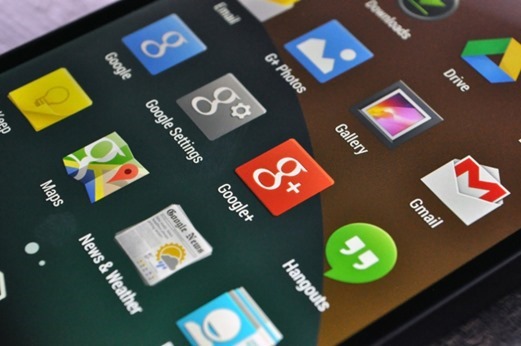
    • Google Now is now always the left-most screen on your homescreen, which is a smart move on Google’s part.icons
    • It’s smooth. Really smooth. Every transition, every fade in – it’s like butter.
    • The camera seems above average, but not mind blowing. 
    • Android 4.4 overhauls the dialer, with the main feature being a knowledge of nearby businesses. Just type a business name into the same field where you’d normally type the first few letters of your friends name, and it pulls up the details for nearby locations. In my early tests, this feature works very well. Typing “Starbucks” pulled up 8+ locations near me (hey, it’s San Francisco), broken down by their location, each offering their phone number at a click. It works in reverse, too; I had one of those Starbucks locations call me, and the phone identified the caller as such. Google says all this data is piped in from Google Maps


    • In Google’s HDR+ mode (which takes photos in rapid succession and combines the best parts of each into one photo), the camera can be slow.
    • While Android 4.4 is largely focused on optimizations that allows it to run on lower-end devices, there are a number of lil’ subtle changes that really spruce up the place. The top bar and bottom nav bar are both translucent now, allowing the homescreen background to go fullbleed across the screen . The widgets drawer has been moved out from the pop-up app drawer (which always seemed like a weird location), and back to being behind a long press on the home screen (like it was in Android of yesteryear). google_nexus_5