Tag: microsoft

  • Windows 10: Almost Everything you need to know

    Windows 10: Almost Everything you need to know

    Microsoft gave the first look at its Windows 10 operating system recently, a major release that will span all hardware from PCs to phones and try to recover the Windows 8 loss.

    Windows 10 and not Windows 9

    The natural name would have been Windows 9, but Microsoft is eager to suggest a break with the past. “We’re not building an incremental product,” said Terry Myerson, head of Microsoft’s Operating Systems Group.

    Will run on every device

    Microsoft demonstrated only the desktop version, but Windows 10 will be for tablets, smartphones and embedded products, too.

    “It will run on the broadest types of devices ever, from the smallest ‘Internet of things’ device to enterprise data centers worldwide,” Myerson said. “Some of these devices have 4-inch screens, and some will have 80-inch screens. And some don’t have any screen at all.”

    And yes there is a start menu

    They tried to combine the familiarity of Windows 7 with the modern interface of Windows 8. That means the new start menu is divided into 2 parts: On the left, apps are displayed in the familiar Windows 7 style, while on the right windows 8 stylized live tiles. The start menu is customizable, so you can resize the tiles and move them around.
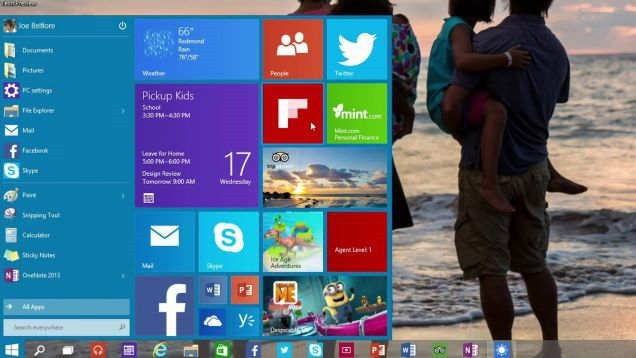
    windows-10-start

    Multiple desktops

    Windows 10 has a feature like that lets you zoom out and see everything that’s open on a PC, then select any app to enter it. You can also navigate through several virtual desktop displays at the bottom of the screen.

    Command Prompt just got better

    Microsoft made an unusual point of specifying that Ctrl-V would work inside the command prompt. Alongwith, click the Experimental tab and there are several other new features you can enable.
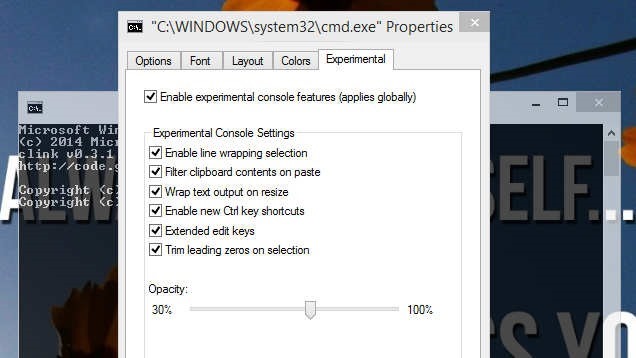
    cmd-windows-10

    Cortana might be Coming to the Desktop

    Microsoft has been working on its voice assistant called Cortana that’s allegedly supposed to appear in Windows 10 before its released.

    The OS will launch around the middle of next year, after Microsoft’s Build conference.But, you can try Windows Technical Preview right now. But take care while installing it.

    Bonus – Lazy Programming might be the reason for windows 10 not 9

    Someone (probably developer team member) posted this recently.
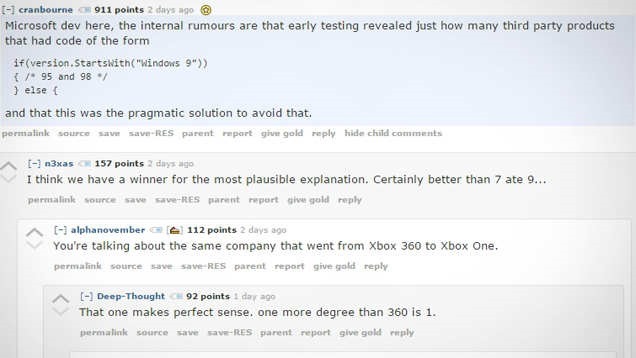
    windows10-9

  • Source Code Available To The Public For MS-DOS

    Source Code Available To The Public For MS-DOS

    Amazement, shock! It does appear that Microsoft is truly experiencing significant progressions. Not just have we caught wind of gossipy tidbits around a free form of Windows 8.1, however now, Microsoft has discharged the MS-DOS source code to the overall population. Free AND Microsoft? Weird associates, huh?

    Ostensibly, MS-DOS is the establishment that Microsoft based its reality on, and I assume nobody truly ever imagined that the organization might make the MS-DOS source code open, however yes, it is not an early trick for April’s Fools Day. Also not just that, notwithstanding the MS-DOS source code, the same thing has been discharged for Word for Windows.

    Particularly, the source codes for MS DOS 1.1 and 2.0, and additionally Microsoft Word for Windows 1.1a are presently available to any individual who needs it. There are, obviously, “runs” to take after. The source codes are under a non-business permit, and re-distribution anyplace online is not permitted.

    Microsoft designer and executive of Research Roy Levin is snappy to highlight exactly how significant this is – not that we don’t understand that, isn’t that right?

    “It’s mind-boggling to think of the growth from those days when Microsoft had under 100 employees and a Microsoft product (MS-DOS) had less than 300KB (yes, kilobytes) of source code. From those roots we’ve grown in a few short decades to become a company that has sold more than 200 million licenses of Windows 8 and has over 1 billion people using Microsoft Office. Great things come from modest beginnings, and the great Microsoft devices and services of the future will probably start small, just as MS-DOS and Word for Windows did.

    Thanks to the Computer History Museum, these important pieces of source code will be preserved and made available to the community for historical and technical scholarship.” 

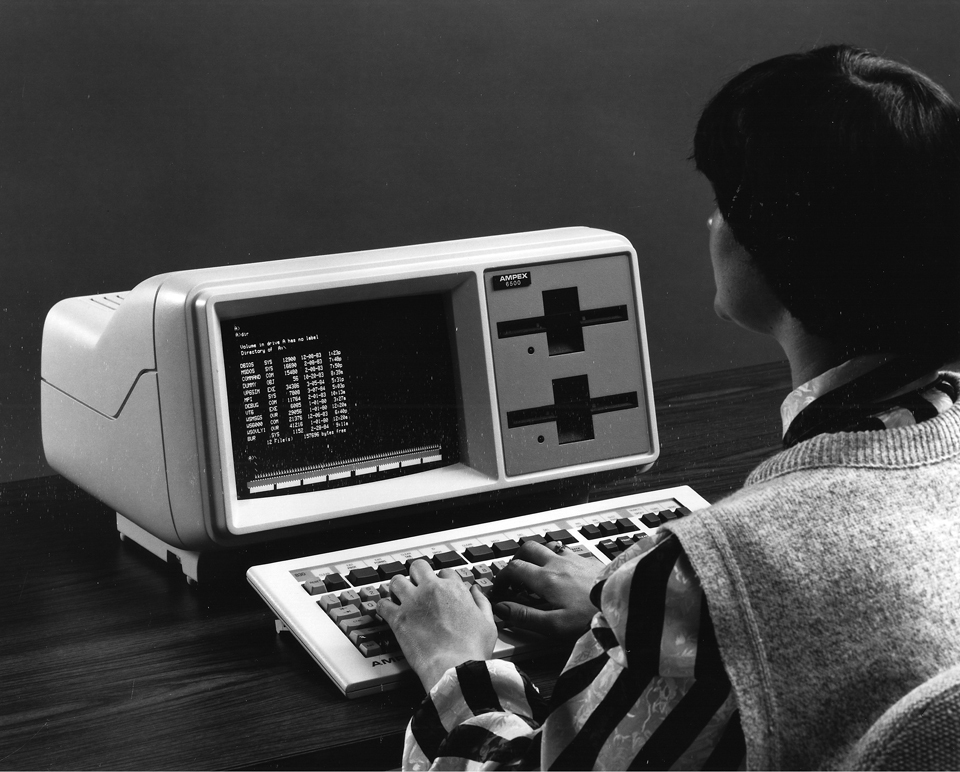
    In reality, in the event that you contemplate past times worth remembering of MS-DOS, the green font against a dark foundation, and the flickering cursor… that makes one nostalgic, isn’t that right?

    You can look at the MS-DOS source code (and Word for Windows) here.