
Tag: mozilla

  • Firefox 35 releases with improved cross-browser video chat ‘Hello’

    Firefox 35 releases with improved cross-browser video chat ‘Hello’

    Mozilla launched new Firefox 35 for all major platforms. Big additions to the browser include room-based Firefox Hello conversations, H.264 (MP4 files) playback on OS X, and integration with the Android download manager.

    Firefox Hello

    Firefox ‘Hello’ works across WebRTC-supported browsers including Google Chrome and Opera. To use it, you just have to click the Hello button on your toolbar and select ‘Start a conversation’ and then just copy and share the link with a contact to begin video chatting straight in your browser.
    Each conversation window has its own unique URL and you can easily create multiple conversations and name them for different topics. You don’t need any account for this to work.

    Firefox Marketplace for Desktop

    Mozilla has opened up the Firefox Marketplace for the desktop, currently in beta.

    Firefox Share

    Now you can share to your favorite social network any link straight from your browser.
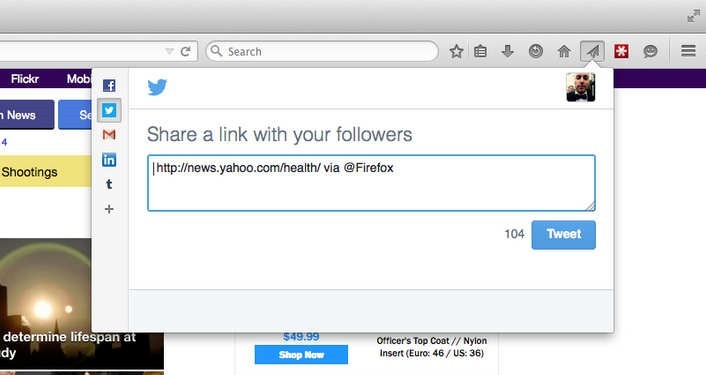
    2015-01-13_0911

    Here’s the full Firefox 35 changelog:

    • New: Firefox Hello with new rooms-based conversations model.
    • New: New search UI improved and enabled for more locales.
    • New: Access the Firefox Marketplace from the Tools menu and optional toolbar button.
    • New: Built-in support for H264 (MP4) on Mac OS X Snow Leopard (10.6) and newer through native APIs.
    • New: Improved handling of dynamic styling changes to increase responsiveness.
    • New: Implemented HTTP Public Key Pinning Extension (for enhanced authentication of encrypted connections).
    • New: Use tiled rendering on OS X.
    • New: Improved high quality image resizing performance.
    • HTML5: Changed JavaScript ‘let’ semantics to match the ES6 specification.
    • HTML5: Resource Timing API implemented.
    • HTML5: CSS filters enabled by default.
    • HTML5: Added support for the CSS Font Loading API.
    • Developer: Support for inspecting ::before and ::after pseudo elements.
    • Developer: Computed view: Nodes matching the hovered selector are now highlighted.
    • Developer: Network Monitor: New request/response headers view (more info).
    • Developer: Added support for the EXT_blend_minmax WebGL extension.
    • Fixed: Show DOM Properties context menu item in inspector.
    • Fixed: Reduced resource usage for scaled images.
    • Fixed: PDF.js updated to version 1.0.907.
    • Fixed: Non-HTTP(S) XHR now returns correct status code.

    Download: Mozilla Firefox Offline installer (Standalone) download

  • Mozilla Firefox 34 released with ‘Firefox Hello’

    Mozilla Firefox 34 released with ‘Firefox Hello’

    Mozilla released Firefox 34 on first of December along with new partnership with Yahoo.

    Firefox 34 brings a number of major features, such as an improved search bar, better theme switching, Firefox’s experimental ‘Hello’ chat client and the rollout of Yahoo as the default search engine for North America.

    When you update to the new version, Firefox will ask if you want to switch to Yahoo for your default search engine, however you can click ‘later’ to keep it as Google.

    Matchstick: Mozilla’s Firefox powered Chormecast alternative

    The improved search bar reduces the number of clicks to your search and makes it easier to search third party sites, like Wikipedia, Amazon and Twitter. Mozilla showed off the feature just last week.

    Firefox for Android was also updated to version 34 today, bringing a new theme and the ability to mirror tabs to your Chromecast.

    What’s New

    • Default search engine changed to Yahoo! for North America
    • Default search engine changed to Yandex for Belarusian, Kazakh, and Russian locales
    • Improved search bar (en-US only)
    • Firefox Hello real-time communication client
    • Easily switch themes/personas directly in the Customizing mode
    • Wikipedia search now uses HTTPS for secure searching (en-US only)
    • Implementation of HTTP/2 (draft14) and ALPN
    • Recover from a locked Firefox process in the “Firefox is already running” dialog on Windows

    Download: Mozilla Firefox Offline installer (Standalone) download
  • Matchstick: Mozilla’s Firefox powered Chormecast alternative

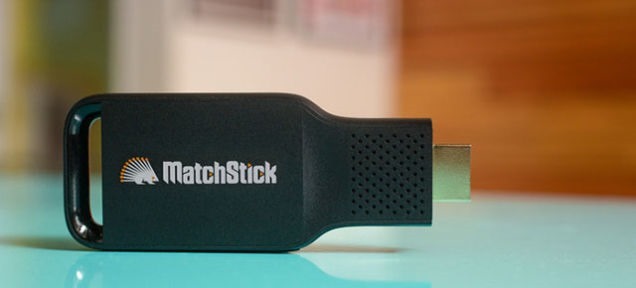
    Matchstick: Mozilla’s Firefox powered Chormecast alternative

    matchstick-mozilla

    Mozilla is expanding beyond its awesome Firefox browser and getting hands dirty in the suddenly hot streaming video business.

    MatchStick HDMI streaming stick, which will sell for a limited time through Kickstarter at a starting price of $12 before it goes to retail. It’s final price of $25 sets its sights on the Chromecast, the $35 streaming dongle from the Google. Matchstick runs on Mozilla’s Firefox OS, the open source mobile operating system.

    With over 17,000 backers and $470,000 in funding, it’s hard to call Matchstick anything but a success for Mozilla.

    Awesome Firefox Tricks You Might Not Know

    “Due to Matchstick’s unique openness, we believe it will lead to a greater number of cool apps and lower price. These are tangible benefits a consumer will readily embrace,” Jack Chang, the US general manager of Matchstick.

    “It’s better than Chromecast,” extols the promo video on the Kickstarter page, which humorously shows Matchstick testers getting thrown out of an Ikea furniture store for using the Ikea living room sets to test the Matchstick — and asks for money so they can “shoot a real commercial.”

    Both the hardware and software for Matchstick are open-source. Matchstick is built on a dual-core Rockchip 3066 processor, has 4 gigabytes of onboard storage, 1 gigabyte of DDR3 memory, and supports Wi-Fi 802.11 b/g/n.

    Mozilla seems genuinely interested in listening to what their users want, and plans to ensure the features everyone wants make it into the stick.

  • CES 2014: Mozilla Premiers Firefox OS Tablet Developer Program

    CES 2014: Mozilla Premiers Firefox OS Tablet Developer Program


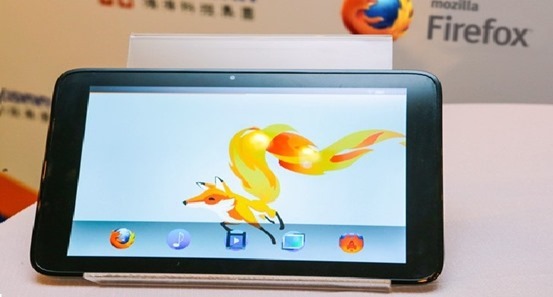
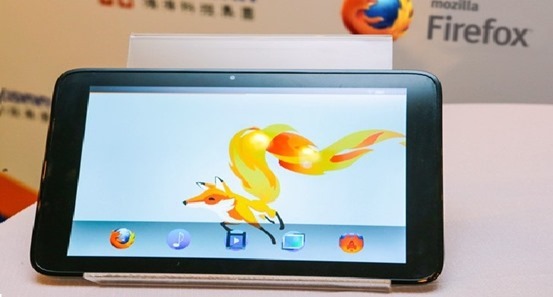
    CES-2014-Mozilla-Mozilla has recently shown some Firefox OS enhanced smartphones at CES 2014 and contains also announced its plans to enter the high-end smartphone market with two versions which are yet to come.
    But that’s not all Mozilla must get for 2014. Because it turns out, the business enterprise could be targeting the tablet field (who isn’t nowadays), in order that it has introduced a brand new Fire OS tablet programmer program that could provide fascinated parties with equipment references (via Foxconn) plus much more.

    Mozilla wants to get yourself started the tablet business, of the year immediately after CES and they hope to finish off the project by the end.

    By the image snapped by Engaged, the tablet and the UI will sport a pretty minimalist bundle and look pretty mid-range specifications. Another hint towards this theory is that Mozilla has recently parented up with VIA technologies to be able to release a type of mini PC with a sub $100 / €73 price.

    We’re likely to see $100 / €73 Firefox tablets available on the market this year, too?

    • At CES 2014, Mozilla Partners with Panasonic to Bring Firefox OS to the TV.

    Follow it all at CES 2014 on Gizmantra

  • Try out the new Future Fox : Australis

    Try out the new Future Fox : Australis

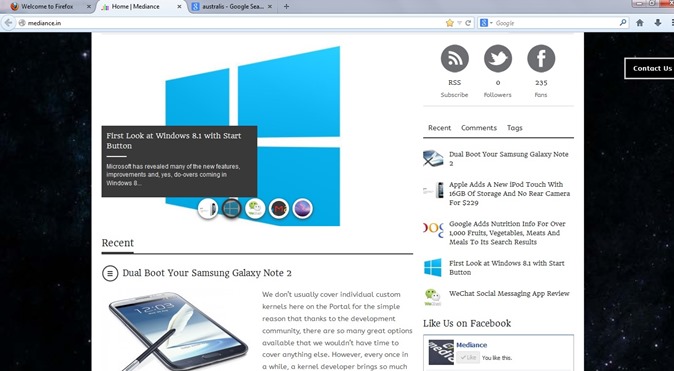
    The new Australis theme has been looming around the heads of the Firefox community for a very long time. Most of what we – that is the public – know about the theme is that it will modify how Firefox looks as it will replace the current default theme when it is released. What many Firefox users may not be aware of though is that Australis is more than just a theme replacement as it will affect the way we customize the browser.
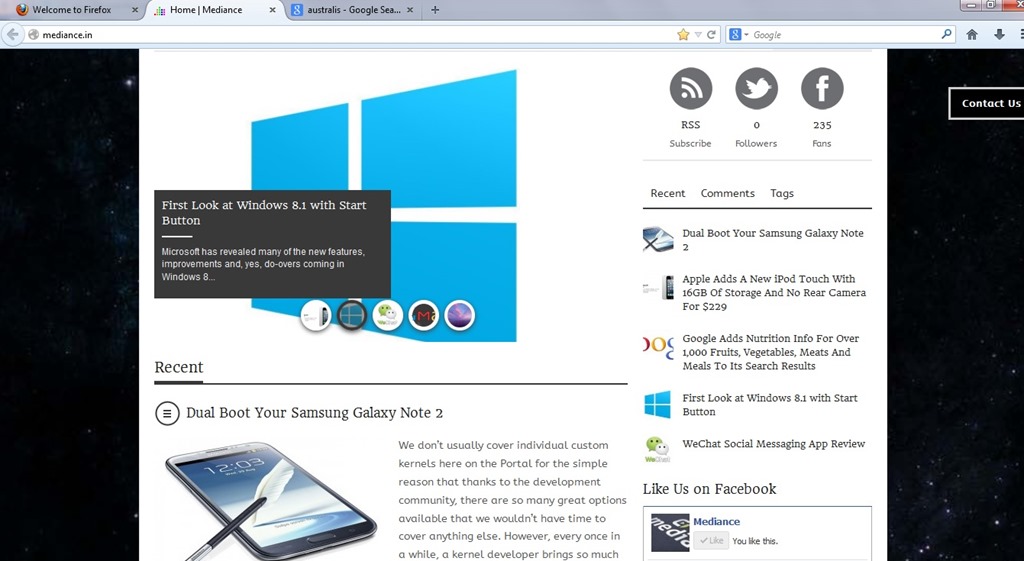
    Australis

    The project that has been guiding Mozilla’s exploration of what a modern browser should look like is Australis (because Mozilla apparently likes to name projects after star systems) and the fruits of this project will soon find their way into the Firefox release channels, starting with Nightly once it hits version 25 soon. After that, it will make its way through the usual release channels, though Nightingale told me that the team may hold it back from the stable channel a bit longer to ensure that everything works smoothly.

    If you feel really adventurous, you can already install a version of Firefox from Mozilla’s relatively obscure UX branch and test it in its current state (but don’t blame us if it crashes a lot or shreds your hard drive).

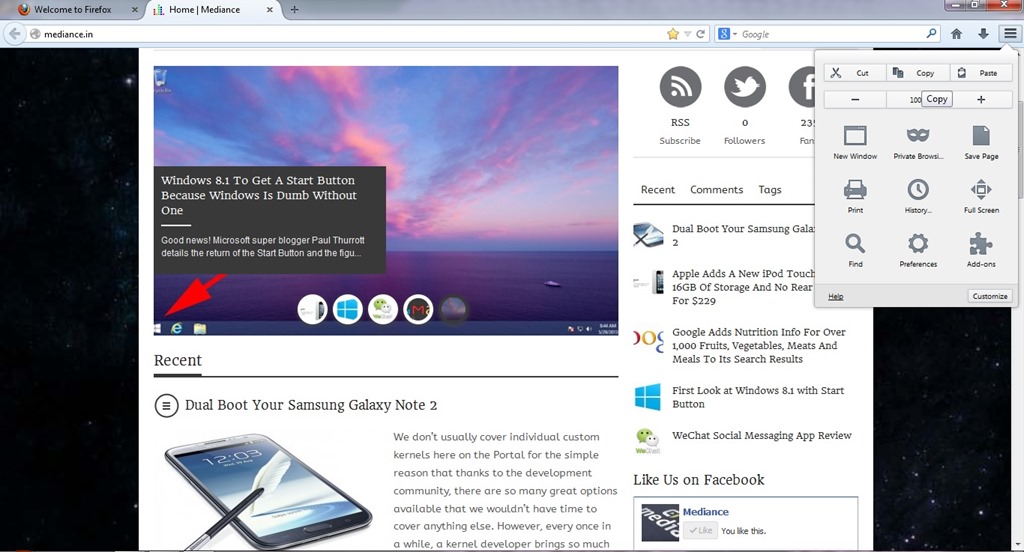
    firefox1While the main Australis theme won’t land in the stable channel before October. The combined stop/load/reload button in Firefox, for example, came out of this group. So did the new download manager and the fact that Firefox now doesn’t show the forward button anymore when there is no page to go forward to. The customization and tools menu now also uses icons in a three-by-three arrangement and dedicated buttons for copy, select and paste, as well as for increasing font sizes instead of just using a regular drop-down text menu.

    Australis is not just about the design, though. One area that’s also changing with Australis is how you customize the look and feel of your browser. Mozilla currently offers quite a few tools for this, but the team believes they are hard to find and not “fun” enough to use. As Mozilla’s Gavin Sharp told me, the idea here was to get users to enjoy customizing their browsers for the way they use it. Unless users can find these features, though, they could just as well be left out, so the team is working on ways to make it a bit more obvious that users can rearrange and remove virtually all the parts of the Firefox interface to suit their needs.

    ff2Now that Firefox is on a rapid-release schedule, the team obviously can’t change the user interface with every update, so the current thinking is to roll some things out together once they are ready and, where it makes sense, roll others out individually. This means that while we’ll see Australis and its curvy tabs in the nightlies of Firefox 25 very soon, it may not actually land in the stable version of Firefox 25.

  • Mozilla Firefox – Different by Design

    Mozilla Firefox – Different by Design

    firefoxsandstonered


     Download 1920×1080 wallpaper

    Meet the world’s best browser, made just the way you like it! Get Firefox: http://mzl.la/downloadfx

    Mission

    The common thread that runs throughout Mozilla is our belief that, as the most significant social and technological development of our time, the Internet is a public resource that must remain open and accessible to all. With this in mind, our efforts are ultimately driven by our mission of encouraging choice, innovation and opportunity online.
    To achieve these goals, we use a highly transparent, extremely collaborative process that brings together thousands of dedicated volunteers around the world with our small staff of employees to coordinate the creation of products like the Firefox web browser. This process is supported by the Mozilla Corporation, which is a wholly-owned subsidiary of the non-profit Mozilla Foundation.
    In the end, the Mozilla community, organization and technology is all focused on a single goal: making the Internet better for everyone.

    Try out the new Future Fox : Australis

    Mozilla Firefox 22 Stable Released

    Mozilla announces Nightly build of Metro Firefox for Windows 8