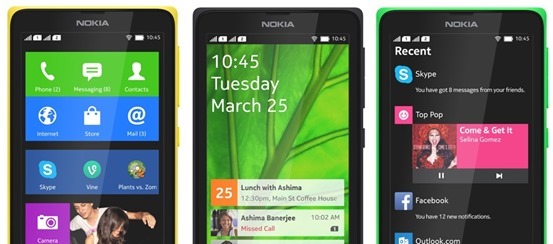
If you just got your Nokia X and very much like to Install Google Play Store, Google Apps and Google Now Launcher in Nokia X, then are at the right place, this article will guide you on how to root Nokia x and install Google Play store on it. You cannot download apps directly from Play Store on Nokia X as the operating system on the phone is not a ‘pure’ android but is a forked version of android. Therefore, the phone is missing the google apps and it has microsoft apps pre-installed with it. Google Play Store is also replaced with Nokia Android Store.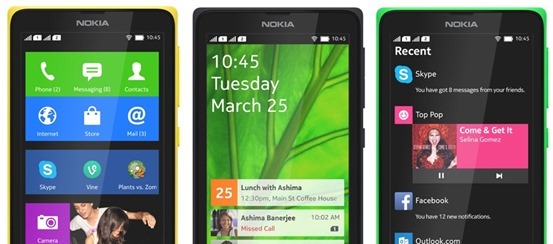
Also: Nokia launched its first android phone series X, X+ and XL at MWC 2014
How to root Nokia X and install Google Play Store
The unofficial method is from XDA Developers senior member Kashamalaga. Hence, all thanks to him for bringing this so early.
This method is not same as conventional rooting and please take care while rooting your phone. Follow all the instructions step-by-step and carefully.
Requirements
- Nokia X device
- Framaroot app
- A root-level file explorer (Root Explorer or ES File Explorer)
- NokiaX Gapps
- Nokia X Google Apps
Steps to follow
1) You will need a rooted device, So Use Gandalf Exploit included in Framaroot app for rooting.
2) Extract and copy all apks from “NokiaX_Gapps_KashaMalaga_28.02.2014.zip” to /system/app and change permissions for this files using your file explorer.
3) Set the permissions for the APKs to “read” for all and “write” for just the first one from top, as below.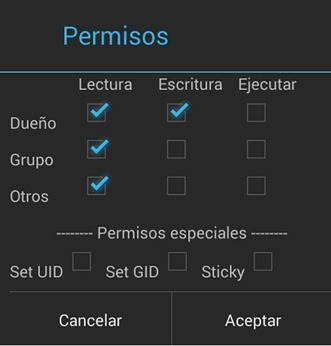
4) Reboot your device.
5) Extract and install as usaul every single needed apk include in “NokiaX_SomeGoogleApps.zip“. (If want to use Google Now Launcher, open it after install it)
6) Now launch Google Play Store and login to your Google account and you are Done.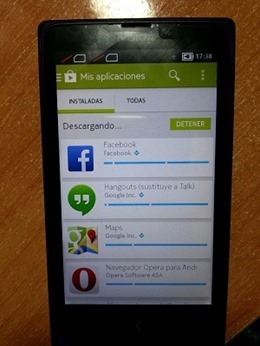
That’s all, now your Nokia X device has all the Google Apps and by doing this you will be able to download all the app from Google Play Store.
Love flappy bird ? Read: How to download Flappy Bird on Android and Hack the score !
For more information and support, you can also check the thread on xda.
UPDATE: How to root the new v11.1.1 Nokia x update
- Download the required files click here and extract the files.
- Enable debugging mode in Nokia by going into Settings.
- Connect Nokia X to the PC.
- Now update ADB drivers.
- Go to desktop on PC
- Right click on computer and click manage
- Select Device manager
- In the list, Nokia X will be listed with a Question mark icon.
- Right click and select update driver, then select Browse my computer for driver option.
- Now select the path of above extracted folder, in the folder select driver file.
- Now drivers are updated.
- Now Reconnect the Nokia to the PC.
- Open kingroot app from the extracted folder.
- Now kingroot will detect Nokia X as Android device. Now root the device using the App.
- Now your device is rooted.
- For installing Play Store and apps, follow the steps same as above.
For more information and support for rooting v11.1.1 Nokia X update, you can also check the thread on xda.
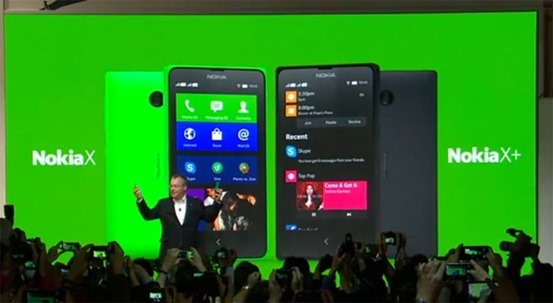
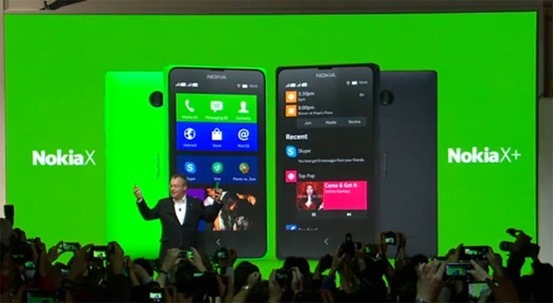 Nokia has finally launched its series of Android phones at MWC 2014, The low-cost devices are running a forked version of Android laden with Microsoft services, as well as the ‘Fastlane’ UI as on Nokia’s Asha.