Tag: root

  • How to Root Moto G (2nd Gen 2014 Edition)

    How to Root Moto G (2nd Gen 2014 Edition)

    MotoG_new

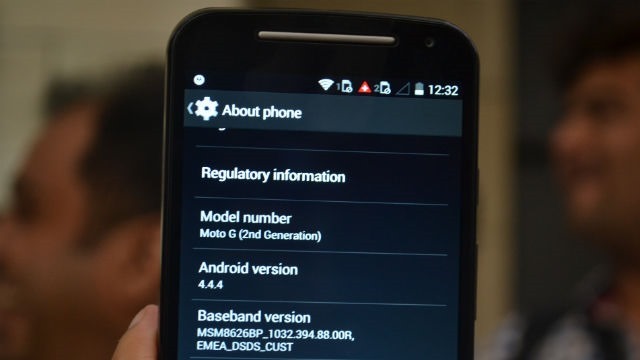
    Ok, now you got your new Moto G 2nd Gen but no android phone is complete without root access ! This handy tutorial will help you to root Moto G 2nd gen and install custom recovery.

    Requirements:

    Step by Step: How to Root Moto G (2nd Gen)

    • First you have to unlock your BootLoader. Just go here and follow the instructions.
    • Download the SuperSU file from here and copy it to internal SD card.
    • Power OFF your device.
    • Now, you need to Boot into Bootloader mode (Hold power+Vol down and release).
    • Connect your device to your PC.
    • Flash TWRP recovery using through fastboot mode. Go to adb+fastboot folder and type the following in command prompt.

    fastboot flash recovery TWRP2.7.1.1-titan-motog-2014.img

    • Flash SuperSU zip from recovery. (Press power and volume down together after switching off to get into recovery)
    • Reboot and now your Moto G is successfully rooted with Custom TWRP recovery installed.

    A small bug in this method is you can’t backup data to your Internal SD card which will be fixed soon.

    Thanks to XDA for this guide.

    Also Read: Everything Apple announced that you care about

    You can ask any doubts in comments. If you have any problems, feel free to ask.

    Note: This procedure is very technical and should be performed by a person with sound knowledge of rooting (or manual software installation) Android devices. If the step-by-step installation process is not followed properly, there are chances of the smartphone getting bricked or being permanently irreparable.We cannot be held responsible for any damage or claims from readers if the procedure does not yield the required results or if the smartphone is bricked. Hence, users are advised to proceed with caution.
  • How to Root Nokia X and Install Google Play Store

    How to Root Nokia X and Install Google Play Store

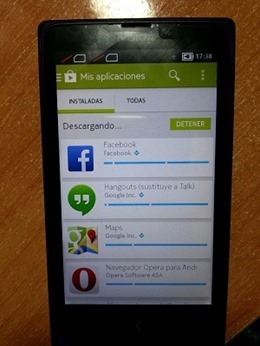
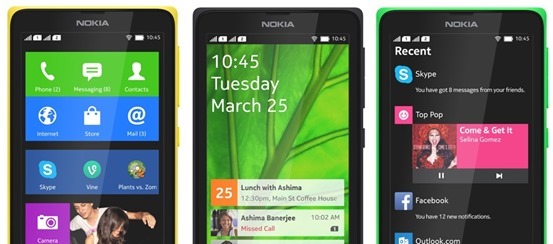
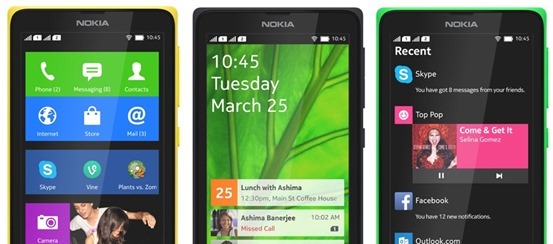
    If you just got your Nokia X and very much like to Install Google Play Store, Google Apps and Google Now Launcher in Nokia X, then are at the right place, this article will guide you on how to root Nokia x and install Google Play store on it. You cannot download apps directly from Play Store on Nokia X as the operating system on the phone is not a ‘pure’ android but is a forked version of android. Therefore, the phone is missing the google apps and it has microsoft apps pre-installed with it. Google Play Store is also replaced with Nokia Android Store.X-screens

    Also: Nokia launched its first android phone series X, X+ and XL at MWC 2014

    How to root Nokia X and install Google Play Store

    The unofficial method is from XDA Developers senior member Kashamalaga. Hence, all thanks to him for bringing this so early.

    This method is not same as conventional rooting and please take care while rooting your phone. Follow all the instructions step-by-step and carefully.

    Requirements

    Steps to follow

    1) You will need a rooted device, So Use Gandalf Exploit included in Framaroot app for rooting.

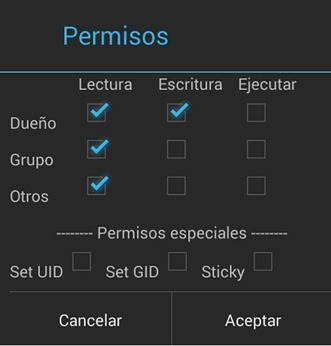
    2) Extract and copy all apks from “NokiaX_Gapps_KashaMalaga_28.02.2014.zip” to /system/app and change permissions for this files using your file explorer.

    3) Set the permissions for the APKs to “read” for all and “write” for just the first one from top, as below.PPBaJre

    4) Reboot your device.

    5) Extract and install as usaul every single needed apk include in “NokiaX_SomeGoogleApps.zip“. (If want to use Google Now Launcher, open it after install it)

    6) Now launch Google Play Store and login to your Google account and you are Done.nokia-x-root

    That’s all, now your Nokia X device has all the Google Apps and by doing this you will be able to download all the app from Google Play Store.

    Love flappy bird ? Read: How to download Flappy Bird on Android and Hack the score !

    For more information and support, you can also check the thread on xda.

    UPDATE: How to root the new v11.1.1 Nokia x update

    • Download the required files click here and extract the files.
    • Enable debugging mode in Nokia by going into Settings.
    • Connect Nokia X to the PC.
    • Now update ADB drivers.
      • Go to desktop on PC
      • Right click on computer and click manage
      • Select Device manager
      • In the list, Nokia X will be listed with a Question mark icon.
      • Right click and select update driver, then select Browse my computer for driver option.
      • Now select the path of above extracted folder, in the folder select driver file.
      • Now drivers are updated.
    • Now Reconnect the Nokia to the PC.
    • Open kingroot app from the extracted folder.
    • Now kingroot will detect Nokia X as Android device. Now root the device using the App.
    • Now your device is rooted.
    • For installing Play Store and apps, follow the steps same as above.

    For more information and support for rooting v11.1.1 Nokia X update, you can also check the thread on xda.

  • Android 4.3 root using SuperSU via xda

    Android 4.3 root using SuperSU via xda

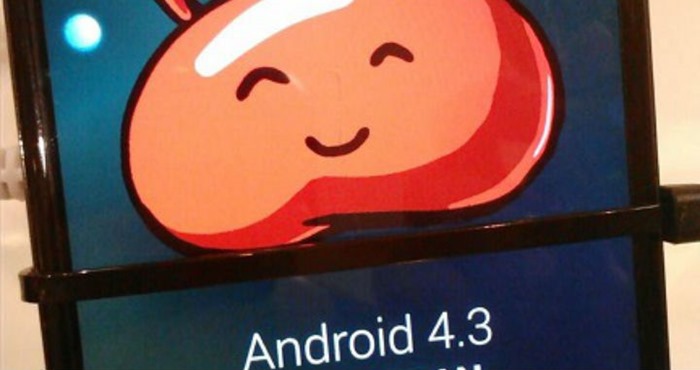
    android-4.3-rootThe leak stems from a Samsung insider with access to an early build of Android 4.3 (JWR66N) as the company adapts it to run on the phone’s hardware. This insider, who provided screenshots as proof, believes the phone will actually be updated with the latest “Jelly Bean” installment this July. That said, we’ll likely see the HTC One Google Play Edition get the same first-class Android 4.3 love next month along with the Nexus 4, Nexus 7 and Nexus 10.
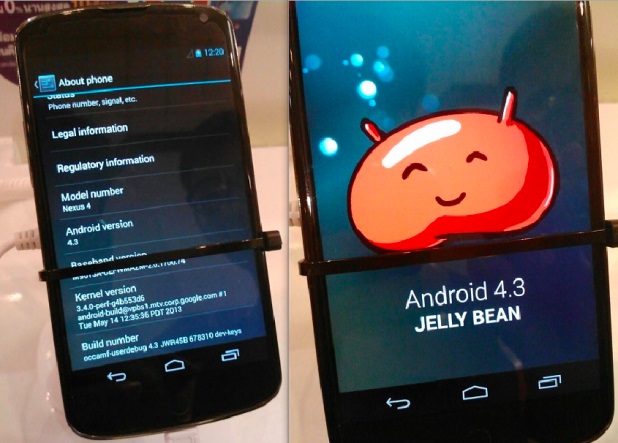
    Install Android 4.3 on your Galaxy S4
    A recently leaked Samsung firmware based on Android 4.3 (JWR66N for those keeping track) has been found to work pretty darn well on the original TouchWiz-laden Snapdragon-powered Galaxy S4. However it was not rootable until today, and therefore somewhat less viable of an option for those who can’t live without their root applications. Cue XDA Elite Recognized Developer Chainfire and his modified version of SuperSU, which is specially adapted for use with 4.3.

    For this root, SuperSU is running in daemon mode (new feature), and launched during boot.
    The daemon handles all su requests, and while this should mostly work just fine, some apps may expect their su session to be running on the same branch on the process tree as the app that launched the session.

    Whether these changes are due to Samsung or just Android 4.3 in general remains to be seen. But needless to say, once we see a few more 4.3-based firmwares, we will have an answer. There are also some other differences  that will you will want to be aware of, especially those of you using a CWM-based recovery, so I highly recommend checking out that post in full. For how to root android 4.3 follow on.. If you’re currently running the 4.3 leak on your S4, this is probably something you’ve been looking forward to for a few days now. The flashable zip file itself can be downloaded from the Google+ post, and the current SuperSU thread should be used for any related issues.

  • Install Android 4.3 on your Galaxy S4

    Install Android 4.3 on your Galaxy S4

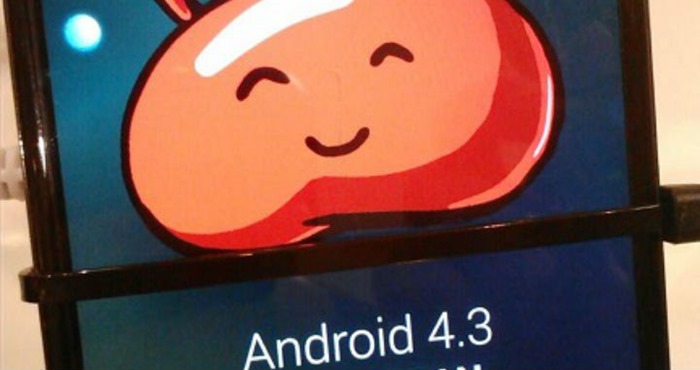
    android 4.3The leak stems from a Samsung insider with access to an early build of Android 4.3 (JWR66N) as the company adapts it to run on the phone’s hardware. This insider, who provided screenshots as proof, believes the phone will actually be updated with the latest “Jelly Bean” installment this July. That said, we’ll likely see the HTC One Google Play Edition get the same first-class Android 4.3 love next month along with the Nexus 4, Nexus 7 and Nexus 10.


    The same source that provided the screenshots and insider info may have provided the firmware to download and test as well. As seen on SamMobile, it’s the very one fitted for the Galaxy S4 Google Play Edition, but the site ported it to a standard Galaxy S4 and reportedly received some “outstanding” results. The port is working perfectly, the site claims; nothing is apparently broken. The build date was June 26, so this firmware is essentially fresh out of the oven.

    -> Android 5.0 “Key Lime Pie” UI Concepts Hitting the Web <-


    Android 4.3 test build firmware for the Google Play Edition Galaxy S4 (GT-I9505G).

    Android 4.3 port from the Google Play Edition Galaxy S4 is fully functional on the standard Snapdragon-powered Galaxy S4 (GT-I9505), there is not even a single thing which isn’t working. No changes to the port, so it’s 100% original with zero changes.

    Note:
    – This is not flashable through Odin.
    – This will void your warranty.
    – Don’t attempt this if you don’t have the skills to flash a custom ROM
    – You are doing this on your own risk

    System details:
    Android version: 4.3
    Build ID: JWR66N
    PDA: I9505GUEUBMFP
    CSC: I9505GXARBMFP
    Build Date: 26 June 2013
    Changelist: 968842

    Requirements:
    – Samsung Galaxy S4 (GT-I9505)
    – Custom Recovery

    Instructions:
    – Copy Google Play Edition ROM to your internal SD Card
    – Enter Recovery (Power + Volume Up + Home)
    – Do a Wipe/Factory Reset (Necessary due to new Android version)
    – Flash Google Play Edition ROM
    – Reboot your device!


    Download: (Choose either one)


    – Android-4.3-I9505GUEUBMFP-Odexed-I9505.zip
    MD5: 363ED9CC32A841A512E72372A19C7D05

    – Android-4.3-I9505GUEUBMFP-Deodexed-I9505.zip
    MD5: 74D241B64266220161018EB98A19F279


    Download and install at your own risk!

    Google hasn’t made Android 4.3 public yet, but it’s good to know that OEMs already have access to the source code. Early access will result in quick software updates and less Android fragmentation. Keep in mind, Android 4.3 is still in development phases and does not have all the features which are yet to be implemented.


    Read Original Thread here

  • Samsung India officially launches Galaxy Music Duos

    Samsung India officially launches Galaxy Music Duos

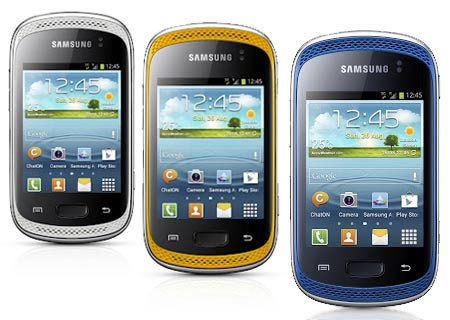
    Samsung seems to have silently launched Galaxy Music Duos smartphone in the Indian market. The company had unveiled it internationally in October 2012 and begun taking pre-orders in India in the first week of December. The official cost of the device in India is Rs 9,199, though the street price is Rs 8,990.


    The all-new Galaxy Music Duos is a dual-sim smartphone aimed at music lovers and comes with two speakers in the front, a dedicated music key and audio technologies like Sound Alive and SRS. This device has a 3-inch LCD touchscreen with 240×320-pixel resolution and runs on an 850MHz processor with 512MB RAM. It has 4GB internal memory and supports 32GB microSD cards for expansion.

    Powered by a 1,300mAh battery, the device comes with a 3MP camera without flash and also misses a front-facing snapper. For connectivity, Samsung Galaxy Music Duos has features like Wi-Fi, 3G, 2G, Bluetooth 3.0 and microUSB.

    Galaxy Music Duos features Always On technology, which allows users to take calls on one sim, while keeping calls on the other sim on waiting.


    Key specs of Samsung Galaxy Music Duos:

    Display: 3-inch LCD touchscreen with 240×320-pixel resolution;
    Operating system: Android 4.0 (Ice Cream Sandwich);
    Processor: 850MHz;
    RAM: 512MB;
    Memory: 4GB internal, support for 32GB microSD card;
    Camera: 3MP rear camera;
    Connectivity: Wi-Fi, 3G, 2G, Bluetooth 3.0 and microUSB;
    Battery: 1,300mAh;
    Misc: Dedicated music key, Sound Alive and SRS audio technologies, dual frontal speakers, Always On