Tag: security

  • 360 Security Lite App Review – #MadeForIndia

    360 Security Lite App Review – #MadeForIndia

    The concern of security for the any smartphone is far from straightforward. There’s discussions about whether you need a smartphone security app. There’s no denying that malware has grown much of a concern since the origin of smartphone era. If you’re not using any anti-malware app on your smartphone, then you’re putting yourself and your beloved phone at risk of infected apps and hidden malwares. But to the rescue there are much advanced apps for your help. The good news is that your options are far from limited. They offer optimized malware detection and prevention from them.Screenshot_2015-12-09-12-54-07

    One such great app is 360 Security which available to download for free from Google Playstore.

    It features a optimized real-time scan will safeguard your device from malware, spyware, and the threat of infection. It also detects and fixes system vulnerabilities and allow you to clean up idle background apps which helps in speeding up your smartphone and saving some juice out of your battery.

    360 Security is downloaded over a 100 million times. And, now there is a Lite version of 360 secutiry which aims devices which are low on resources like with less than 1 gigs of RAM and limited available storage space. It is designed beautifully and that’s why it requires where little power to operate.

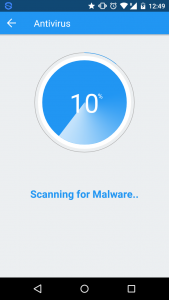
    360 Security Lite has three major functions Boost, Clean and Antivirus. Tap the Scan button and the app is on the hunt for malware. It also provides real-time protection as the new apps are installed.

    Screenshot_2015-12-09-12-49-39

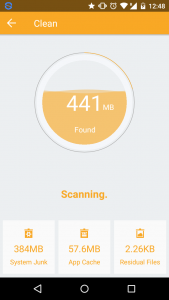
    For the clean-up process, it scans the device for junk files that are taking up unnecessay space. You can browse through the scanned list and select as you want.Screenshot_2015-12-09-12-48-57

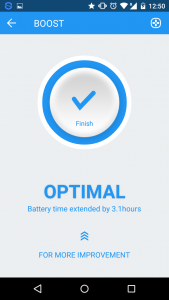
    The Boost feature assist you in performance boost and extending battery life of your device. It list the apps that are using memory too much and taking up unnecessary resources. You can close them within the app.

    Screenshot_2015-12-09-12-50-50

    You can also whitelist the apps that you don’t want to mess up with.

    So to summarize the app provides following features:

    • Looks up both malware and viruses throughout all apps and files on the device.
    • Simple and easy performance boost
    • Cleaning up of junk files to free up space
    • Elegant and simple UI

    Conclusion

    360 Security is definitely one of the best looking security and optimization applications on the play store. It comes with a beautiful and elegant UI. It features a simple interface and easy functionality make it more convenient to use. The antivirus feature is the best functionality of the app along with optimized cleaning of junk and unused memory space.

    “I am reviewing the 360 Degree Security Lite App for the #MadeForIndia activity at BlogAdda.”

  • How to Stay Safe When Using Torrent Sites

    How to Stay Safe When Using Torrent Sites

    Using a torrent site can be one of the best (or only) ways to get the content you need to listen to or watch. In addition, it is a very efficient way to transfer data between people instead of dealing with some slower or more difficult to work with options.

    torrentvpn

    However, torrent sites can also be very dangerous for your internet safety, because there is a lot of malware and other nefarious content waiting within the lists of files that you can download. While you may be eager to just speed through or otherwise take some risks to get the data faster, you should keep your own safety and security as your primary concern.
    clip_image002

    Here are a few things that you should know before you press go on the address bar:

    You Should Use a VPN

    The first thing that you should consider getting if you know you are going to be torrenting frequently is to get a Virtual Private Network. Effectively, it connects your computer over a network to a secure server and will get the data for you and send it to you. This means that your computer will only be seen by outside onlookers at best to be using a VPN, and they cannot see your torrenting.

    Also of note, using a VPN might help you should you be downloading copyrighted materials, as a VPN will veil your use to the government and outside interested parties. The potential cost of such trouble greatly outweighs the relatively minor cost of a VPN service, which often isn’t much more than a Netflix subscription.

    Also note that if you are going to be travelling while you are torrenting, my recommendation changes from “you should get one” to “you absolutely have to have one.” A VPN will allow you to stay safe in public networks as well as bypass government censorship and regional restrictions on your internet. It will also allow you to leave less of a trail for people to track or monitor your internet use on the road.

    If you are looking for a good VPN for torrenting, you should take a look at http://securethoughts.com/3-best-vpns-torrents/

    Look Before You Click

    Not all files are the same, and the best torrenting websites will give you a better look at the file you are going to download before you download it. If a torrenting site effectively asks you to trust them, you shouldn’t trust them.

    One thing you should look at first is the file type of whatever you are downloading. If you are downloading an audio file, does the file come in an audio format? If you are downloading pictures, are you getting one of the common picture formats? If you are unsure, you can always look it up in a new tab, and the few extra seconds spent will be absolutely worth it.

    Another thing to look at is the file name. You want a clean-sounding name and nothing that looks like it was hastily considered or misspelled. A lot of hackers or cyber-criminals just won’t put the time in to make their bad software look like it fits, so as to create more volume. Try to find something with the exact name of the data you are looking for.

    Don’t Give Out Anything

    If you have to give out anything more than an email address, you shouldn’t be using that torrenting website. Also, you should have a separate email address for torrenting purposes that you won’t mind losing. Under no circumstances should you give out an address or any financial data whatsoever. I reiterate: if you are asked for financial data at any time you should run away and never look back.

    This data, should you give it to them, can be used to track you down for either legal purposes (whether you have knowingly committed any crimes or not), or used to steal your identity, which can be a nightmare in itself that will take days, if not weeks, to recover from.

    This guideline also goes out for sharing things on torrenting websites. While it may be considered the polite or fair thing to do, that doesn’t mean you necessarily have to do it. There is little advantage to sharing, and you are only opening yourself up to trackers and hackers looking to make your day miserable. This is a situation where it is ok to be selfish.

    Do Research Beforehand on the Service

    On the internet, what kind of reputation does the particular website you are thinking of using have? It is known for being an insecure place relative to other websites? Does it have a reputation of something that will be shut down soon? Be sure to read reviews or forum posts about the service you are thinking of, and then try to find a website that is a good fit for you. The best ones will also have some sort of rating system (that is actually used) on the files so you know what to expect.

    Have Protection

    You should have one regardless, but if you are going to be using a torrent website you absolutely have to have an anti-virus program and an anti-malware program. There is no way you can be 100% accurate with everything you download, and you should be scanning things as they come in, so your computer isn’t ruined two hours later.

    Also, you need to make sure that your programs are updated every time before you start torrenting. Internet security changes every day, and only the latest patched and updates can protect you from everything that is out there. Hackers are not going to try older methods of getting to you that they know there are protections against. They are going to try new things, which you haven’t downloaded the fixes to yet.

    clip_image004

    I hope that these tips will help you in your search for a good torrenting website and staying safe after you have found it. Remember that no piece of data is worth ruining your computer and identity over, or risking legal action. Thank you for reading.


  • Google updates reCAPTCHA with a tick box

    Google updates reCAPTCHA with a tick box

    recaptcha_2014

    When CAPTCHA tests were first introduced they offered a process to check that someone online was real human and not a bot. But then the bots got clever enough to solve them, resulting in more difficult captcha which are hard to read. And even a bot-immune CAPTCHA can be beaten by a human being paid to solve the text puzzles. CAPTCHAs have long relied on the inability of robots to solve distorted text. But, Google’s recent research  showed that today’s Artificial Intelligence tech can solve even the most difficult variant of distorted text at 99.8% accuracy.

    Recaptcha_anchor2x

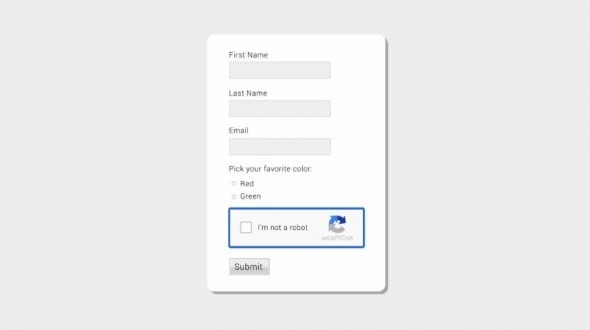
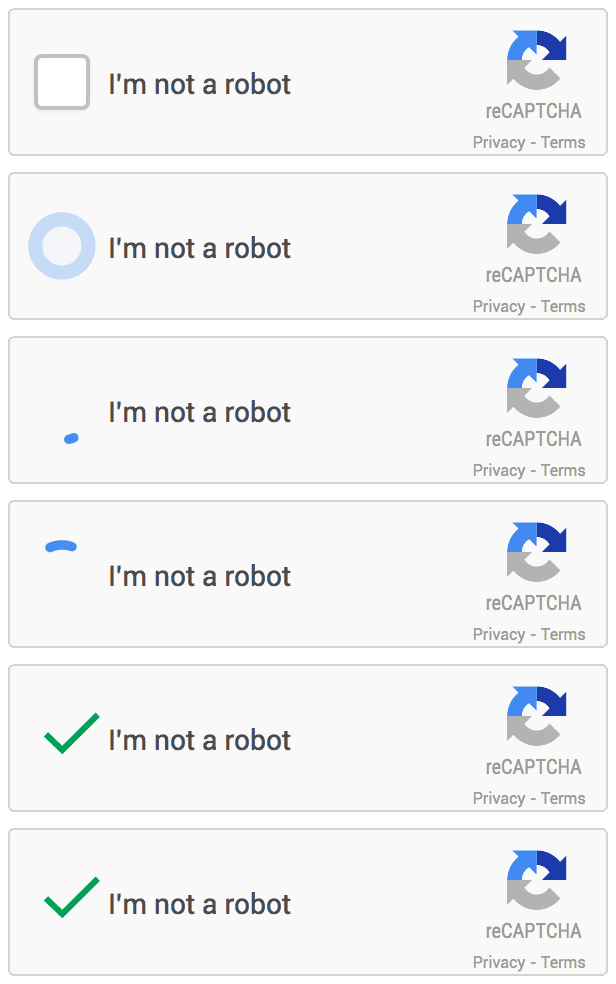
    Now Google has updated its system called reCAPTCHA and dropped the manual CAPTCHA test. Rather, you just have to simply tick a box to confirm you are human. That may sound like incredibly simple security that any bot could overcome, but the tick box isn’t all, it’s what Google is doing in the backend that makes this system secure and reliable.

    On mobile platforms this system works a little bit different. You’ll still get the tick box to tap, but the secondary text will be a picture question/puzzle asking you to select all similar images to the one it presents.

    The new API is the next step in this steady evolution. Now, humans can just check the box and in most cases, they’re through the challenge. The updated “No CAPTCHA reCAPTCHAs” is already rolling out on websites across the web.

  • Heartbleed, The Trendy Security Bug

    Heartbleed, The Trendy Security Bug

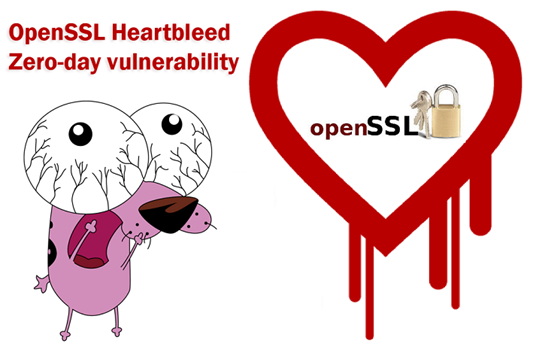
    The Heartbleed Bug is a serious vulnerability in the popular OpenSSL cryptographic software library. heartbleed1-665x385

    Experts which provide maintenance to OpenSSL library have patched a serious vulnerability (CVE-2014-0160) that allows an attacker to gain the access to 64 KB of memory to any client or server that was connected.

    “The Montgomery ladder implementation in OpenSSL through 1.0.0l does not ensure that certain swap operations have a constant-time behavior, which makes it easier for local users to obtain ECDSA nonces via a FLUSH+RELOAD cache side-channel attack,” reports the CVE record for the vulnerability.

    The OpenSSL project is managed by a worldwide community of volunteers, which provides support OpenSSL library and related documentation. OpenSSL is the most popular open source cryptographic library and TLS implementation for traffic encryption.

    The Heartbleed bug allows anyone on the Internet to read the memory of the systems protected by the vulnerable versions of the OpenSSL software. This compromises the secret keys used to identify the service providers and to encrypt the traffic, the names and passwords of the users and the actual content. This allows attackers to eavesdrop on communications, steal data directly from the services and users and to impersonate services and users.

    Why it is called the Heartbleed Bug?

    Bug is in the OpenSSL’s implementation of the TLS/DTLS (transport layer security protocols) heartbeat extension (RFC6520). When it is exploited it leads to the leak of memory contents from the server to the client and from the client to the server.OpenSSL-Heartbleed-vulnerability-CVE-2014-0160

    What is being leaked?

    Encryption is used to protect secrets that may harm your privacy or security if they leak. In order to coordinate recovery from this bug we have classified the compromised secrets to four categories:

    1) primary key material

    2) secondary key material

    3) protected content

    4) collateral

    How widespread is this?

    Most notable software using OpenSSL are the open source web servers like Apache and nginx. Furthermore OpenSSL is used to protect for example email servers (SMTP, POP and IMAP protocols), chat servers (XMPP protocol), virtual private networks (SSL VPNs), network appliances and wide variety of client side software. Fortunately many large consumer sites are saved by their conservative choice of SSL/TLS termination equipment and software. Ironically smaller and more progressive services or those who have upgraded to latest and best encryption will be affected most. Furthermore OpenSSL is very popular in client software and somewhat popular in networked appliances which have most inertia in getting updates.

    What versions of the OpenSSL are affected?

    Status of different versions:

    • OpenSSL 1.0.1 through 1.0.1f (inclusive) are vulnerable
    • OpenSSL 1.0.1g is NOT vulnerable
    • OpenSSL 1.0.0 branch is NOT vulnerable
    • OpenSSL 0.9.8 branch is NOT vulnerable

    Bug was introduced to OpenSSL in December 2011 and has been out in the wild since OpenSSL release 1.0.1 on 14th of March 2012. OpenSSL 1.0.1g released on 7th of April 2014 fixes the bug.

    Has my private information been stolen as a result of the bug?

    We don’t know. Tests showed that eavesdropping via the bug left no trace.

    To make matters worse, the bug-affected code has been used by internet services for more than two years.

    Can the bug be fixed?

    A fixed version of OpenSSL was released on Monday, April 7. Websites and other services can be secured by using it or by disabling the affected part of the code. Then it needs to be incorporated into their software and the fixed software needs to be installed. That isn’t always easy, especially for certain kinds of devices

    How can I protect myself?

    a number of sites have have been set up where you can check if the web services you’re using are vulnerable, set up by Italian security researcher Filippo Valsorda.

    Heartbleed Test Site

    You might want to stay away from sites identified as “vulnerable” for now.