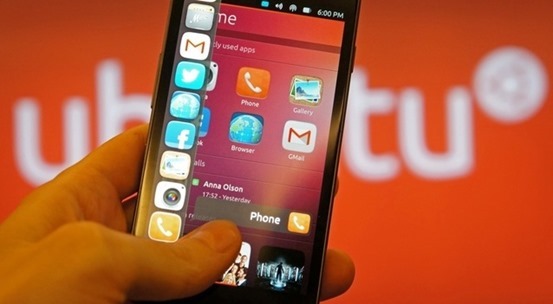
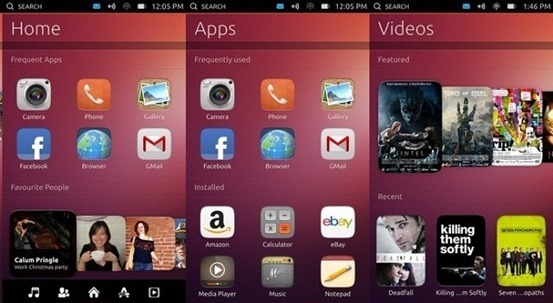
Ubuntu Touch 13.10 is a new operating system from Canonical aimed at phones, but it’s not as easy installing it on your phone as it is on the desktop.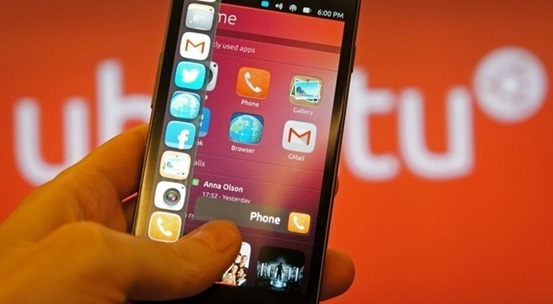
Canonical provides all the necessary tools for the installation of Ubuntu Touch 13.10. This is very good news because installing the operating system manually can be a hassle.
First of all, the operating system can’t be used on just any phone/phablet. For development reasons, Canonical limited its use to Nexus devices:
Galaxy Nexus – maguro (GSM/HSPA+ Variant)
Nexus 4 – mako
Nexus 7 – grouper
Nexus 10 – manta
List of other unofficially supported devices
To install the tools you will need to enter a few easy commands in a terminal:
sudo add-apt-repository ppa:phablet-team/tools

sudo apt-get update

sudo apt-get install phablet-tools android-tools-adb android-tools-fastboot
Users also have to make sure that their phone is set up for development use. Go to Settings / About Phone and tap the Build number 7 times. A short message will let you know if you’ve taken the right steps.
From the new menu that has been unlocked through the previous method, Developer options, you have to enable USB debugging. When the option is ticked on the phone, a message that informs the user about a paring will appear. Accept, and now you’re almost ready.
The last step before starting the installation is to back up your Android. The same adb tools are used. Just open a terminal and enter the following command:
adb backup -apk -shared –all
If you’re going to reinstall Android, open a terminal and run this command:
adb restore backup.ab
The final command should take care of everything and you should run it with sudo, just to make sure. Open a terminal and enter this command:
phablet-flash ubuntu-system --no-backup
The process should run without any problems and the device will eventually boot into Ubuntu Touch. Do not stop the terminal and do not interrupt the process.
These are the simple steps you have to follow, and they should work on the supported devices without any problems.
 Ever think that your clicked photograph can be on official release of next Ubuntu as wallpaper.?