Tag: update

  • Firefox 39.0 launched with performance improvements

    Firefox 39.0 launched with performance improvements

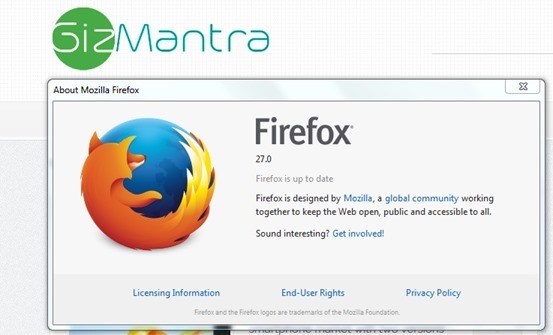
    Mozilla just released its new version of firefox for all supported devices. If you haven’t received any update then your can check for it manually, go to Help > About Firefox.

    It was delayed due to last minute bug but its now fixed and public.That’s why we recommend do not download Firefox from third party websites as it may contain the buggy version.

    Check out : Awesome Firefox Tricks You Might Not Know

    The further update for all Firefox channels is also done.That is Firefox Beta is now upgraded to version 40, Firefox Dev to version 41, and Firefox nightly to version 42. There is no 64 bit version for windows yet.
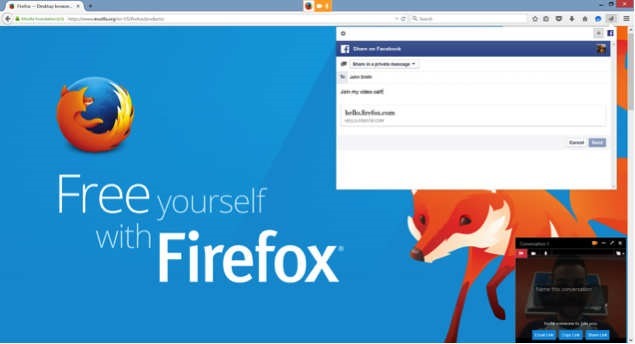
    Firefox-Hello-link-sharing

    What’s new

    • New

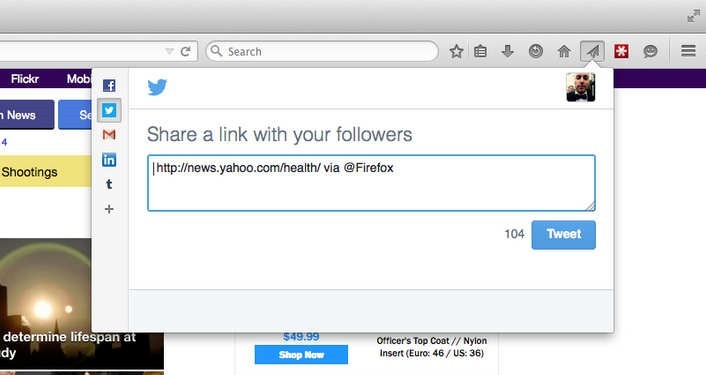
      Share Hello URLs with social networks

    • New

      Project Silk: Smoother animation and scrolling (Mac OS X)

    • New

      Support for ‘switch’ role in ARIA 1.1 (web accessibility)

    • New

      SafeBrowsing malware detection lookups enabled for downloads (Mac OS X and Linux)

    • New

      Support for new Unicode 8.0 skin tone emoji

    • Changed

      Removed support for insecure SSLv3 for network communications

    • Changed

      Disable use of RC4 except for temporarily whitelisted hosts

    • Changed

      The malware detection service for downloads now covers common Mac file types (Bug 1138721)

    • Changed

      Performance of displaying dashed lines is improved (Mac OS X) (Bug 1123019)

    • HTML5

      List-style-type now accepts a string value

    • HTML5

      Enable the Fetch API for network requests from dedicated, shared and service workers

    • HTML5

      Cascading of CSS transitions and animations now matches the current spec

    • HTML5

      Implement <link rel="preconnect">allowing anticipation of a future connection without revealing any information

    • HTML5

      Added support for CSS Scroll Snap Points

    • Developer

      Drag and drop enabled for nodes in Inspector markup view

    • Developer

      Webconsole input history persists even after closing the toolbox

    • Developer

      Cubic bezier tooltip now shows a gallery of timing-function presets for use with CSS animations

    • Developer

      localhost is now available offline for WebSocket connections

    • Fixed

      Improve performance for IPv6 fallback to IPv4

    • Fixed

      Fix incomplete downloads being marked as complete by detecting broken HTTP1.1 transfers

    • Fixed

      The Security state indicator on a page now correctly ignores loads caused by previous pages

    • Fixed

      Fixed an issue where a Hello conversation window would sometimes fail to open

    • Fixed

      A regression that could lead to Flash not displaying has been fixed

    • Fixed

      Update to NSS 3.19.2

    • Fixed

      Various security fixes

  • Firefox 35 releases with improved cross-browser video chat ‘Hello’

    Firefox 35 releases with improved cross-browser video chat ‘Hello’

    Mozilla launched new Firefox 35 for all major platforms. Big additions to the browser include room-based Firefox Hello conversations, H.264 (MP4 files) playback on OS X, and integration with the Android download manager.

    Firefox Hello

    Firefox ‘Hello’ works across WebRTC-supported browsers including Google Chrome and Opera. To use it, you just have to click the Hello button on your toolbar and select ‘Start a conversation’ and then just copy and share the link with a contact to begin video chatting straight in your browser.
    Each conversation window has its own unique URL and you can easily create multiple conversations and name them for different topics. You don’t need any account for this to work.

    Firefox Marketplace for Desktop

    Mozilla has opened up the Firefox Marketplace for the desktop, currently in beta.

    Firefox Share

    Now you can share to your favorite social network any link straight from your browser.

    2015-01-13_0911

    Here’s the full Firefox 35 changelog:

    • New: Firefox Hello with new rooms-based conversations model.
    • New: New search UI improved and enabled for more locales.
    • New: Access the Firefox Marketplace from the Tools menu and optional toolbar button.
    • New: Built-in support for H264 (MP4) on Mac OS X Snow Leopard (10.6) and newer through native APIs.
    • New: Improved handling of dynamic styling changes to increase responsiveness.
    • New: Implemented HTTP Public Key Pinning Extension (for enhanced authentication of encrypted connections).
    • New: Use tiled rendering on OS X.
    • New: Improved high quality image resizing performance.
    • HTML5: Changed JavaScript ‘let’ semantics to match the ES6 specification.
    • HTML5: Resource Timing API implemented.
    • HTML5: CSS filters enabled by default.
    • HTML5: Added support for the CSS Font Loading API.
    • Developer: Support for inspecting ::before and ::after pseudo elements.
    • Developer: Computed view: Nodes matching the hovered selector are now highlighted.
    • Developer: Network Monitor: New request/response headers view (more info).
    • Developer: Added support for the EXT_blend_minmax WebGL extension.
    • Fixed: Show DOM Properties context menu item in inspector.
    • Fixed: Reduced resource usage for scaled images.
    • Fixed: PDF.js updated to version 1.0.907.
    • Fixed: Non-HTTP(S) XHR now returns correct status code.

    Download: Mozilla Firefox Offline installer (Standalone) download

  • Mozilla Firefox 34 released with ‘Firefox Hello’

    Mozilla Firefox 34 released with ‘Firefox Hello’

    Mozilla released Firefox 34 on first of December along with new partnership with Yahoo.

    Firefox 34 brings a number of major features, such as an improved search bar, better theme switching, Firefox’s experimental ‘Hello’ chat client and the rollout of Yahoo as the default search engine for North America.

    When you update to the new version, Firefox will ask if you want to switch to Yahoo for your default search engine, however you can click ‘later’ to keep it as Google.

    Matchstick: Mozilla’s Firefox powered Chormecast alternative

    The improved search bar reduces the number of clicks to your search and makes it easier to search third party sites, like Wikipedia, Amazon and Twitter. Mozilla showed off the feature just last week.

    Firefox for Android was also updated to version 34 today, bringing a new theme and the ability to mirror tabs to your Chromecast.

    What’s New

    • Default search engine changed to Yahoo! for North America
    • Default search engine changed to Yandex for Belarusian, Kazakh, and Russian locales
    • Improved search bar (en-US only)
    • Firefox Hello real-time communication client
    • Easily switch themes/personas directly in the Customizing mode
    • Wikipedia search now uses HTTPS for secure searching (en-US only)
    • Implementation of HTTP/2 (draft14) and ALPN
    • Recover from a locked Firefox process in the “Firefox is already running” dialog on Windows

    Download: Mozilla Firefox Offline installer (Standalone) download

  • Smartphones getting Android Lollipop update soon

    Smartphones getting Android Lollipop update soon

    Android-L-images.jpg

    Recently Google started the roll out of Android Lollipop that is Android 5. In the coming weeks and months,many flagship phones and tablets that are getting the Lollipop update. So far the following phones and tablets are confirmed in the list of devices that will be getting the Android Lollipop:

    Google Nexus 6: This is the launch device for the Lollipop. It will come with the Android Lollipop installed on it. For now, it is not available in India.

    Google Nexus 9: This tablet is also a launch device for the Lollipop. It will be available in India in the coming weeks.

    Google Nexus 5: The last year’s flagship Google phone should receive the Android Lollipop in the coming days.

    Google Nexus 7 (2013): This tablet is also likely to get Android Lollipop in the coming weeks or within days.

    Google Nexus 4: Google is also providing update for its 2 years old device too.

    Google Nexus 7 (2012): Yes, it is.

    Google Nexus 10: The big Nexus tablet will also get the Lollipop update. Incidentally, this tablet was never officially sold in India.

    Micromax Canvas A1: Budget Rs.6,500 Android One phone from Micromax will receive the Android Lollipop update.

    Karbonn Sparkle V: This one too is an Android One phone and hence would get the Lollipop.

    Spice Mi-498 Dream Uno: Powered by Android One, this Spice phone will also get the Lollipop.

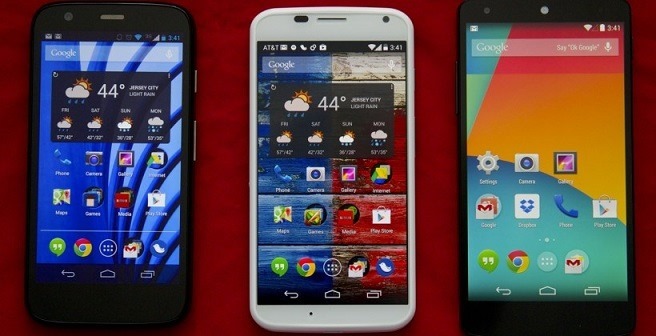
    All Moto Phones: Motorola has confirmed that that all Moto phones — Moto X (2014), Moto X (2013), Moto G (2014), Moto G (2013) and Moto E — will get Android Lollipop. In fact, the Moto devices may even get the Lollipop days before the some Nexus devices get it because Motorola is very aggressive about updating its phones.

    Select Xperia phones: Sony has confirmed that “the premium Z series” devices will get Android Lollipop . These are Xperia Z, Xperia ZL, Xperia ZR, Xperia Tablet Z, Xperia Z1, Xperia Z1S, Xperia Z Ultra, Xperia Z1 Compact, Xperia Z2, Xperia Z2 Tablet, Xperia Z3, Xperia Z3v, Xperia Z3 Compact and Xperia Z3 Tablet Compact. Sony Z Ultra Google Play edition will be the first to get it. Other Xperia phones will get it in 2015.

    Selected HTC phones: They stated “We’ll be updating the HTC One (M8) & (M7) within 90 days from today. ”

    Also Read: The Motorola ‘Monster’ Droid Turbo with QHD Display

    Unconfirmed but these devices will get Android Lollipop

    • Samsung Galaxy S5
    • Samsung Note 4
    • Samsung Note 3 and Galaxy Alpha
    • LG G3HTC One M8 (Eye)
  • Android 4.4.4 KitKat update for Moto G, E and X in India

    Android 4.4.4 KitKat update for Moto G, E and X in India

    android_4.4.4_update_india

    Motorola India has confirmed they will be rolling out the latest Kitkat update, Android 4.4.4, for Moto E, Moto G and Moto X. The company announced this on twitter

    It will be a phased-rollout and you will receive notifications to update the OS but you can also access be accessed through the settings menu. This release continues to reinforce Motorola’s commitment to offering its users a pure, bloat ware-free and seamless Android experience.

    Steps for updating Moto G, E or X to Android 4.4.4 KitKat:

    1. Go to Settings of your device.

    2. Select “About phone” and then go to “System updates”.

    3. Select “Download”. After the download is complete, click “Install”.

    4. After the software is installed, your phone will re-start automatically.

    This update from 4.4.3 to 4.4.4, is mostly a security update.It will fix several bug fixes and have a new look dialer, alongwith the security enhancements and bug fixes for OpenSSL-related activities.

    The Moto E is available at Rs 6,999 in India, while the Moto G is selling at Rs 12,499 for the 8 GB model and Rs 13,999 for the 16 GB variant. The Moto X is Motorola’s flagship product priced at Rs 23,999. All these moto phones are available exclusively on Flipkart.

  • Firefox 29 redesigned with Australis

    Firefox 29 redesigned with Australis

    Australis is one of the most important redesigns in the history of Firefox, as Mozilla has redesigned its browser with a whole new look after a long time. mozilla-firefox-29

    Firefox customization options now have the ability to drag and drop features and tools to easily accessible places, eg. for checking your RSS feeds instantly, or moving the new tab button..

    These customization options also applied to the Firefox add-ons you can download so whether you want to scrap the default options and use just your Add-ons.

    To use this mode, just head to the menu, then choose Customize. You can position your favorite shortcuts to the area directly right of the search box or by clicking on the drop down menu, identified by three horizontal lines on the far right of the toolbar.

    The bookmark manager icon has been moved next to the bookmark star so it’s easier to add the current page as a bookmark in one click.

    Other new tweaks include an onboard tour to help users navigate through the new interface and a new gamepad API, allowing a gamepad to be used for web gaming.

    New Features

    • A set of new improvements to the Firefox user interface
    • An interactive onboarding tour to guide users through new interface changes
    • A redesigned and improved customization mode
    • The ability to set up Firefox Sync by creating a Firefox account
    • Gamepad API finalized and enabled
    • Malay [ma] locale added
    • navigator.plugins is no longer enumerable, for user privacy
    • Clicking on a W3C Web Notification will switch to the originating tab

    • ‘box-sizing’ (dropping the -moz- prefix) implemented

  • Firefox 28 launches With Support For VP9 Video

    Firefox 28 launches With Support For VP9 Video

    The latest version of the Mozilla Firefox web browser has been made available for download.

    The main feature in this release was originally supposed to be support for the Windows 8 Metro mode, but as the mozilla announced, they decided to drop this due to low user involvement during the beta process.

    Without Windows 8 support, the new features in this release are relatively minor. They include support for VP9 video decoding and the OS X notification center, so that notifications from web apps can now appear there. Also new is support for volume control for HTML5 audio and video and support for WebM Opus audio.Elsewhere, support for the spdy/2 protocol has been dropped, while developers gain a handful of new features, including support for the MathML 2.0 “mathvariant” attribute and background threat hang reporting.

    Mac users will find a bit more on offer, including Notification Centre support. Android users will find native text selection, cut, and copy items; more share buttons; and predictive lookup from the Awesome Bar.

    more: Try out the new Future Fox : Australis

    Firefox 29, scheduled for release next month, may be the first to feature Firefox’s new Australis user interface.

    What’s New

    • NEW – VP9 video decoding implemented
    • NEW – Mac OS X: Notification Center support for web notifications
    • NEW – Volume control for HTML5 audio/video
    • NEW – Support for Opus in WebM
    • CHANGED – Now that spdy/3 is implemented support for spdy/2 has been removed and servers without spdy/3 will negotiate to http/1 without any penalty
    • DEVELOPER – Support for MathML 2.0 ‘mathvariant’ attribute
    • DEVELOPER – Background thread hang reporting
    • DEVELOPER – Support for multi-line flexbox in layout
    • FIXED –  Various security fixes
  • Firefox 27 now Available with extended SocialAPI

    Firefox 27 now Available with extended SocialAPI

    Mozilla has released the latest version of its open-source, cross-platform web browser with the launch of Firefox 27 for Windows, Mac and Linux.

    One major new feature of in this latest release – the SocialAPI, which allows providers to provide social networking updates directly from within the browser, can now handle multiple providers simultaneously.

    So, moving forward, lets look at the other new features:firefox-27

    Firefox 27 What’s New

    Support for TLS 1.2 implemented

    Firefox 27 supports TLS (that is Transport Layer Security) 1.2 now. TLS is like successor of SSL, and version 1.2 is the most recent cryptographic protocol that Firefox supports.

    Up until now, that meant to see if TSL 1.0 is supported, and if it is, it would be used. If not, browser and server would fallback to SSL v3 instead.

    With TLS 1.2 support in Firefox 27, TLS 1.2 is now used if supported by the server.

    You can change the minimum requirements (or maximum but that is not suggested) so that TLS is always used. This may mean however that connections to some servers, those that only support SSL 3 but not TLS, cannot be established anymore.

    Also Read: How to turn off Images and Javascript in Firefox 23 and above

    SocialAPI supports multiple providers

    Firefox’s SocialAPI enables webmasters to offer services that make use of it in the browser.

    Up until now, only one social provider could be active at the same time in the browser. Firefox 27 changes this as you can now receive notifications and other information from multiple social providers.

    Social features are not enabled by default, and activate only once at least one social provider has been added to the browser.

    Support for SPDY 3.1 added

    SPDY 3.1 is only supported by some servers, Google’s servers support it for say, while many others not.

    For checking any service supports SPDY protocol, load Spdycheck in your browser.

    Other Changes:

    • DEVELOPER CHANGES
    • Ability to reset style sheets using ‘all:unset’
    • You can now choose to deobfuscate javascript in the debugger (see 762761)
    • Added support for scrolled fieldsets (see 261037)
    • Implemented allow-popups directive for iframe sandbox, enabling increased security (see 766282)
    • CSS cursor keywords -moz-grab and -moz-grabbing have been unprefixed (see 880672)
    • Added support for ES6 generators in SpiderMonkey (see blog post)
    • Implemented support for mathematical function Math.hypot() in ES6 (see 896264)
    • HTML5
    • Dashed line support on Canvas (see 768067)
    • FIXED
    • Get Azure/Skia content rendering working on Linux (see 740200)
    • 27.0: Security fixes can be found here
  • Google+ starts offering custom URLs to accounts

    Google+ starts offering custom URLs to accounts


    googleplusGoogle has announced custom URLs now rolling out to almost everyone. If you don’t see the option yet on your Google+ profile or Google+ Page, don’t worry: Google says it is expanding availability throughout the week.
    For those who don’t know what custom URLs (also called vanity URLs) are, here’s quick example. Currently, my Google+ profile is located at https://plus.google.com/u/0/111529176503588224632/. If I were to get a custom URL, I could maybe changed it to plus.google.com/+<myownname> swapping out the string of numbers for something that is much easier to share.

    If your profile meets the following criteria, you’ll now be able to claim a custom URL:
    – Has a profile photo, and
    – Has at least 10 followers, and
    – Has an account that’s at least 30 days old
    Meanwhile, any brand or business that has a linked website or is a verified local business can claim a custom URL for their Google+ page. Link and verification info is available in the Google+ Help Center: http://goo.gl/RMpxP.
    Once you meet the eligibility criteria, just visit your profile or page to begin the claiming process. If you don’t see the option yet, don’t worry: we’re expanding availability throughout the week, and you’ll see the in-product notice as soon as your custom URL is ready.

  • Firefox 23 arrives with new logo and network monitor

    Firefox 23 arrives with new logo and network monitor

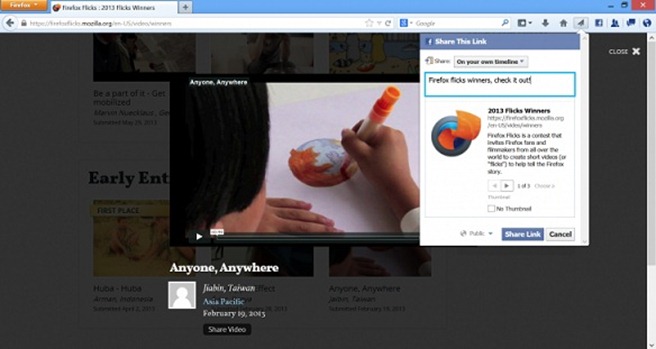
    firefox_logo-newMozilla today launched Firefox 23, which adds a couple of interesting features that extend the browser’s capabilities beyond just displaying websites. On the desktop, Firefox recently added the ability to integrate a number of social sites like Facebook, Cliqz and Mixi or new sites like msnNOW into a persistent sidebar in the browser. Now it is expanding this feature by adding a share button to the browser toolbar, too.

    This feature currently works with Facebook Messenger for Firefox and Cliqz and, as the Firefox team notes, allows you to “post an interesting article to your profile, share a recipe with your friends or send an idea for a gift in a private message or email, all without leaving the Web page you are visiting.”

    The new desktop version was available on the organization’s FTP servers last night, but that was just the initial release of the installers. Firefox 23 has now officially been released over on Firefox.com and all existing users should be able to upgrade to it automatically. As always, the Android version is trickling out slowly on Google Play.

    The biggest addition is no doubt the new share button and panel for the browser’s Social API. In short, developers can let users share content with friends in one click (Facebook users, for example, can use it to share content directly from Firefox, regardless of where they are on the Web).Facebook-Screenshot-730x388

    Next up is the mixed content blocker, which prevents non-secure (HTTP) content on a website from being read or modified by attackers by blocking the non-secure content from being compromised. In case you’re wondering, mixed content occurs when a webpage containing a combination of both secure (HTTPS) and non-secure (HTTP) content is delivered over a secure data channel to the browser. Here’s how it looks in action:

    Also in this release, developers can finally use the new Network Monitor. It breaks down individual website components, highlighting how long it takes for each to load.


    There are naturally other Firefox 23 features worth noting; here’s the official changelog:

    • NEW: Mixed content blocking enabled to protects users from man-in-the-middle attacks and eavesdroppers on HTTPS pages (learn more).
    • NEW: Options panel created for Web Developer Toolbox.
    • CHANGED: “Enable JavaScript” preference checkbox has been removed and user-set values will be reset to the default.
    • CHANGED: Updated Firefox Logo.
    • CHANGED: Improved about:memory’s functional UI.
    • CHANGED: Simplified interface for notifications of plugin installation.
    • CHANGED: Enabled DXVA2 on Windows Vista+ to accelerate H.264 video decoding.
    • CHANGED: Users can now switch to a new search provider across the entire browser.
    • CHANGED: CSP policies using the standard syntax and semantics will now be enforced.
    • CHANGED: input type=’file’ rendering improvements (see bug 838675).
    • CHANGED: Replace fixed-ratio audio resampler in webrtc.org capture code with Speex resampler and eliminate pseudo-44000Hz rate.
    • CHANGED: “Load images automatically” and Always show the tab bar” checkboxes removed from preferences and reset to defaults.
    • DEVELOPER: HTML5 input type=”range” form control implemented.
    • DEVELOPER: Write more accessible pages on touch interfaces with new ARIA role for key buttons.
    • DEVELOPER: Social share functionality.
    • DEVELOPER: Added unprefixed requestAnimationFrame.
    • DEVELOPER: Implemented a global browser console.
    • DEVELOPER: Dropped blink effect from text-decoration: blink; and completely removed element
    • DEVELOPER: New feature in toolbox: Network Monitor.
    • FIXED: Various security fixes.