Microsoft has revealed many of the new features, improvements and, yes, do-overs coming in Windows 8.1, the first major upgrade to Windows 8. Formerly called “Windows Blue,” Windows 8.1 has three main themes: making the user interface more friendly, adding new abilities and — perhaps most important — including support for smaller-screen devices.
The update, which Microsoft is showing off in a preview today, remains touch-forward, while making more concessions to keyboard and mouse users. It’s designed to work better on smaller screens, and large desktop displays as well. It makes much greater use of features like Search and SkyDrive, and tries even harder to be a truly Internet-driven platform. But it also makes getting to your installed apps easier, and swapping from the desktop to the Start screen a more grounded experience. The Start button is back (sort of) but there’s no Start Menu.

So, what are the Improvements !!
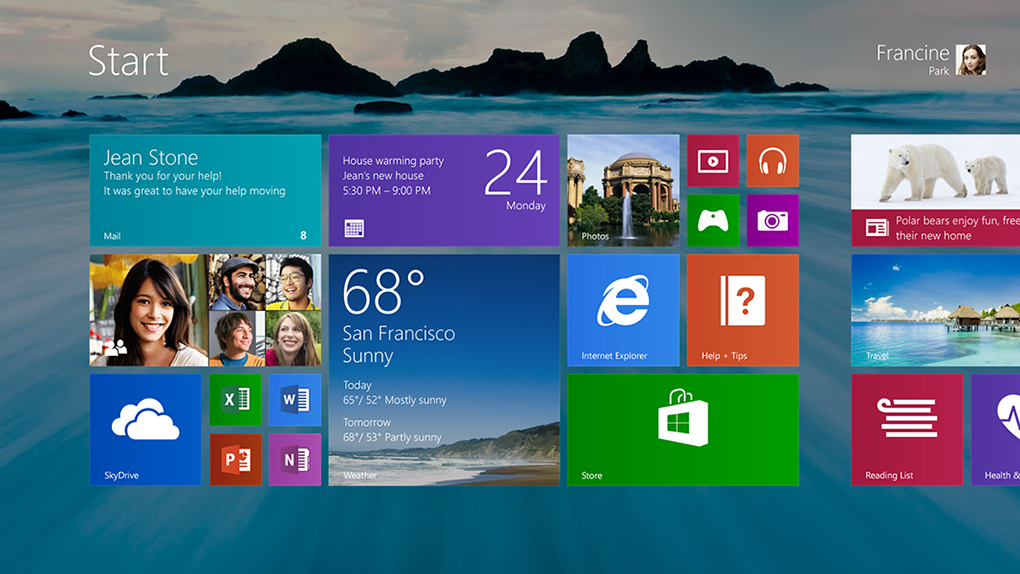
Finally, Start Button Returns: Perhaps the biggest change, at least philosophically, is the return of the Start button in the desktop environment. Windows 8 famously killed off the Start button when it built the new operating system around the Start screen, which is basically a supercharged Start menu with a touch-first user interface. Users protested, though, and Microsoft has brought the button back in Windows 8.1, although it’s simply a visual cue for how to get back to the Start screen.
New Live Tile Sizes: Windows 8.1 will offer users both an extra-small and extra-large size for live tiles (see below). The extra-large size is intended for apps that a user opens the most, or simply wants to see more information on the tile. For example, the weather app will show more forecast data in the extra-large size, which takes up the same room as two large tiles. Microsoft expects power users will like the tiny live tile. It allows users to fit four app icons in the same space where there used to be just one. Since Windows 8 doesn’t have “folders” for the Start screen, the extra-small tile is a decent substitute.
Downloaded Apps No Longer Pin to Start: In Windows 8, apps automatically pin themselves to the Start screen. In Windows 8.1, that will no longer happen, which will theoretically lead to a neater Start screen for most users. Microsoft said the automatic pinning often led to a morass of downloaded-and-forgotten apps populating the center of many users’ Start screens.
All Apps Gesture: Going hand-in-hand with the “no pinning” change, there’s now a fast way to see the All Apps screen — just swipe up. From there, it’s easy to find an app and pin it with new sorting tools that let you list apps by name, category or most recently downloaded.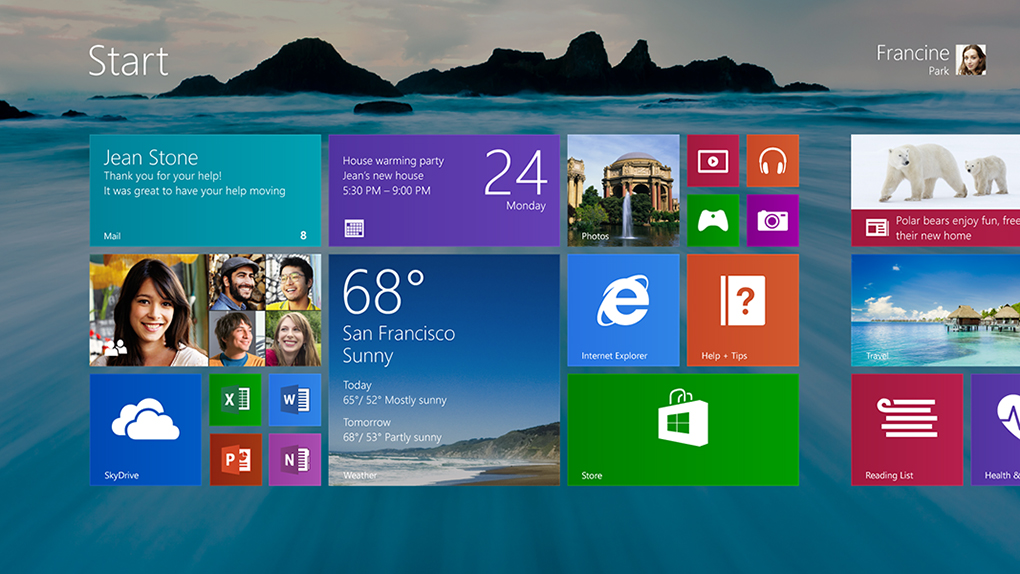
Auto Updates: No more manual app updates! With Windows 8.1, all your apps will simply update themselves in the middle of the night when downloads are available.
Boot to Desktop: In Windows 8.1, users will now be able to change settings to save them the single click they needed to perform in Windows 8 to take them to the desktop environment.
More Colors, More Textures: Whereas Windows 8 gave the user a very limited selection of color themes, Windows 8.1 allows a much wider variety of options. There are many more textures, too.
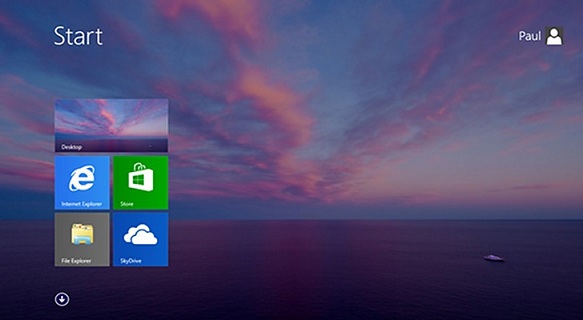
Desktop Background Image on Start: The Start screen in Windows 8.1 can now mirror the background image from the desktop environment, which should help reassure some users that the new UI isn’t an alien world that’s completely separate from the desktop.
New Features included !!
Global Search: Microsoft has greatly enhanced the device’s built-in search, one of the most-used functions in the Charms menu. In Windows 8.1, it’ll function more like an omnibox, incorporating apps, documents as well as web content in results.
Snap Upgrade: Snap is what allows two apps to run on the screen at the same time, with one of the apps off to the side in a window that takes up 25% of the display. That percentage is much more flexible in Windows 8.1 (see below), letting users split the screen up any number of ways — 50/50, 60/40, 70/30, or anything in between.
Better Multi-Monitor Support: A new Settings app, with moves several functions from the desktop to the modern UI, includes more options for multi-monitor setups and allowing users to set the resolution of secondary monitors manually if they wish.
Reading List: In any app with content (including Internet Explorer), users will be able to save that content to a Reading List. It works with news apps like The New York Times and Microsoft’s home-grown ones as well as web pages.
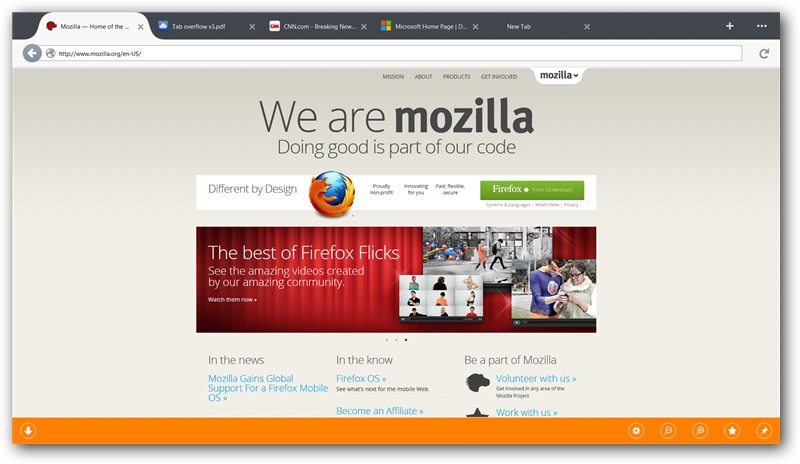
IE Improvements: IE in Windows 8.1 supports unlimited tabs. Also, your open tabs will sync across devices, and you can make live tiles out of websites — real live tiles, with updating content — as long as the developer has included them.
Active Lock Screen: The lock screen supports an intelligent slide show that can do things like display photos from exactly a year ago. You’ll also be able to take a Skype call without unlocking the device.
App Syncing Across Devices: When you log into a second Windows 8.1 device, the same apps you have on your first one will automatically download and sync. Similar to iOS, you’ll be able to opt individual apps and devices out of syncing.
Deeper SkyDrive Integration: SkyDrive becomes the default for saving all documents. Any and all files stored in SkyDrive can be made available offline by mirroring the content to your PC.
Photo Editing: The Photos app gets basic photo editing in Windows 8.1.
New Microsoft Apps: Windows 8.1 introduces new Microsoft apps including a Calculator, and Alarm, Food & Drink (which has a nifty hands-free recipe mode that lets you wave your hand to advance to the next step) and Health & Fitness (with a WebMD-esque symptom tracker).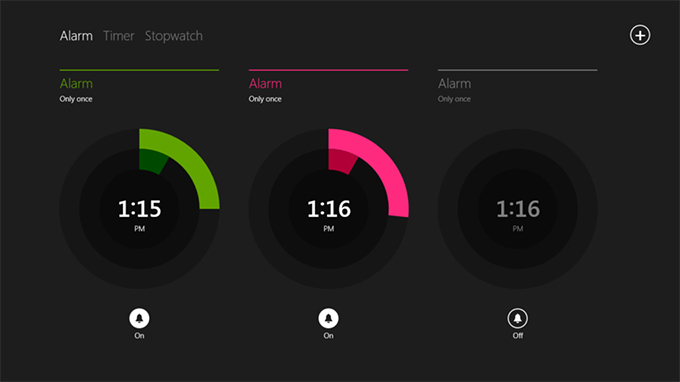
Apps Enhancements: The Xbox-branded apps for Music, Video and Games all introduce new features that bring you to the content you interact with the most. News and Sports have similar enhancements, including customized sections and making stories and stats on your favorite teams more prominent.