Category: Tech

  • Datawind launches ‘PocketSurfer’ phone starting at Rs 3,499

    Datawind launches ‘PocketSurfer’ phone starting at Rs 3,499

    Datawind known for low-cost Aakash tablets has forayed into smartphone market by launching  three 5-inch Touchscreen, Dual-SIM smartphones starting at Rs.3, 499.The company is banking on technology it has developed that compresses web pages 30-times to increase the speed at which consumers can view pages on a mobile phone screen.datawind
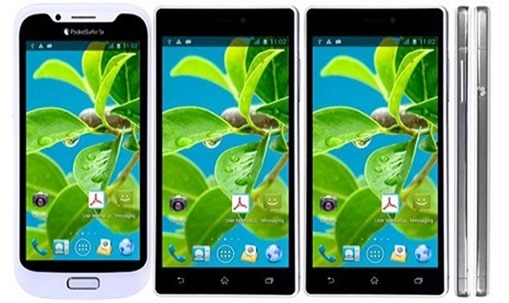
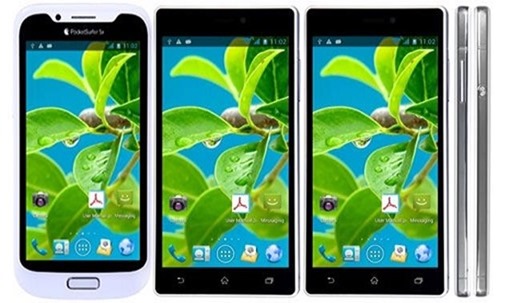
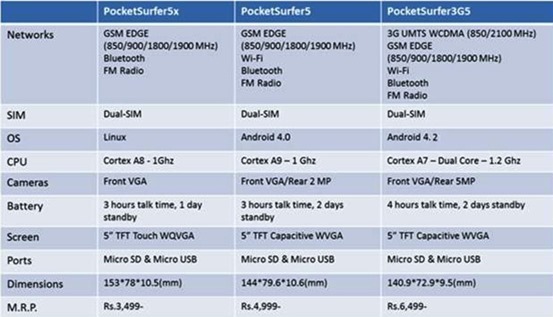
    PocketSurfer3G5 priced at Rs 6,499, PocketSurfer5 at Rs 4,999 and PocketSurfer 5X at Rs.3, 499. The lowest version of PocketSurfer smartphone has Linux operating system which was earlier seen in Motorola phones. The other two phones, PocketSurfer 5 and PocketSurfer 3GS are built on Android 4.0 platform.

    Samsung, Micromax and Karbonn hold over 60% of the domestic smartphone market where the five-inch smartphones make up a large chunk of what consumers buy. Datawind is talking to a few service providers to bundle free data with the handsets, Tuli said.

    PocketSurfer3G5 priced at Rs 6,499 runs on Android 4.2 and is powered by dual-core 1.2 Ghz. It feature 5-inch TFT capacitive screen. It comes with the battery that offers four hours of talk time, 2 days standby. expandable to 32GB with microSD Card. It has memory of 4GB, expandable to 32GB with microSD Card. it boasts of 5MP camera.
                        Also checkout –> Moto G : The Budget Smartphone review

    The dual-SIM PocketSurfer5 features 5” TFT Capacitive dis play and is priced at Rs 4,999. It runs on Android 4.0 and is powered by Cortex A9 – 1 Ghz. The battery offers3 hours of talk time with 2 days standby.

    The entry level PocketSurfer 5X is priced at at Rs.3, 499. It runs on Linux os and is powered by Cortex A8 – 1Ghz. It features 5” TFT Touch WQVGA screen and comes with Micro SD & Micro USB port. It has Front VGA camera and battery offers 3 hours of talk time, 1 day standby.Datawind-smartphones
    The company has started online booking of phones and will provide cash-on-delivery option to customers.
  • Google launches ‘Google Tips’ for ease of use

    Google launches ‘Google Tips’ for ease of use

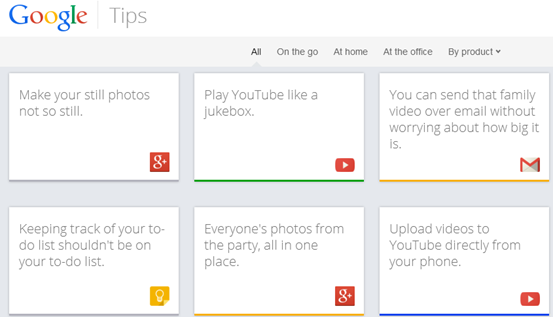
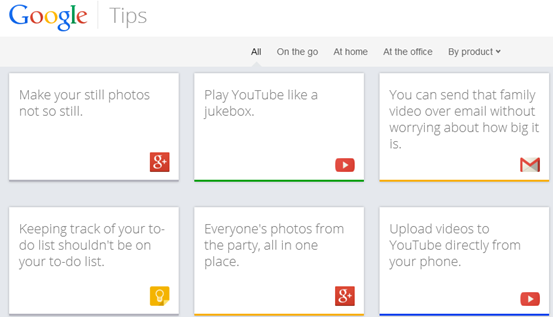
    Though we’re sure Google tries to keep its products like Now and Docs as easy to use as possible, who has the time to learn every single feature? That’s likely why Google just launched Tips, a site that uses its info card trope to help you dive more deeply into all 13 of its consumer products. For instance, if you choose Google+, one card suggests you can “make your still photos not so still,” and reveals step-by-step instructions when you flip it along with each device it supports.
    The site is broken into cards, Google’s latest design style of choice, each of which offers a quick description and the option to flip over to learn more. Every card can be shared to Google+, Twitter, Facebook, and via email.google_tips_coverThe site currently spans 13 products: Search, Gmail, Chrome, Android, YouTube, Maps, Docs, Drive, Play, Calendar, Keep, News, and Google+. All of them either require you to be signed in, or work better when you are, which is exactly the message Google wants to send. There are just over four pages of tips, and on the fifth page (as well as on the bottom) there’s a suggestion box where you can tell Google what you think it should add.


    You can even submit your own idea for a tip, though to do that and other functions, you’ll need a Google account. It’s only available on desktop browsers for now, but if you want to give it a spin and see all the supported products, hit the source.

  • Firefox 26 arrives with click to play plug-ins

    Firefox 26 arrives with click to play plug-ins

    firefox-26logoThe latest release of the Firefox web browser boosts browser security and stability by blocking Java software component plug-ins from loading by default.
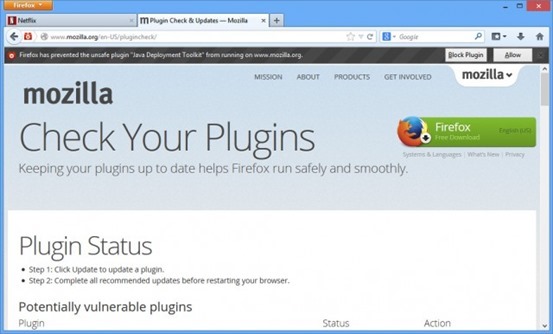

    The latest version of Firefox, Firefox 26, is now officially available to download. This is one of the most significant releases in recent history, introducing built-in “click to play” functionality for all plug-ins (except for Flash). Firefox 26 also represents the dramatic culmination of Mozilla’s MemShrink project, which has spent the last two and a half years trying to battle Firefox’s reputation for being a memory hog. Firefox 26 has a very svelte memory footprint indeed.

    Click to Play revamp was supposed to be for all versions of all plugins, except the latest release of Flash. Unfortunately, Mozilla has pushed back this change and decided to focus on just Java.

    In short, the feature means Firefox now only loads Java plugins when users click to interact with them. Previously, Firefox would automatically load Java whenever a site requested it, unless Mozilla had blocked it for security reasons (the company already blocks old versions of Java, Silverlight, and Flash).

    Firefox 26, click to play. Note the gray bar asking if you want to allow Java to run or not.firefox-26-click-to-play-640x386

    Now, when a site tries to use Java, the user can choose whether to enable the plugin on that site. Firefox will only load it when you take the action of clicking to make it play. Alternatively, you can also configure Click to Play so that it always runs plugins on a particular website.

    The next big release of Firefox will be version 28, which will introduce Australis — a big rework of the Firefox UI to make it sleeker and more extensible (and look like Chrome).

    What’s New

    NEW

    All Java plug-ins are defaulted to ‘click to play’

    NEW

    Password manager now supports script-generated password fields

    NEW

    Updates can now be performed by Windows users without write permissions to Firefox install directory (requires Mozilla Maintenance Service)

    NEW

    Support for H.264 on Linux if the appropriate gstreamer plug-ins are installed

    CHANGED

    Support for MP3 decoding on Windows XP, completing MP3 support across Windows OS versions

    CHANGED

    CSP implementation now supports multiple policies, including the case of both an enforced and Report-Only policy, per the spec

    DEVELOPER

    Social API now supports Social Bookmarking for multiple providers through its SocialMarks functionality (see MDN docs)

    DEVELOPER

    Math.ToFloat32 takes a JS value and converts it to a Float32, whenever possible

    DEVELOPER

    There is no longer a prompt when websites use appcache

    DEVELOPER

    Support for the CSS image orientation property

    DEVELOPER

    New App Manager allows you to deploy and debug HTML5 webapps on Firefox OS phones and the Firefox OS Simulator

    DEVELOPER

    IndexedDB can now be used as a “optimistic” storage area so it doesn’t require any prompts and data is stored in a pool with LRU eviction policy, in short temporary storage

    FIXED

    When displaying a standalone image, Firefox matches the EXIF orientation information contained within the JPEG image (298619)

    FIXED

    Text Rendering Issues on Windows 7 with Platform Update KB2670838 (MSIE 10 Prerequisite) or on Windows 8.1 (812695)

    FIXED

    Improved page load times due to no longer decoding images that aren’t visible (847223)

    FIXED

    AudioToolbox MP3 backend for OSX (914479)

    FIXED

    Various security fixes

    Complete list of changes in Firefox 26
                               Download Firefox 26 for Windows / Mac / Linux
  • The Pirate Bay Moves to .AC

    The Pirate Bay Moves to .AC

    Pirate Bay users were shocked to discover that their favorite torrent site was no longer loading. tpb-logo

    Without warning the nameservers were removed from thepiratebay.sx domain, making it impossible to load the site in places where DNS entries were not cached.
    Following pressure from the entertainment industry the domain registry of Sint Maarten appears to have seized The Pirate Bay’s .SX domain name. The torrent site itself hasn’t been taken down and has quickly relocated to a new address on Ascension Island’s .AC ccTLD. The Pirate Bay team informs that this UK-controlled domain isn’t their final destination and they will sail to a safer haven in the near future.
    The Pirate Bay website itself remains online, however, as the site’s operators quickly relocated to thepiratebay.ac, which uses Ascension Island’s ccTLD.
    Without warning the nameservers were removed from thepiratebay.sx domain, making it impossible to load the site in places where DNS entries were not cached.

    The Pirate Bay, meanwhile, continues to be accessible through the new .AC domain, although only briefly since the ccTLD is UK controlled.

    But there may be switch to .pe soon !

    “The AC domain is directly connected to the UK, so it’s just a quick stop there,” a Pirate Bay insider told us. After solving some technical issues the infamous torrent site plans to move to the Peruvian .PE ccTLD.

    ThePirateBay.pe will be the fifth domain name for The Pirate Bay in 2013.

  • How to turn off Images and Javascript in Firefox 23 and above

    How to turn off Images and Javascript in Firefox 23 and above

    firefox-no-imagesFirefox made an update to their desktop browser few months ago and the new versions had some previously visible options removed.

    One of the major functionalities that were disabled are the options to Disable Javascript and also Turn off images. There are a couple of reasons why you might want to turn off your javascript or images such as poor load time due to slow internet speed.

    Disabling JavaScript and Images in Firefox wasn’t actually removed completely but was hidden and removed from the regular user interface. If you know the about:config options, you can find your way through it. (Be Careful !)

    How To Turn Off Images In Firefox Browser 23, 24, 25

    1. In your address bar, type in the word about:config and hit the Enter button.

    2. You’ll land on a page with lots of option in a tabular form. It has numerous rows and four columns of Preferences Name,  Status, Type and Value. In the search box above the table, type in permissions.default.image . The first row that shows up is what we need to edit in order to disable images.

    3. In the permissions.default.image row, the column with title as value has 1. Double click on one and dialogue box would pop up for you to make an entry, change the number 1 to 2 and hit OK.

    4. Hurray, your images would be disabled. To enable your images again, follow the same procedure as above, but change the value from 2 back to 1.

    Are you a Firefox Fan? – Mozilla Firefox : Different by Design 

    How To Disable Javascript In Firefox Browser 23, 24, 25

    1. Following the same method as for images, type about:config and hit the Enter button.

    2. In the search box provided above the table, type in javascript.enabled and the very first row is what we have to edit. In the value row, you’ll see true. Double click on true to change it to False.

    3. As long as the row remains in False, your javascript would be disabled. You can change it back to normal by double clicking to display true.

    There are addons that can help you achieve this, but since we could alter these options manually, its better use that.
    1. Quick Java
    2. Setting Sanity

    Feel free to ask any questions if need be and remember to share this tutorial with your friends.

  • Mobile Apps and the Connected Future

    Mobile Apps and the Connected Future

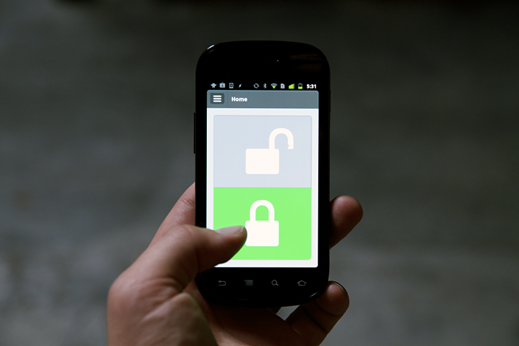
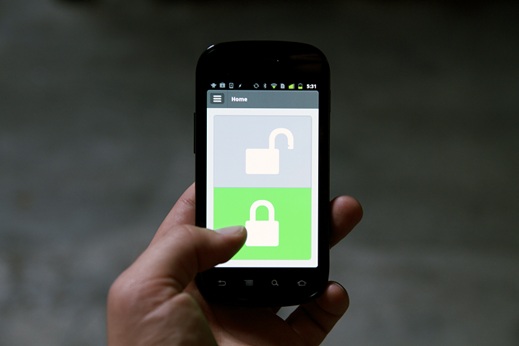
    When Apple launched iPhone in 2007, two things stood out in this phone from all the other mobile devices those days- touchscreen and an intuitive OS allowing it’s expandability via apps. Six years later, apps have becoming a booming business creating an app economy. You must’ve heard the phrase- “there’s an app for that” which signifies more than 700,000 apps available for leading mobile platforms- iOS and Android. Other mobile OS like Blackberry (BB OS 10) and Windows Phone (WP 8) are also growing rapidly in terms of apps. They’ve truly become a global phenomenon with Apple’s App Store crossing 50 billion app downloads recently, and Android’s Play Store also reaching this benchmark soon.Lockitron Android app

    But interesting thing to note is that the mobile apps have grown beyond the usual games and apps for email, weather, to-do lists, etc. For years, we wanted to have a perfect technological convergence offering the flexibility to perform various tasks from a single device rather than owning multiple devices for different tasks. Mobile Apps has given way to ‘Internet of Things’ referring to the mobile phone connected to world around us. Let’s see few examples of how it’s transforming the way we interact with other modern day tools-

    Bridging Offline and Online World

    With the help of mobile apps, our smartphones has become our personal identity, personal wallet for making payments, loyalty card for accumulating points and much more. Retailers like Starbucks are offering mobile apps which lets one pay for a coffee through mobile and also gain reward points. In emerging countries like Africa, mobile and mobile apps work like a full-fledged bank account for depositing/ withdrawing/ transferring the money. Startups like Square and Payleven helps retailers and customers to use the mobiles for credit card payments.

    Technologies like QR codes and NFC further enhances the mobile phone by enabling it to scan the codes or tags and initiate action which was programmed in them.Square

    Health and Fitness

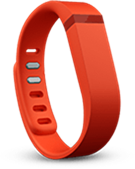
    In this busy world, it’s essential to keep a check on one’s health and rightly so this is one of the biggest categories of apps and accessory. From tracking sleep to calories to daily running and even measuring one’s sweat and heart rate, the fitness trackers do all this and much more. Fitbit FlexBeing connected with mobile apps, these trackers share all these details to the apps, so that users know their progress and even share it over social networks keeping them motivated. Some popular example of such trackers include wrist bands like Fitbit Flex, Jawbone Up, watches like Moto Actv and even Nike+ Lunar Shoes.
    There are also accessories and compatible apps such as Diabeto which measures the patient’s glucose levels for keeping their diabetes in check.

    Home Automation

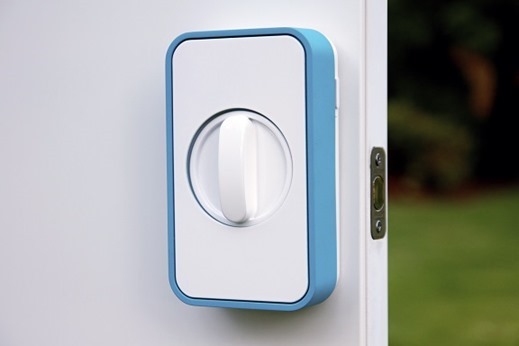
    All of us want to control our homes with a click of button, and the apps in our mobile enables us to do just that with the help of special hardware. The apps can be integrated with several home automation systems for keeping our homes secure, control its temperature or switch on/ off its lights. Lockitron is a smart deadbolt access system to door locking/ unlocking via mobile app, NFC or even SMS. Nest is an advanced thermostat system that can control the home’s temperature by connecting to home’s heating and air conditioning solution. For controlling the lights remotely, there’s Belkin WeMo accessory which converts existing light sockets to smart sockets and Philips Hue lightning system allowing one to control the whole lightning of the home.Lockitron unit1

    All these example gives us a glimpse of the future where a single mobile app will be able to do even the most complex thing with the click of a button.

    – Guest article by 91mobiles.com

  • World’s First Helium HDD

    World’s First Helium HDD


    Today the story is extremely completely different indeed; Hitachi  discover our media upon all varieties of devices, from commonplace desktop SATA HDD’s to SSD’s and USB Flash Media and every one things in between. Storage medialooks to be forever increasing in volume and in technological advances, because the latest providing from HGST (formerly called Hitachi world Storage Technologies) shows. they need unveiled the primary 6TB drive, claiming it because the world’s highest capability disk with low operative prices for information centre applications like cloud storage and large scale-out environments.


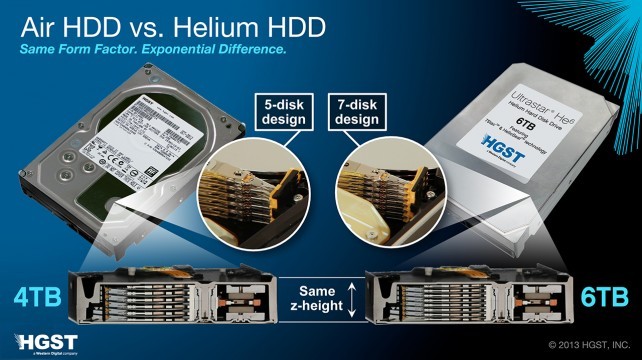
    The 6TB Ultrastar He6 drives ar atomic number 2 stuffed units supported HGST’s HelioSeal technology.HelioSeal sees the air within the drive replaced with atomic number 2, that is a smaller amount dense and then reduces the turbulence caused by the spinning disks, cuts power consumption and results in reduced resistance heating,consistent with HGST. A facet impact of this can be that the drive is hermetically sealed, gap up the chance of the Ultrastar He6 drives having the ability to support being submerged in non-conductive fluid for liquid cooling applications. The Ultrastar He6 line is out there in versions with either a 6Gbps SATA or 6Gbps SAS host interface, with a quoted unit of time before failure (MTBF) of two million hours, consistent with HGST.

  • Say goodbye to your favorite ‘Winamp’ : Shutting Down in Dec.

    Say goodbye to your favorite ‘Winamp’ : Shutting Down in Dec.

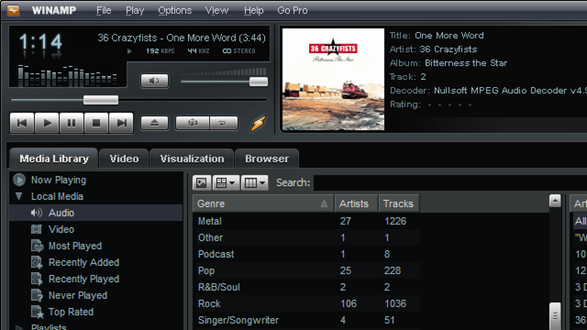
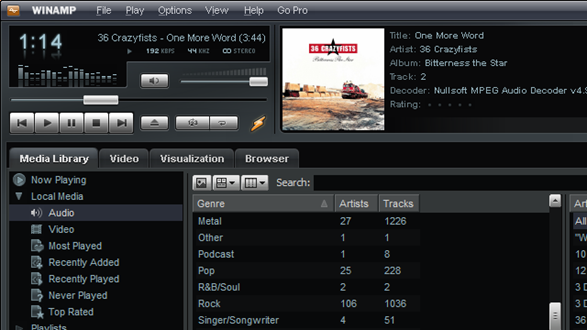
    It’s been a good 15 years, but Winamp, our go-to desktop media player, is shutting down on December 20th but the reasons are yet to be disclosed.

    winamp-shut

    AOL announced the decision in a brief statement on the official Winamp.com website, saying that the webpage and the downloadable media player will be removed on December 20.

    “Winamp.com and associated web services will no longer be available past December 20, 2013. Additionally, Winamp Media players will no longer be available for download. Please download the latest version before that date. See release notes for latest improvements to this last release. Thanks for supporting the Winamp community for over 15 years,” the notification reads.

    Winamp, which was developed by Justin Frankel and Dmitry Boldyrev for Nullsoft, was purchased by AOL in June 1999 for no less than $80 million (€59.4 million) in stock.
    In June 2000, Winamp reached a record 25 million registered users, but started a dramatic decline soon after that.

    In the last few years, Winamp launched several new versions, including a Mac port and an Android version that’s experiencing quite a terrific success among smartphone owners.

    Even though development of new versions continued, and both Winamp 3 and Windows 5 reached the market in the next years, some users decided to stick to the original WInamp 2.95 version thanks to the impressive audio quality and its reduced footprint on system resources.

  • Moto G : The Budget Smartphone review

    Moto G : The Budget Smartphone review

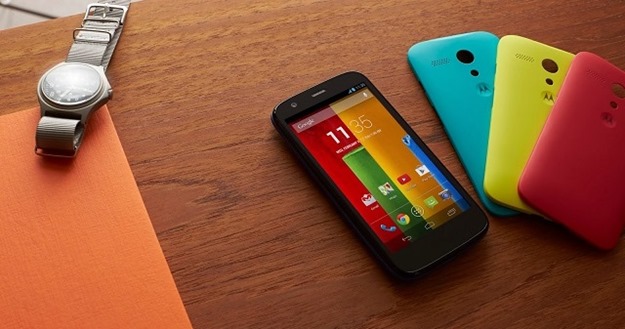
    Moto_GThe Motorola Moto G is an important phone, for Motorola at least. It’s the first new Motorola phone to be released in the UK in ages, and the first we’ve seen since Google bought Motorola back in 2012. It’s also superb. Thanks to its 720p screen and solid Snapdragon 400 processor, it offers far better specs than any other big-name a phone selling for under £150. If you want a sub-£150 or $179 phone, get this one. It’s that simple.
    Design

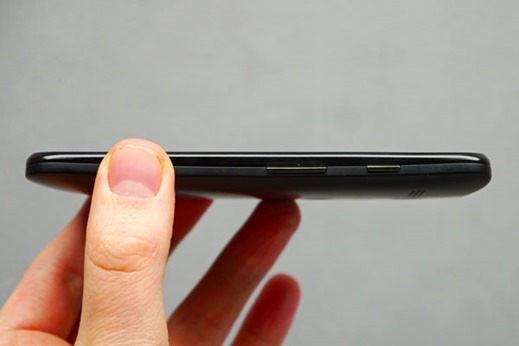
    The design on the Moto G doesn’t, by any means, follow the current smartphone trend of the straightest possible form and thinner-is-better chassis approach. Its thickest side is the curved back which is almost 1.2 cm thick, while the thinnest part is just over 6 mm.moto-g-1

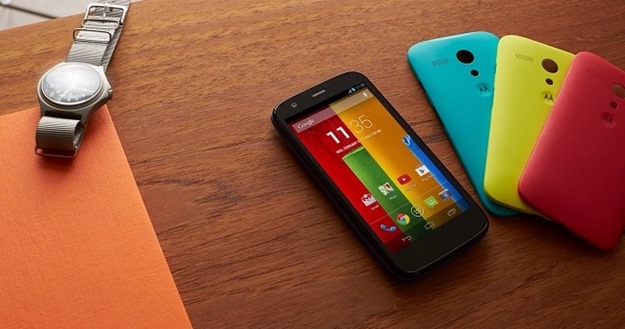
    Its kinship with the Moto X is quite evident: both have the same exchangeable back side made from a slightly rubberized polycarbonate, built with the headphone jack at the top side as well as a cut out for the camera, an LED flash and finally a Motorola logo. Just like the Moto X, there’s a whole rainbow of colors from which to choose.
    The interface is largely vanilla, which is good, but there are a handful of Motorola flavoured additions. Motorola Migrate helps you bring all your content such as photos, videos and text message history – as long your old phone was Android. Motorola Assist helps to avoid disruptions when you’re in a meeting or asleep which we’ve found extremely handy.

    Display

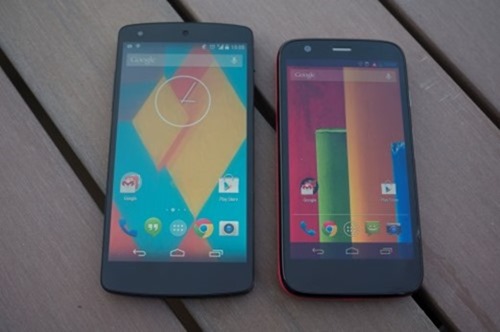
    The Motorola Moto G’s most impressive feature is its screen. This is the first time we’ve seen a 720p screen on a phone that costs less than £140. Moto_G_vs_Nexus_5_Custom
    This gives the phone the sort of ultra-sharp text and images that we’ve only seen in much more expensive phones to date. 720p resolution stretched across a 4.5-inch display gives a pixel density rating of 329 pixels per inch (ppi). Higher-end Androids may offer 1080p screens these days, but that’s still higher than the ppi rating of the iPhone 5S (326ppi).

    Design your smartphone : Moto x

    Processor

    The processor on the Moto G is a Snapdragon 400 with four cores, a clock speed of 1.2 GHz and 1 GB of RAM.

    Battery

    Motorola touts ‘all day’ battery life for the Moto G and this is certainly the case in our testing. The Moto G will last a day and if you are a light user then you’ll probably even get a couple of days from the handset.

    Tech Specs and Price

    The technical aspects that come with the Moto G aren’t in the class of superior smartphones, but sit somewhere in the middle ground. The quad-core processor with 1 GB of RAM and Android 4.3 operating system ensure that the system runs smoothly at all times. The 5 MP camera is in tune with the price class, while the battery for the device is actually quite good. Considering the price of 199 USD for the 16 GB version, the Moto G offers a great price-performance ratio.

    Processor Qualcomm Snapdragon 400, Quad-Core, 1.2
    GHz
    Display 4.5-inch, 1,280 x 720 Pixel, 329 ppi,
    LCD
    RAM 1 GB
    Internal
    storage
    8/16 GB
    Dimensions 129.9 x 65.9 x 6-11.6 mm (curved back
    side)
    Weight 143 grams
    Battery 2,070 mAh
    Camera 5 MP (back), 1.3 (front)
    Connectivity GSM/GPRS/EDGE/UMTS/HSPA+, Wi-Fi 802.11 b/g/n,
    Bluetooth 4.0, GPS, GLONASS
    Android
    version
    Android 4.3 Jelly Bean
    Price 179 USD (8 GB), 199 USD (16
    GB)

    The Motorola Moto G is one of the best phones of the year, and the first time we’ve seen a phone of this calibre launch at under £200 SIM-free. That it’s so much cheaper than £200 is a minor miracle. This phone deserves to sell by the bucketload. 

  • Design your own smartphone with Moto X

    Design your own smartphone with Moto X

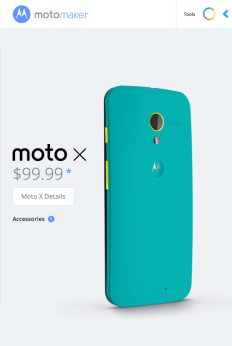
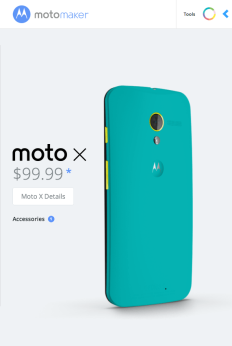
    The Motorola Moto X comes with some interesting customizations, allowing customers to alter the color scheme of the device as well as engrave whatever they like on the back, among other things. Normally only available through AT&T in the US, Motorola has announced that the customization options can now be had through Sprint, T-Mobile and Verizon.moto-x

    There are thousands of possible combinations available through the Moto Maker online customization tool, and now customers across all the major US carriers will be able to use it. There are thousands of possible combinations here, users can change the color of the back, front piece and various accents, as well as add-on matching colored peripherals like headphones. After a Moto Maker ad appeared on Verizon over the weekend, reports are now saying Motorola will be shipping the device in the US within the next 4 days or so.

    Following last month’s price drop, Verizon, Sprint, and T-Mobile customers will now see the 50% is savings as well as the Moto Maker support. Moto X phones will start at $100 for a 16GB model on a two year agreement from all four carriers.
    Design your own smartphone with Moto X Announcement

    Beyond that, Motorola said today that Android 4.4 KitKat would be rolling out for the Moto X soon and we also expect to see the reveal of the lower cost Moto G on Wednesday. Leaks suggest it’s a quad-core smartphone with a 4.5-inch display going on sale November 14, with customizations options like the Moto X it was based on.