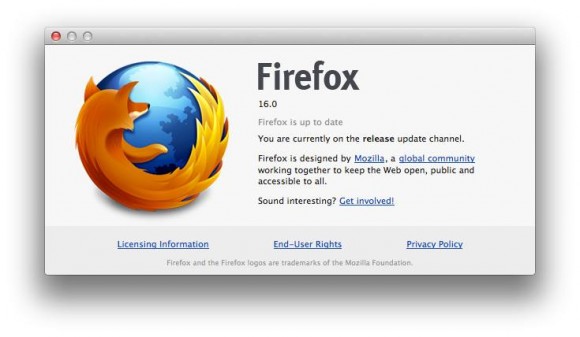
Tag: firefox

  • Firefox Gets Faster with Version 18

    Firefox Gets Faster with Version 18

    "The Firefox of today is significantly better than the Firefox of a year ago in every way," wrote Mozilla vice president of engineering Johnathan Nightingale in a recent blog post. There are good cases to be made for that statement, including the browser’s better security, faster startup, a social network API, and more efficient memory use.

    With Tuesday’s release of Firefox 18, the independent Web browser gets a boost from a new JavaScript compiler, called IonMonkey, which the organization claims can speed up Web applications like online games by a whopping 25 percent. The new release also adds support for high-resolution Apple MacBook Retina displays, as spelled out in a release announcment on the Mozilla Blog.

    The Android version of Firefox has also been updated with search suggestions and new protections against phishing and malware.

    To demonstrate the browser’s new speedup, Mozilla developers have created BananaBread, a 3D first-person shooter Web game coded using the open WebGL, HTML5, CSS3, and JavaScript standards. Keep in mind, though, that the WebGL graphics capability isn’t actually part of HTML5 and it’s not supported in Internet Explorer, though it is found in all other major browsers.

    We also ran a couple of JavaScript browser benchmarks to compare the new version with the old. While the well-known SunSpider benchmark produced puzzling results, with the time taken to run the benchmark increasing on each subsequent run, Mozilla’s own measure of JavaScript performance, the Kraken benchmark, did show a significant boost. On a 3.16GHz dual-core PC running Windows 7, Firefox 17 delivered a score of 3124ms compared with 2409ms for the new Firefox 18—an improvement of 23 percent.

    The new version also adds preliminary support for WebRTC, which among other things, allows Web pages to access a computer’s webcam and microphone without the need for plugins such as Adobe Flash or Microsoft SilverLight. Other performance improvements and new standards support show up in Firefox 18, including support for W3C touch events—very useful on tablets. According to Mozilla’s release notes, startup time has been improved by "smart handling of signed extension certificates."

    What’s New

    • NEW
      Faster JavaScript performance via IonMonkey compiler
    • NEW
      Support for Retina Display on OS X 10.7 and up
    • NEW
      Preliminary support for WebRTC
    • CHANGED
      Experience better image quality with our new HTML scaling algorithm
    • CHANGED
      Performance improvements around tab switching
    • DEVELOPER
      Support for new DOM property window.devicePixelRatio
    • DEVELOPER
      Improvement in startup time through smart handling of signed extension certificates
    • HTML5
      Support for W3C touch events implemented, taking the place of MozTouch events
    • FIXED
      Disable insecure content loading on HTTPS pages (62178)
    • FIXED
      Improved responsiveness for users on proxies (769764)

    For All Fans

  • Firefox 17 launches with click-to-play plugin blocks for old Adobe Reader, Flash, and Silverlight

    Firefox 17 launches with click-to-play plugin blocks for old Adobe Reader, Flash, and Silverlight

    As expected, Mozilla on Tuesday officially launched Firefox 17 for Windows, Mac, and Linux. Although the new version was already available yesterday on the organization’s FTP servers, it has now also been released over on Firefox.com. If you’re looking for Firefox for Android version 17, that was also released on Monday.

    The biggest addition in this release, in my opinion, is click-to-play plugins, announced back in October. In short, the addition means Mozilla will now prompt Firefox users on Windows with old versions of Adobe Reader, Adobe Flash, and Microsoft Silverlight (more will be added eventually).

    Mozilla is essentially merging together the idea of click-to-play plugins (don’t load plugins until they’re clicked) with the concept of a blocklist (a list of addons and plugins that are disabled). As such, click-to-play blocklisted plugins consist of a list of plugins that Mozilla deems unsafe for its Firefox users. Instead of completely disabling what’s on the list, however, the company will prevent them from running when the page loads: you’ll have to click first.


    Here’s how the feature looks:

    The prompt tells you that the plugin is vulnerable and thus Firefox has stopped it from loading automatically. If there is an update available, you will be prompted to update the plugin, but you will still also be able to use it, if you want to, by clicking on the blocked grey box.

    Additionally, if plugins are blocked on the currently-viewed Web page, Mozilla will feature a blue icon to the left of the address bar for more information. Here’s how the menu looks when opened up:

    Although this feature is enabled by default, you can set it to work for all plugins, not just old ones, in the about:config preference “plugins.click_to_play” (set to true). While this is not an all-purpose plugin management system, it should still be useful as a prevention mechanism against drive-by attacks (such as urging users to click on a video link that is almost never what it claims to be or hiding in ads on a legitimate website) targeting plugins that are known to be vulnerable.

    There are of course other Firefox 17 features worth noting; here’s the official changelog:

    • NEW: Click-to-play blocklisting implemented to prevent vulnerable plugin versions from running without the user’s permission.
    • CHANGED: Updated Awesome Bar experience with larger icons.
    • CHANGED: Mac OS X 10.5 is no longer supported.
    • DEVELOPER: JavaScript Maps and Sets are now iterable.
    • DEVELOPER: SVG FillPaint and StrokePaint implemented.
    • DEVELOPER: Improvements that make the Web Console, Debugger and Developer Toolbar faster and easier to use.
    • DEVELOPER: New Markup panel in the Page Inspector allows easy editing of the DOM.
    • HTML5: Sandbox attribute for iframes implemented, enabling increased security.
    • FIXED: Over twenty performance improvements, including fixes around the New Tab page.
    • FIXED: Pointer lock doesn’t work in web apps (769150).
    • FIXED: Page scrolling on sites with fixed headers (780345).

    Apart from the usual performance improvements, and the sandboxing of iframes, the next most important thing is that support for OS X 10.5 Leopard has been dropped. This follows in Google Chrome’s footsteps, which did the same back in September.

    If you’re a Web developer, you may want also to check out Firefox 17 for developers.

  • Firefox 16 Launches with Developer Toolbar

    Firefox 16 Launches with Developer Toolbar

    firefox-09-introWhile this version of the browser only introduces a few new features for consumers, developers can look forward to using Firefox’s new Developer Command Line. The Command Line, says the Firefox team, “provides easy keyboard control over Firefox Developer Tools and is intuitive, completing commands and parameters for you.”

    In addition to this, the latest stable release of Firefox includes a boatload of other developer-oriented features, including CSS3 Animations, Transitions, Transforms, Image Values, IndexedDB and Values and Units. In addition, Firefox 16 gives developers access to the Battery API, which enables them to see a mobile devices’ battery status, as well as the Vibration API. Both are currently making their way through the W3C standardization process.

    For users, the stable release now brings preliminary web app support to Mac, Windows and Linux, as well as initial VoiceOver support for Firefox on OS X. As has often been the case with new Firefox releases since Mozilla moved to this rapid release cycle, there are now major changes to the Firefox user interface.

    Mobile Firefox, which doesn’t always get the credit it deserves, is also getting some new features. Most importantly, Mobile Firefox will now offer a Safari-like, distraction-free reader mode. Just like in Safari, users will now be able to click on the “Reader” icon in Firefox’s URL bar to activate this mode. In addition, Mobile Firefox now also allows you to use the “Share” menu and Firefox Sync to send tabs to your desktop or another mobile device.


    What’s New in Firefox 16

    The release notes for the beta version of Firefox 16 reveal the major changes in the new stable version of the browser. Probably most interesting from a user perspective is the incremental garbage collection that Mozilla integrated into Firefox 16.

    This feature improves the browser’s responsiveness by dividing the work of the garbage collector into smaller pieces. Instead of running the garbage collector for hundreds of milliseconds at a time, the new technology runs it in ten millisecond intervals which do not affect the browser’s responsiveness anymore. If you have noticed lag when moving the mouse for instance from time to time, you may now experience a smoother experience thanks to the incremental nature of the garbage control algorithm.

    The remaining features may appeal to a smaller part of the browser’s audience, but are for the most part not that interesting:

    • Firefox on Mac OS X now has preliminary VoiceOver support turned on by default
    • Initial web app support (Windows/Mac/Linux)
    • Acholi localization added
    • New Developer Toolbar with buttons for quick access to tools, error count for the Web Console, and a new command line for quick keyboard access
    • CSS3 Animations, Transitions, Transforms and Gradients unprefixed in Firefox 16
    • Recently opened files list in Scratchpad implemented
    • Debugger breakpoints do not catch on page reload (783393)
    • No longer supporting MD5 as a hash algorithm in digital signatures (650355)
    • Opus support by default (772341)
    • Reverse animation direction has been implemented (655920)
    • Per tab reporting in about:memory (687724)
    • User Agent strings for pre-release Firefox versions now show only major version (728831)

    Developer Toolbar

    Mozilla has launched a new feature with Firefox 16 called the Developer Toolbar, which comes with what Mozilla calls the Developer Command Line. This is designed to provide easy keyboard control over Firefox developer tools, and it completes commands and parameters for you.

    “In addition, Firefox unprefixes a number of stable features including: CSS3 Animations, Transitions, Transforms, Image Values, IndexedDB and Values and Units,” Mozilla says in a blog post. “Firefox also unprefixes Battery API and Vibration API, two Web APIs that Mozilla helped create.”

    “On mobile, Firefox for Android introduces Reader Mode to make it easier to view, read and share articles and stories from your mobile phone or tablet,” Mozilla adds. “Simply tap the ‘Reader’ icon in the Awesome Bar to activate. This feature provides an enjoyable and clutter-free way to read online content by removing advertisements, reformatting pictures and increasing font size.”

    The toolbar will also show you the errors on a page if there are any. It displays an error indicator next to the web console.

    Simply press shift+F2 to bring the toolbar up.