Tag: google

  • Google Nexus 6, Chromecast to be available in India from Dec 10

    Google Nexus 6, Chromecast to be available in India from Dec 10

    google-nexus 6

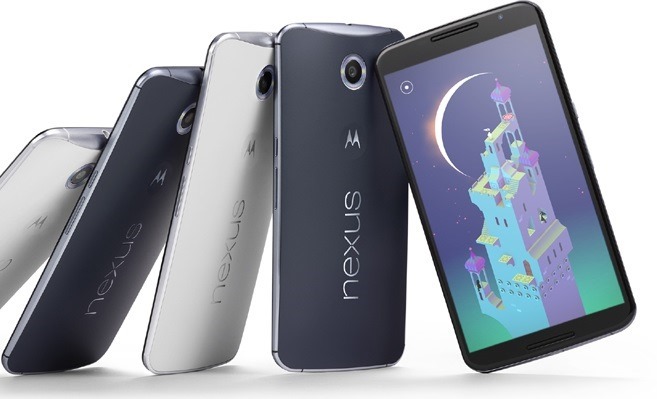
    The much-awaited Nexus 6 from Google & Motorola will be available to buyers on Google Playstore from December 10 as part of the three-day online shopping festival (GOSF 2014). The Nexus 6 smartphone is priced at Rs 43,999 for the 32GB version and Rs 48,999 for the 64GB variant. Alongside, Google Chromecast HDMI streaming dongle has been officially unveiled for sale in India at a price of Rs 2999

    The products will be promoted through the Great Online Shopping Festival, which takes place from December 10-12.

    “Consumer confidence to shop online is on the rise in India. Convenience, variety and availability of latest products across the country are driving the growth of online shopping in India. We started GOSF in 2012 with just 90 partners and in our third year, we have five times more partners participating in gosf.in, including many first time partners like Big Bazaar, Lakme, Van Heusen and Asian Paints,” said Rajan Anandan, managing director, Google India.

    Nexus 6 is available on Play Store as well as on you can Buy Google Nexus 6 from Flipkart.com.

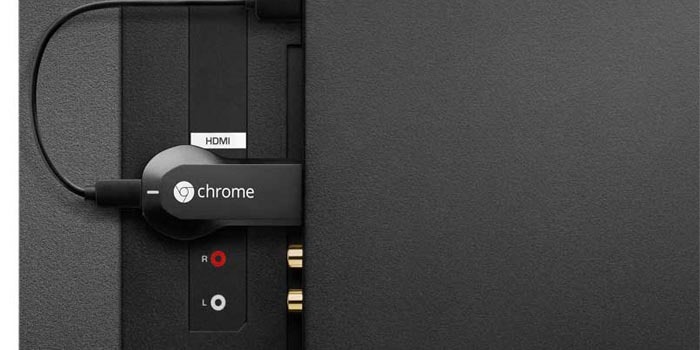
    Chromecast is a device which provides ability to let you mirror your entire Android screens onto your TV displays. This means, you can do everything from watching local photographs and videos to playing games on your large screens. 

    Chromecast will be sold exclusively by Snapdeal from midnight tonight, and will come with special offers from Airtel and Eros Now.

    chromecast

    Apart from Google, Lenovo announced the launch of new Android-powered YOGA Tablet 2 Pro. The tablet will be available for sale exclusively on Flipkart.com from Dec 10 at Rs 49,490

  • Google updates reCAPTCHA with a tick box

    Google updates reCAPTCHA with a tick box

    recaptcha_2014

    When CAPTCHA tests were first introduced they offered a process to check that someone online was real human and not a bot. But then the bots got clever enough to solve them, resulting in more difficult captcha which are hard to read. And even a bot-immune CAPTCHA can be beaten by a human being paid to solve the text puzzles. CAPTCHAs have long relied on the inability of robots to solve distorted text. But, Google’s recent research  showed that today’s Artificial Intelligence tech can solve even the most difficult variant of distorted text at 99.8% accuracy.

    Recaptcha_anchor2x

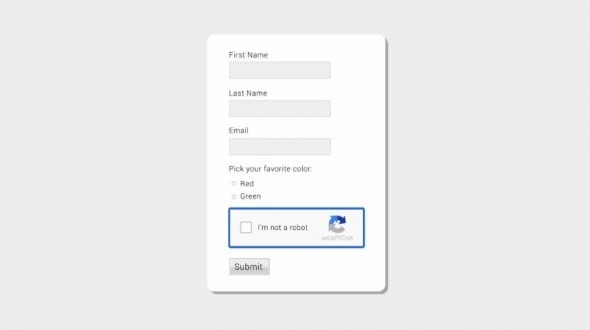
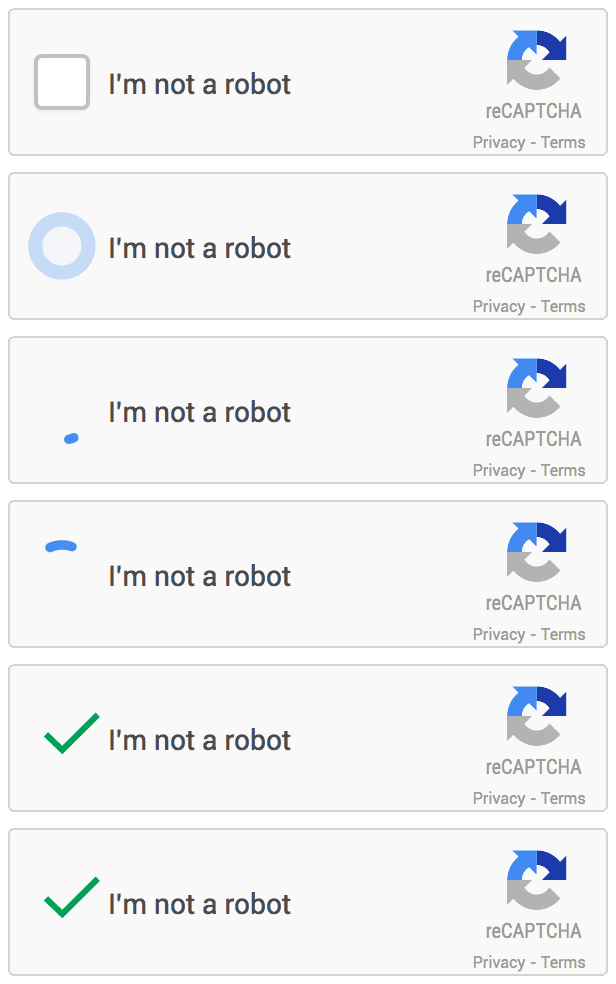
    Now Google has updated its system called reCAPTCHA and dropped the manual CAPTCHA test. Rather, you just have to simply tick a box to confirm you are human. That may sound like incredibly simple security that any bot could overcome, but the tick box isn’t all, it’s what Google is doing in the backend that makes this system secure and reliable.

    On mobile platforms this system works a little bit different. You’ll still get the tick box to tap, but the secondary text will be a picture question/puzzle asking you to select all similar images to the one it presents.

    The new API is the next step in this steady evolution. Now, humans can just check the box and in most cases, they’re through the challenge. The updated “No CAPTCHA reCAPTCHAs” is already rolling out on websites across the web.

  • Smartphones getting Android Lollipop update soon

    Smartphones getting Android Lollipop update soon

    Android-L-images.jpg

    Recently Google started the roll out of Android Lollipop that is Android 5. In the coming weeks and months,many flagship phones and tablets that are getting the Lollipop update. So far the following phones and tablets are confirmed in the list of devices that will be getting the Android Lollipop:

    Google Nexus 6: This is the launch device for the Lollipop. It will come with the Android Lollipop installed on it. For now, it is not available in India.

    Google Nexus 9: This tablet is also a launch device for the Lollipop. It will be available in India in the coming weeks.

    Google Nexus 5: The last year’s flagship Google phone should receive the Android Lollipop in the coming days.

    Google Nexus 7 (2013): This tablet is also likely to get Android Lollipop in the coming weeks or within days.

    Google Nexus 4: Google is also providing update for its 2 years old device too.

    Google Nexus 7 (2012): Yes, it is.

    Google Nexus 10: The big Nexus tablet will also get the Lollipop update. Incidentally, this tablet was never officially sold in India.

    Micromax Canvas A1: Budget Rs.6,500 Android One phone from Micromax will receive the Android Lollipop update.

    Karbonn Sparkle V: This one too is an Android One phone and hence would get the Lollipop.

    Spice Mi-498 Dream Uno: Powered by Android One, this Spice phone will also get the Lollipop.

    All Moto Phones: Motorola has confirmed that that all Moto phones — Moto X (2014), Moto X (2013), Moto G (2014), Moto G (2013) and Moto E — will get Android Lollipop. In fact, the Moto devices may even get the Lollipop days before the some Nexus devices get it because Motorola is very aggressive about updating its phones.

    Select Xperia phones: Sony has confirmed that “the premium Z series” devices will get Android Lollipop . These are Xperia Z, Xperia ZL, Xperia ZR, Xperia Tablet Z, Xperia Z1, Xperia Z1S, Xperia Z Ultra, Xperia Z1 Compact, Xperia Z2, Xperia Z2 Tablet, Xperia Z3, Xperia Z3v, Xperia Z3 Compact and Xperia Z3 Tablet Compact. Sony Z Ultra Google Play edition will be the first to get it. Other Xperia phones will get it in 2015.

    Selected HTC phones: They stated “We’ll be updating the HTC One (M8) & (M7) within 90 days from today. ”

    Also Read: The Motorola ‘Monster’ Droid Turbo with QHD Display

    Unconfirmed but these devices will get Android Lollipop

    • Samsung Galaxy S5
    • Samsung Note 4
    • Samsung Note 3 and Galaxy Alpha
    • LG G3HTC One M8 (Eye)
  • Google will allow users to download and watch YouTube videos offline in India

    Google will allow users to download and watch YouTube videos offline in India

    youtube-banner

    After Android One, India will have another first from Google as the tech giant plans to make YouTube available offline, allowing people to save on download charges for watching their favorite videos.

    YouTube executive Ceasar Sengupta mentioned at the launch event that the move was to better serve users in the country, where a consistent cellular data connection is not always available.

    YouTube is popular here. You watch some videos again and again. How awesome would it be if you could keep watching them again and again without having to pay for data, and take the videos with you wherever you go? Within the coming few weeks, much of YouTube will be available offline in India. This is huge, and our users will really, really like this. You can download a video once, save it to your phone, and watch it again and again.

    It is not clear at the moment whether this new offline feature is restricted to India, or if this will be an Android only feature. The demand for video on mobile has been around for a while – some telecom providers have experimented with YouTube focused data packs, which let you stream videos at a discounted data rate.

    Reports suggest that 3.7 billion online videos are consumed per month in the country. According to comScore, the total online video audience in India saw growth of over 70 percent in 2013 with the average viewer watching 18 percent more videos and spending 28 percent more time viewing.

    The service will not be restricted to music videos, and users will have the ability to download any video off the service and store it offline.

  • Google’s latest object recognition tech can spot everything in your living room

    Google’s latest object recognition tech can spot everything in your living room

    Even if today’s computer has the help of smart algorithms and human assistants, but it may not be able to catch up all thing present in a room. But, recent research from Google might let us realize this incredible image recognition technique. This concept may need a lot of extra computing power.

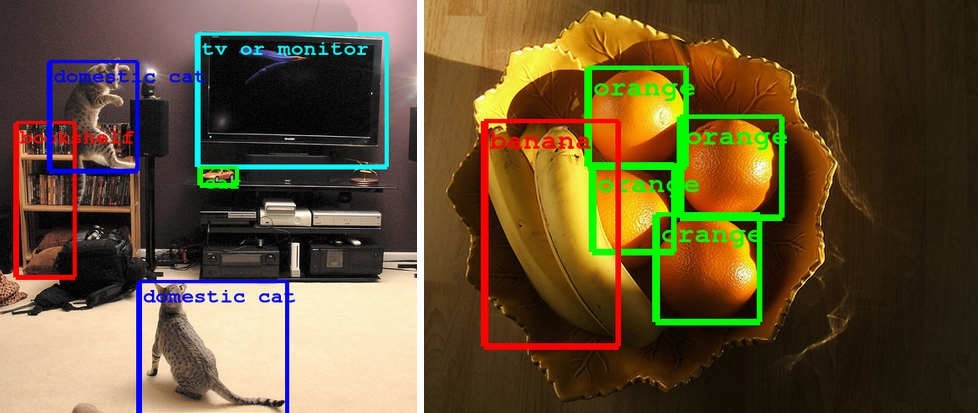
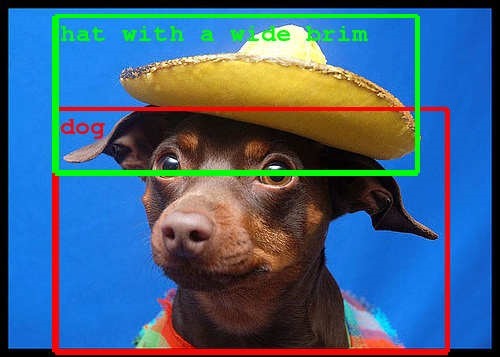
    The result is a far deeper scanning system that can both identify more objects and make better guesses — it can spot tons of items in a living room, including a flying cat as said by google research blog. This new incredible technology is still at early stages. Don’t be surprised if it gets much easier to look for things online.

    image_reco

    Team GoogLeNet placed first in the classification and detection tasks, doubling the quality on both tasks over last year’s results. This effort was accomplished by using the DistBelief infrastructure, which makes it possible to train neural networks in a distributed manner and rapidly iterate.

    At the core of the approach is a radically redesigned convolutional network architecture. Its seemingly complex structure is based on two insights: the Hebbian principle and scale invariance. As the consequence of a careful balancing act, the depth and width of the network are both increased significantly at the cost of a modest growth in evaluation time. The resultant architecture leads to over 10x reduction in the number of parameters compared to most state of the art vision networks.

    image_reco2
    These technological advances will enable even better image understanding which can be directly transferable to Google products such as photo search, image search, YouTube or self-driving cars.

  • Google Chrome : Now with 64-bit version

    Google Chrome : Now with 64-bit version

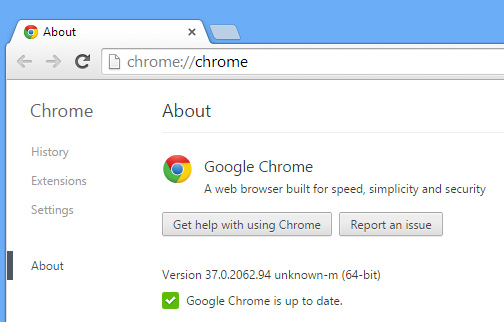
    Finally Google has released a stable 64-bit version of Chrome for Windows.

    According to Google, 64-bit Chrome for Windows has three major advantages over its 32-bit cousin:

    • It’s faster,
    • more secure,
    • more stable.

    about-chrome-37-64-bit-windows

    Even the tasks like HD video on YouTube, are 15% faster under the 64-bit version of Chrome. the most major plug-ins, including Silverlight, Java, and Flash have all been updated to 64-bit. That’s a small price to pay for increased speed, security, and (according to Google) twice the stability of 32-bit Chrome, though.

    Also Read: Awesome Firefox Tricks You Might Not Know

    Three months of testing later, and the 64-bit build of Chrome has passed muster and percolated down to the latest stable version: Chrome 37.

    According to Google, 64 bits Chrome will provide a marked improvement in rendering speed and Google also says it sees an average improvement of 25% in graphics and multimedia content. The main focused advantage is VP9 video decoding (i.e. surfing YouTube) is 15% faster. It suspects the 64-bit version of Chrome will feel a bit faster in everyday use.

    The concern to security and stability are much less nebulous but Moving to a 64-bit process allows Chrome to use features such as High Entropy ASLR (address space layout randomization) and improve defenses against JIT spraying

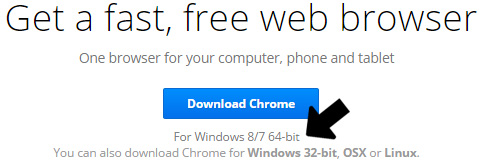
    The official download Google chrome 64 Bit

    chrome-64-bit-windows

    Remarkably Chrome’s 64-bit renderer process will be almost twice as stable as the 32-bit version!!


  • Have a Nexus 5 or 7 ? – Install ‘Android L’ Right Now

    Have a Nexus 5 or 7 ? – Install ‘Android L’ Right Now

    Android-L-images.jpg

    Google just released its first ever developer preview of the upcoming version of Android. But If you can’t wait for official release, then there is a chance to install Android L on your Nexus 5 or Nexus 7 (2013). You can download the relevant OS file from Google servers and install them on your device. These versions are meant for developers.

    Requirements

    google-nexus-5-011

    An Unlocked Nexus 5 or Nexus 7 (2013-Wifi)

    Android L OS file (Download)

    ADB and Fastboot installed on computer (Install Now)

    Must Read: Google IO 2014: Everything Google Announced

    How to turn on USB Debugging ON

    Open developer options on your Nexus device. These options are hidden by default. You have to go to Settings > About Phone and then tap on the build number 7 times. After doing that you can access the developers options. Now make sure to enable USB Debugging.

    NOTE: Installing Android L will erase all your data on the phone, so first have a backup of photos, music, files or any other data before proceeding.


    How to install Android L Developer Preview on Nexus 5 or Nexus 7

    Step 1: Download the Android L OS file for your device from the above link.

    Step 2: Unzip/Extract the downloaded file.

    Step 3: Connect your device to your computer via USB cable and turn on USB debugging ON (see above).

    Step 4: On your computer, Open up a command line/terminal for ADB.

    Step 5: Type the following command to access your device’s bootloader.

    adb reboot bootloader

    Step 6: Go to the folder containing the Android L OS file.

    Step 7: Now, Enter following command to run the installation script.

    flash-all

    Step 8: Now just wait for the process to complete. If you have done everything right, Android L Developer Preview will be installed on your phone. It may take upto 10-15 minutes. Have a snack !

    Warning: Installation of this may void your warranty.Also, if something goes wrong during the installation process, we are not responsible. This process is tested and worked fine.

    Instructions from google (https://developers.google.com/android/nexus/images#instructions).

  • Google IO 2014: Everything Google Announced on Day 1

    Google IO 2014: Everything Google Announced on Day 1

    Google-IO-2014

    Google began the announcement as usual by talking about Android’s growth over the past year. Sr. Vice President at Google Sundar Pichai said Android now has more than 1 billion active users per month. The company showed off new design style for all of its products, alongwith Android version codenamed “L” that may be arriving this fall.

    Android One

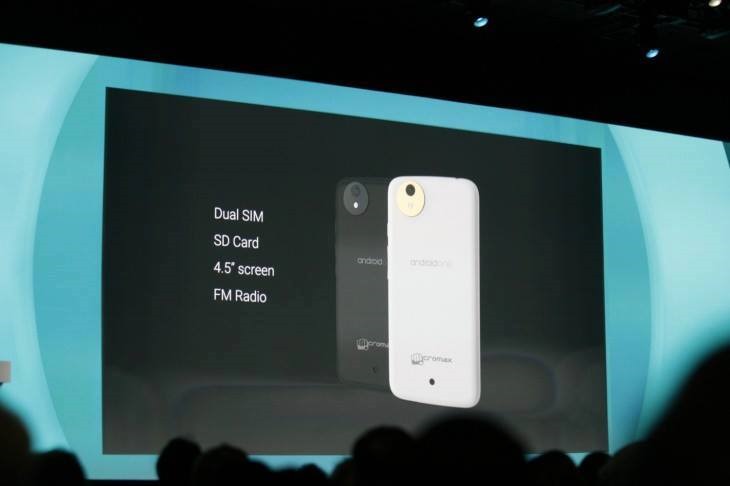
    Google is making its efforts to reach people who so far haven’t been able to afford a smartphone with Android One, which is a new pool of hardware reference platforms designed specifically for developing markets, using stock Android and low-cost parts. The first devices will arrive this fall in India brands like Micromax and Karbonn, starting at less than $100.
    google_android_on

    Android ‘L’ Developer Preview

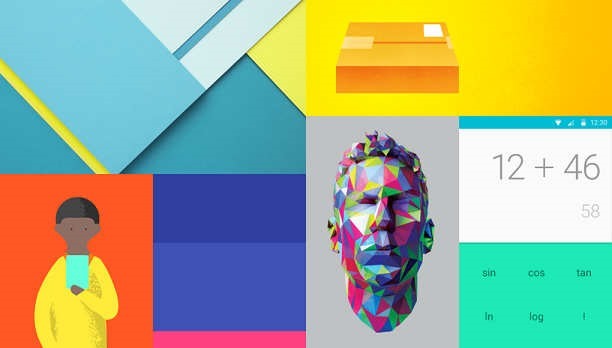
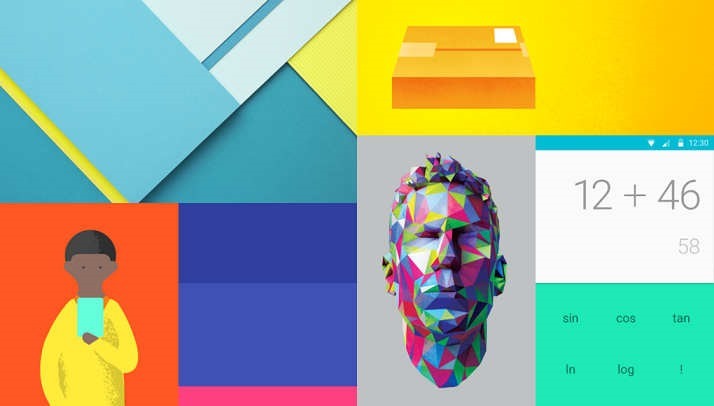
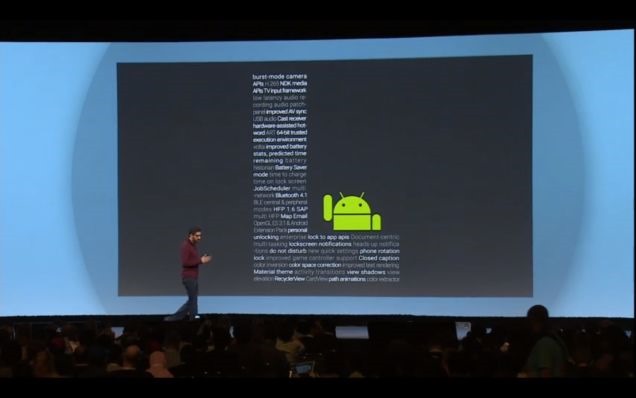
    Android’s upcoming version L release features a new cross platform UI named Material Design, which offers app developers more precise tools to make customized typography, grid and color changes.

    One of the more prominent changes is to the notification system. Now, you’ll be able to access your collection of notifications directly from the lock screen. This new version of android will also improve performance by making the ART engine the default, alongside a new Battery Saver mode. The multitasking interface is also getting improved with a new card-based design.
    androidl

    Google’s New Makeover ‘Material Design’

    This new design is an evolution of the conventional flat, card-oriented interface with added depth and animation to every UI element. Each individual piece of the design is being treated like it’s a virtual object that exists in 3D space. Despite being flat and digital, they have behaviors, layers, and react when touched. This looks like a cool and a nice idea.. It is expected to see this design on all Google products soon. Have a look.


    Android TV

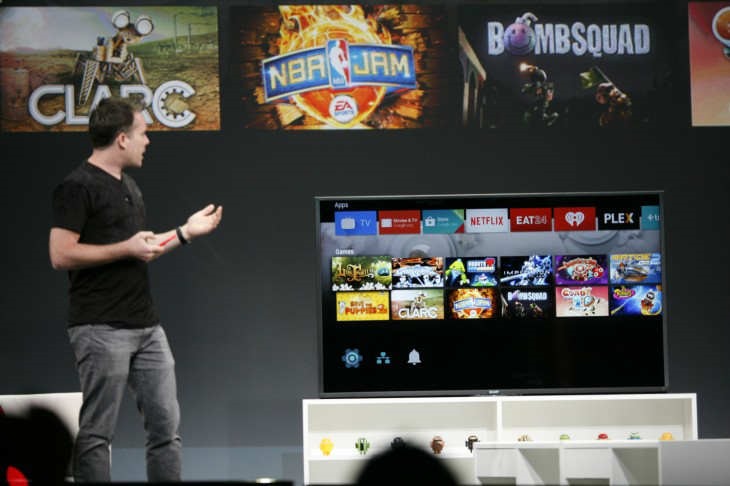
    Google back within TV entertainment with Android TV, which lets users watch live TV or stream content. As you may aware of Google earlier attempt in this sector with Google TV. This time, with Android TV you can also enjoy gaming by bringing Play store games to the big screen. Content from Android device to the Android TV can be easily casted. You can use voice queries to search for content.
    android_tv_googleio

     Android Wear

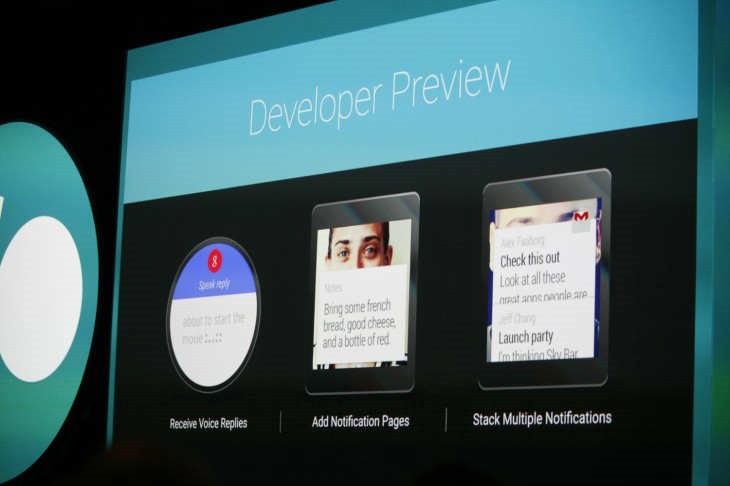
    Google demonstrated its Android Wear SDK which is now available to download. With touchscreen UI you can easily swipe across Google Now cards and access the supported apps from the connected smartphone. You can also create notes, reminders, alarms with ‘OK Google’.When you install an app from the Play store on the phone, a wearable addon will also be installed synced with the main app.
    android_wear_preview

    Android Auto for Cars

    Google is bringing some of its best features to your car. Android Auto is a platform which will allow you to plug your phone into your vehicle and car-friendly controls for key apps. The UI will cast on the car’s screen with quick shortcuts to location searches, suggestions and navigation.Use your voice commands and get information on your car completely hands-free !


    Google Fit Platform

    Nowadays, Health and fitness are trending all over the tech world with many other companies launching new platforms. By jumping into this with Google Fit platform which will allow users to track fitness data and sync it across all devices. It is an open, multi-OS API for fitness apps and devices. Partners include Nike, Adidas and Withings.

    google_fit


    Also, there were some chromecast updates.

    That’s almost all major from Day 1 at Google IO 2014. Excited for Day 2.
  • iOS 8 features that are ‘inspired’ by Android

    iOS 8 features that are ‘inspired’ by Android

    Apple2-640x360

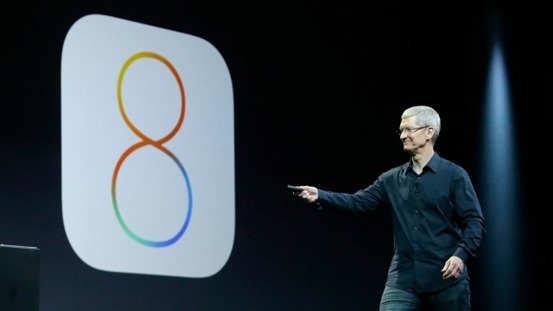
    Apple recently unveiled the latest version of its mobile operating system iOS 8 at its Worldwide Developers Conference in San Francisco. According to company this is “the biggest release since the launch of the App Store,”.

    Many of these Android inspirations are more regular and obvious than others, including the new QuickType typing suggestions in iOS 8, Apple’s new support for third-party keyboard modifications applications, the “Hey, Siri” word for always-on listening features, the Widgets support in the Notification Center, the battery stats shown in iOS 8’s Settings, actionable notifications, and the improved photo backup in iCloud. Developer-oriented features, like the ability of uploading an app video in the App Store or to offer app beta tests to customers will also sound familiar to Android users.

    QuickType and third-party keyboards support

    Apple showed a big deal about its brand new QuickType keyboard. The keyboard features predictive typing and can learn based on your typing habits. In addition to QuickType, iOS 8 will also bring support for third-party keyboard applications. But Android users have had these features for years.

    ‘Hey Siri’

    There are improvements to Siri including addition of 22 new dictation languages and song recognition integration using Shazam. But the ability to launch Siri by speaking the phrase “Hey Siri” when the phone is plugged into a car reminds us of Android’s Google Now where the phrase “Ok, Google” the app can be launched.

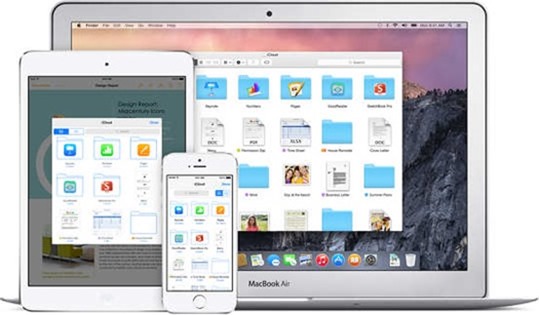
    iCloud Drive Storage

    With iCloud Drive, a Dropbox-like service for storing documents on the cloud. In addition to Dropbox, Android and Apple users already have Google Drive. As iCloud is limited to 5GB of free storage, Google Drive offers 15GB for free, while Dropbox initially offers 2GB for free alongwith the ability to earn up to 20GB as referral bonus.

    icloud-drive

    Widgets

    Apple users will finally get access to basic widgets in new iOS update. Not same as on Android where you can place widgets on your home and lock screens, however, iOS 8 widgets will be limited to the pull-down Notification Center.

    Interactive Notifications

    Interactive notifications will let users to quickly respond to messages, accept calendar appointments without having to enter the app itself. Android has offered these kinds of actionable notifications since 2012.

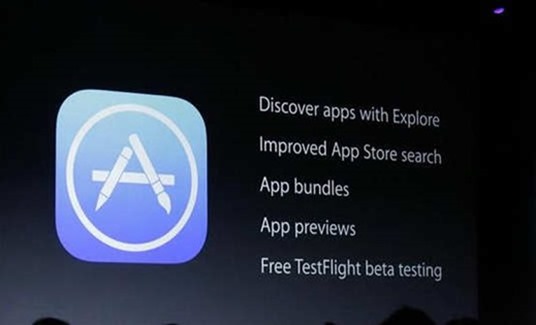
    App Store Previews

    Now in App Store is what Apple calls “App Previews,” similar to Google Play Store where you can watch app demo videos before downloading the apps.

    14-wwdc-2014-keynote-1

    TestFlight

    TestFlight, a new technology Apple acquired this year which will give iPhone and iPad owners the facility test their apps in beta before they are officially released in the App Store. Also it is known that Google has allowed Android users to test their beta apps already.

    Don’t call it a rip-off. Apple adds its own imprint on features that Android users have long enjoyed. They are adding thier own spin. Notifications, for instance, will be interactive straight from the lock screen, which is not currently the case on Android.

  • Get ready for Google Translate on smartphone’s camera

    Get ready for Google Translate on smartphone’s camera

    Today, Google announced that it had acquired Quest Visual, the company who owns the Word Lens app which offers camera-based translation.wordlens1

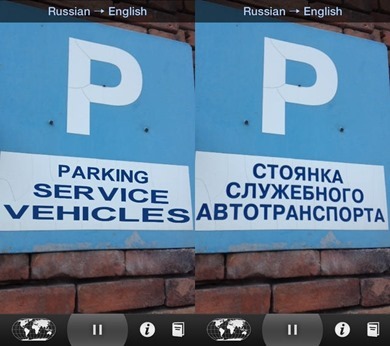
    With the acquisition of Quest Visual, Google seems to utilize this technology for Google translate in the future. The Word Lens app developed by the company translates a text captured through the device camera into a language of your choice which is available on iOS, Android and Google Glass.

    What is Word Lens ?

    Word Lens uses the built-in cameras on smartphones and similar devices to quickly scan and identify foreign text (such as that found in a sign or a menu), and then translate and display the words in another language on the device’s display. The words are displayed in the original context on the original background, and the translation is performed in real-time without connection to the internet. For example, using the viewfinder of a camera to show a shop sign on a smartphone’s display will result in a real-time image of the shop sign being displayed, but the words shown on the sign will be the translated words instead of the original foreign words.

    “By joining Google, we can incorporate Quest Visual’s technology into Google Translate’s broad language coverage and translation capabilities in the future”

    This is very handy for reading foreign language street signs or messages on business store fronts. The app is primary for going between English and a second language, and vice versa, as language packs tha are now free, after to the acquisition by the giant are all combinations of English and another language: Russian, Spanish, French, Italian, German, or Portuguese. The app also works without any kind of network signal, which is a a good news for those travelling.

    word_lens_ios

    Quest Digital’s app is one of the more compelling applications of virtual reality we’ve seen. Turning a foreign reality into a familiar one through the screen of a smartphone is pretty powerful stuff.

    The price Google is paying for Quest Digital has not been disclosed. Quest Digital, for its part, says it’ll be giving away its language packs as it transitions to Google.

    Quest Visual was founded in 2009, and the four-person team currently operates out of San Francisco. Quest Visual’s first product Word Lens 1.0 was released on December 16, 2010.