Tag: android

  • 360 Security Lite App Review – #MadeForIndia

    360 Security Lite App Review – #MadeForIndia

    The concern of security for the any smartphone is far from straightforward. There’s discussions about whether you need a smartphone security app. There’s no denying that malware has grown much of a concern since the origin of smartphone era. If you’re not using any anti-malware app on your smartphone, then you’re putting yourself and your beloved phone at risk of infected apps and hidden malwares. But to the rescue there are much advanced apps for your help. The good news is that your options are far from limited. They offer optimized malware detection and prevention from them.Screenshot_2015-12-09-12-54-07
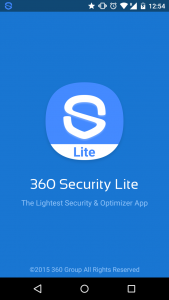
    One such great app is 360 Security which available to download for free from Google Playstore.

    It features a optimized real-time scan will safeguard your device from malware, spyware, and the threat of infection. It also detects and fixes system vulnerabilities and allow you to clean up idle background apps which helps in speeding up your smartphone and saving some juice out of your battery.

    360 Security is downloaded over a 100 million times. And, now there is a Lite version of 360 secutiry which aims devices which are low on resources like with less than 1 gigs of RAM and limited available storage space. It is designed beautifully and that’s why it requires where little power to operate.

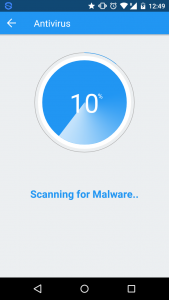
    360 Security Lite has three major functions Boost, Clean and Antivirus. Tap the Scan button and the app is on the hunt for malware. It also provides real-time protection as the new apps are installed.
    Screenshot_2015-12-09-12-49-39

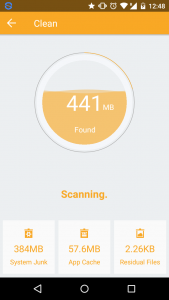
    For the clean-up process, it scans the device for junk files that are taking up unnecessay space. You can browse through the scanned list and select as you want.Screenshot_2015-12-09-12-48-57
    The Boost feature assist you in performance boost and extending battery life of your device. It list the apps that are using memory too much and taking up unnecessary resources. You can close them within the app.
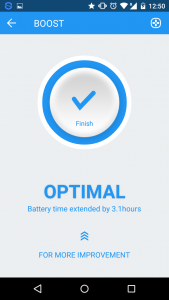
    Screenshot_2015-12-09-12-50-50

    You can also whitelist the apps that you don’t want to mess up with.

    So to summarize the app provides following features:

    • Looks up both malware and viruses throughout all apps and files on the device.
    • Simple and easy performance boost
    • Cleaning up of junk files to free up space
    • Elegant and simple UI

    Conclusion

    360 Security is definitely one of the best looking security and optimization applications on the play store. It comes with a beautiful and elegant UI. It features a simple interface and easy functionality make it more convenient to use. The antivirus feature is the best functionality of the app along with optimized cleaning of junk and unused memory space.

    “I am reviewing the 360 Degree Security Lite App for the #MadeForIndia activity at BlogAdda.”

  • The most celebrated high end camera phones in India

    The most celebrated high end camera phones in India

    iphone-6-camera

    You have the money to spend on a luxurious DSLR camera but the baggage that comes with it i.e. heavy weight and trouble in carrying it just everywhere to shoot puts you off. It is why you have been searching for phones that have an awesome camera with the help of which you can make memories just anywhere. So worry not, photography fanatic! We have a list of 7 high end camera phones inbuilt with latest camera advancements to help you take stunning shots under any conditions:

    Apple iPhone 6 Plus

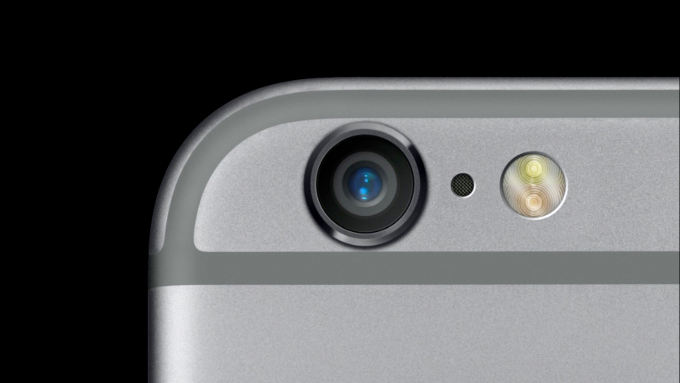
    Owing this phone is everyone’s dream! If the looks weren’t dreamy enough to woo you, its camera will blow your mind away. With an 8MP iSight camera with focus pixels and optical image stabilization, get ready to take beautiful shots. With f/2.2 aperture and 1.5 micron pixel, capturing details won’t be a headache anymore. It’s not a renowned camera mobile for just any reason.

    Samsung Galaxy Note 4

    Samsung Galaxy Note 4 has a 16MP camera with fast auto focus. The built in image stabilisation and smart OIS camera prevents shaky photographs and helps take clearer pictures. Even pictures in low light conditions come out beautifully here. With a wide angle, 3.7MP front camera; you can take sharp and noise free selfies. It has many more amazing features to help you capture stunning pictures and edit them f You can now buy this beauty at a lesser price with paytm coupons exclusively available on CashKaro.com with the bonus of cash backor desired effects

    Sony Xperia Z3

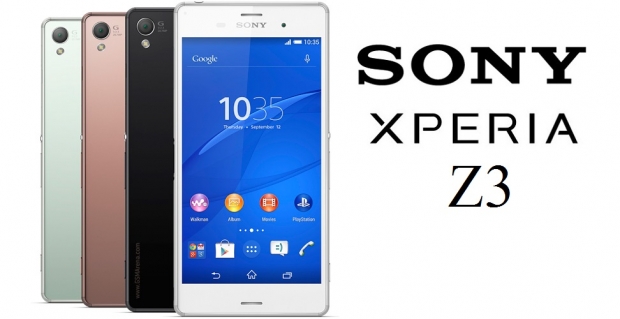
    Sony Xperia Z3 has a gigantic 20.7 MP primary camera. The 1/2.3-inch Exmor RS mobile image sensor in it will help you take noise free and smooth pictures. With an ISO of 12800, capturing beautiful images will not be a pain anymore. The 25mm wide-angle lens will let you take in more objects in your picture.

    sony-xperia-z3

    Sony Xperia Z1

    This one again has a 20.7 MP primary camera and a 2MP secondary camera, making itself as a compact digital camera. With the superior auto setting, you no more have to keep fiddling for choosing different scenes and waste your time. It has full HD recording capability with steady shot to make outdoor photo session easy. Also because Z1 is waterproof, you can take underwater pictures too! Now isn’t that amazing?

    Samsung Galaxy S4 Zoom

    One look at it and you will skip a heartbeat! The camera lens meant for zooming on the back give it such an edgy look. It’s a bit bulky than the other phones but the performance it delivers makes up for it. It has a 6 mega pixel rear camera and 1.9 mega pixel front facing camera, with 10x optical zoom. The other features like auto focus, 1/2.33- inch sensor size, Face and smile detection, HDR, optical image stabilization and image editor lend it an extra superior feel.

    Pick your favorite from above and get going on the road to photography! You might think that these phones will burn a hole in your pocket but think of them rather as investments. Instead of buying a bulky camera and not even being able to take it along everywhere with you and then missing out on making memories is definitely something you should not be a part of. Go for these phones equipped with high quality cameras to make your life easier and capture shots on the go!

  • Asus Zenfone 2: Redefining your smartphone experience

    Asus Zenfone 2: Redefining your smartphone experience

    162015110827AM_635_asus_zenfone_2.jpeg


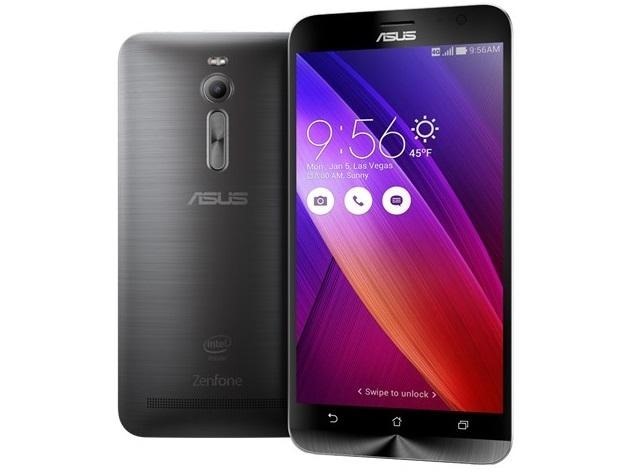
    Recently, ASUS pulled the wraps off its latest Android powered smartphone, the Zenfone 2. The first Zenfone devices were launched around a year ago and they performed well in the market. The new Zenfone 2 will redefine your smartphone experience completely.

    First Smartphone with 4 GB Ram

    Asus Zenfone 2 is the world’s first smartphone with a huge amount of RAM of 4 GBs. This makes the UI very smooth and responsive. It also gives you the feel of using a high end smartphone. It handles the games fluently. Multitasking is very nice due to this high RAM capacity.

    5.5 Inch Full HD Display

    If you are a fan of big screens then it features a large 5.5-inch IPS LCD display with a Full HD 1080p resolution, with a pixel density of 403 ppi. The display experience is great. The screen is sharp and bright enough to easily visible in daylight. It also provides great viewing angles. You’ll have a great time watching videos or playing games on this big 5.5 inch display.

    A very nice camera

    The Asus Zenfone 2 comes with a 13 MP rear camera, with a dual tone LED flash, and a aperture of f/2.0. Similar to previous Zenfone series devices, this also features ASUS’ Pixelmaster technology that is supposed to help assistance in taking photos especially on low light conditions.

    The cool Zen UI

    The Asus Zenfone 2 comes with Lollipop loaded. Alongwith the awesome and good looking Asus Zen UI. It features some elements of material design from lollipop. There are a lot of preinstalled applications, for example, Easy Mode helps in creating a simplified interface, and a one-handed mode, which makes the UI comfortable for one-handed use, and can be triggered by a double tap of the home button.

    The awesome design

    Although Zenfone 2 is a mid range device but the design and build of the device will make you feel good. The device comes with rounded corners, and the back has a nice curve to it which helps in very comfortable feel in the hand. The plastic back features a metallic coating, which makes the device good looking and also gives you a good grip and prevents the back from getting fingerprints.

    The Specifications at a glance

    5.5-inch IPS display with 1080p (Full HD) resolution with Corning Gorilla Glass 3.

    64-bit Quad-Core Intel Atom Z3560/Z3580 processor (1.8/2.3GHz).

    PowerVR G6430 from Imagination

    2GB/4GB.

    16GB/32GB/64GB, microSD card slot, up to 64GB.

    Camera
    Rear: 13MP, f/2.0-aperture, auto-focus with dual-color Real Tone flash, 1080p@30fps video recording
    Front: 5MP, f/2.0-aperture, wide-angle 85-degree lens with Selfie Panorama

    3000mAh lithium-polymer battery with fast-charge technology.

    Connectivity – 802.11ac, Wi-Fi Direct, Bluetooth 4.0, NFC, GPS

    Networks- GSM, 3G, 4G LTE

    Android Lollipop

    Weight – 170g

  • Moto E (2nd Gen) lets you #Choosetostart your smartphone journey

    Moto E (2nd Gen) lets you #Choosetostart your smartphone journey

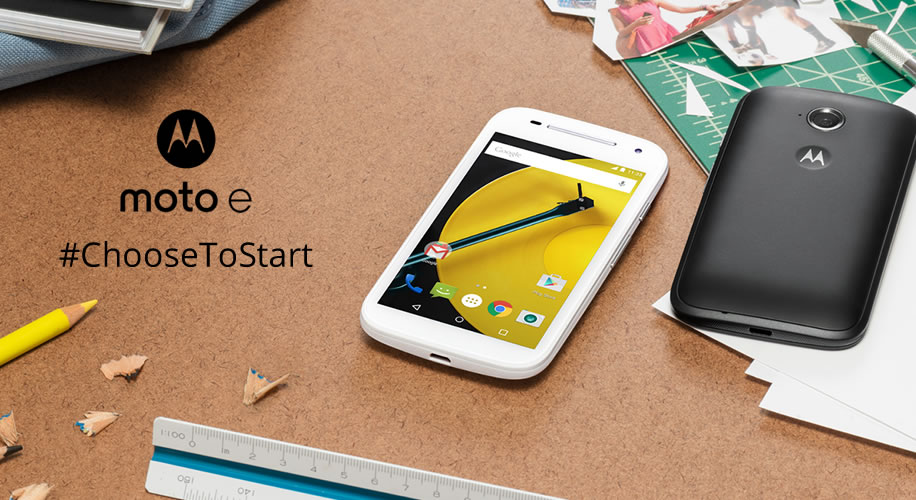
    motoe2Motorola launched Moto E 2nd generation smartphone in India recently. The new Moto E 3G variant is now available exclusively on Flipkart which is priced at Rs 6,999.



    The new Moto E comes with a nicely improved and attractive design. You will get a really cool swappable band that runs along the phone and hides underneath slots for SIM cards and microSD card. And the best thing is that you can even change the band with color of your choice. Available as accessories, you can buy new bands .

    Coming to the display, it has a 4.5-inch qHD display with a resolution of 540 x 960 pixels display with the latest Corning Gorilla Glass 3 protection. The display on new Moto E is bigger than the previous year’s Moto E. The touch responsiveness on the display is really good.

    With 5 MP rear camera, Motorola also included a 0.3 MP front camera which was not available on previous model. The rear camera also have the Quick Capture feature, which lets you launch the camera with just a twist of your wrist.

    Addition of Active Display feature that wakes the screen up with notifications or when you pull it out of your pocket is a big plus on the device.

    The speaker are positioned to the front of the device just like the other Moto phones. They are loud and clear.

    The new Moto E 2nd Gen is running on Android Lollipop. It is available in two colors – black and white.

    Powered with Snapdragon 200 processor with 1.2 GHz quad-core CPU, Adreno 302 with 400 MHz GPU (3G). The battery in the 2nd Gen. Moto E is also bigger with 2390 mAh.

    As of now only the 3G model is available to by buy Motorola has said that the 4G LTE version will soon be launched in India.

    With improved specs and similar price tag of Rs. 6,999 as the last year’s model, the new Moto E gives you right reason for choose to start !

  • How To Make Your Smartphone Work For You

    How To Make Your Smartphone Work For You

    smartphone_users

    It is hard to know all the ins and outs of various cell phone models. There are so very many options that it’s difficult to know how to find a good cell phone and then how to optimize it. The article below will provide some great tips that will help you maximize your options to improve your cell phone experience.

    Restart your phone periodically to purge the memory of programs like Facebook and Twitter. This ensures it runs quickly and correctly.

    There is no need to update to a new phone so quickly. Many times, it’s not necessary. Though many providers make consistent changes, they usually are not big ones. Make sure you read up on the phone prior to buying it to determine if it is something you want. You often won’t.

    Top 5 Best Battery Saver Apps for Android Smartphones

    It’s likely that your cell phone is used multiple times daily. But be sure to restart it every so often. Smart phones work like computers. If you periodically restart the device, your smartphone operates more efficiently and without consuming excess memory. Even if you only restart your phone once or twice weekly, you are likely to see improvements.

    Be wary when it comes to extended warranty protection. They’re often just a waste of money. If a cellular phone is about to fail, it mostly happens on the year it is covered by its basic warranty. Many people get new phones every year, so it’s not worth the money.

    The longer you own your smartphone, the more it will slow down. That is why updating is harder as time goes by. There are times where you will need to choose. You can choose the features you already have, or upgrade to a more advanced version.

    Use your smartphone as your wallet

    Be sure that you actually need a smartphone before you buy one. They cost quite a bit, but they also offer many different features. However, not everyone requires the latest, most innovative features — just a simple means of calling others. Smartphones not only cost more up front, but require a higher fee each month. They are not the best investment for everyone.

    Be sure you observe what others have and speak to them before purchasing your next cell phone. They will have great reviews for you. They will be able to help you pick out a phone, making the shopping process easier.

    smartphone-user

    If your sole purpose for getting a phone is for talking, you do not need a smartphone. Many people own a smartphone, but they tend to use it for going online or checking emails. There are many extra things that you would be paying for if you get a smartphone.

    Don’t let your phone’s battery die before recharging it. Batteries need to be recharged from time to time. If you always let the battery get low, it will have trouble holding a charge. Just get into the habit of doing it before it goes dead.

    If you don’t know much about cell phones, it’s normal. Things are always getting bigger and better. Use what you have read here to get more from your cell phone.

  • Annoyed of Screen Turn off while reading ? We Have Solution.

    Annoyed of Screen Turn off while reading ? We Have Solution.

    We all know the feeling of reading awesome article or book on your phone or tablet and the screen suddenly turns off after a minute or two. Annoying, right ? Yes, you can fix it (somewhat) by increasing the sleeping settings for a longer period of time, but this is not that effective solution as often it can interfere with the usability of the device. But not to worry, there are some handy yet useful apps that does the job pretty well.

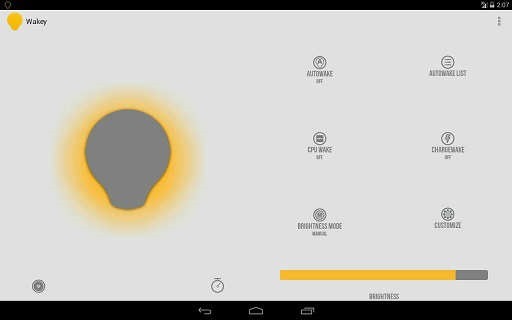
    Wakey: keep your screen awake

    Wakey is an app thought for people that want to use their devices without the hassle of the screen turning off constantly. It is memory and battery friendly.

    Features:

    • AutoWake
    • ChargeWake
    • CpuWake
    • Brightness controller
    • Ability to dim the screen while awake

    wakey


    Gravity Screen – On/Off

    One of the most popular app out there. It turns automatically your screen off when you put your phone into your pocket or onto a table and turn the screen on when you take it out or up. No need to touch any button and you are ready to go.

    Features:

    • Pocket Sensor
    • Table Sensor
    • Turn Screen Off by Proximity
    • Turn Screen On by Motion
    • Keep Screen On by Motion

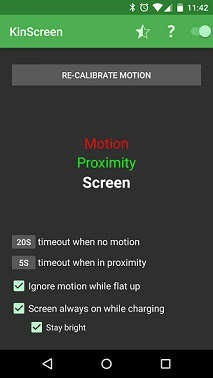
    KinScreen

    KinScreen is a lightweight application that automatically manages the screen time-out. It keeps your screen on when you need it (convenient) and turns it off when you don’t (battery savings).

    Features:

    • Works in the dark
    • Keep your screen on while charging
    • Battery friendly
    • Simple, without a ton of confusing options

    kinscreen


    KeepItOn

    New to the market.It detect any small movements and prolongs the time to turn off the screen, like if you have touched the screen. Even if the screen turns off, you can always shake to wake you up during a time set by you, default is 5 seconds.

    You can follow application thread of KeepItOn on xda.

    keepiton

    Hope these apps help you. Do you use any other apps for this purpose ? Share it in comments.

  • Micromax launches Yu Yureka with CyanogenMod 11, Snapdragon 615 SoC, 4G LTE for Rs. 8999

    Micromax launches Yu Yureka with CyanogenMod 11, Snapdragon 615 SoC, 4G LTE for Rs. 8999

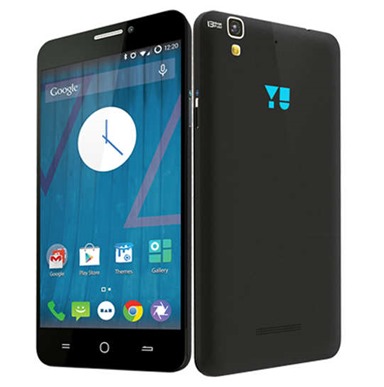
    micromax-yurekaThe Yureka is the first smartphone under the new Yu brand which is owned by Micromax. The device runs on customizable CyanogenMod 11 and has a pretty attractive entry-level price. It will be exclusively available on Amazon India, and it will go on sale in the second week of January. And registrations will begin tomorrow on Amazon India.
    Rahul Sharma said “The future is moving from an app driven experience to a services drive experience and YU in partnership with Cyanogen is a platform that is going to lead that transformation. We will work directly with developers’ community and brands to build services right on the OS layer and offer a differentiated consumer experience.”

    YU-YUREKA

    It is sported with a 13-megapixel rear camera with Sony Xmor sensor, and features like time-lapse mode, and support for 720p slow mo video recording at 60fps, and a 5-megapixel shooter upfront.

    As far as battery is concerned, it can go up to seven hours on LTE, and up to 210 hours on standby mode.

    The CyanogenMod 11 based on Android 4.4.4 OS includes some features with increased focus on personalization and security.

    Micromax Yu Yureka specs at a glance

    • 5.5-inch (1280 x 720 pixels) IPS HD display with Corning Gorilla Glass 3
    • Octa-Core 64-bit Qualcomm Snapdragon 615 processor with Adreno 405
    • 2GB DDR3 RAM
    • 16GB internal memory, expandable memory up to 32GB with microSD
    • Dual SIM Support
    • CyanogenMod 11 based on Android 4.4
    • 13MP rear camera with LED Flash, Full HD recording
    • 5MP front-facing camera
    • 4G LTE support, 3G HSPA+, Wi-Fi 802.11 b/g/n, Bluetooth 4.0, GPS
    • 3.5mm audio jack, FM Radio
    • 2500mAh battery
  • After Xiaomi, sales of OnePlus also banned in India

    After Xiaomi, sales of OnePlus also banned in India

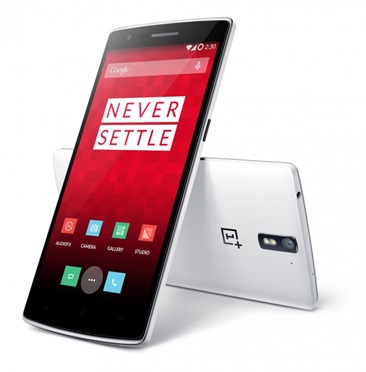
    01-730x741After Xiaomi ban in India, the consumers are facing the ban of the trending smartphone OnePlus. According to new Delhi High Court notice, device manufacturer OnePlus is now banned from selling, marketing, or even importing the OnePlus One in India, reported by UnleashThePhones.

    And Guess what this big sad news came on OnePlus’ first anniversary. Domestic brand Micromax complained to the High Court in the capital that OnePlus was infringing on its country-specific exclusivity agreement with Cyanogen, whose OS will feature on Micromax’s YU brand of devices.

    According to Micromax “incurred major expenses for creation of a brand exclusivity for providing to Indian customers mobile phones with Cyanogen operating systems” and “it would suffer irreparable harm and loss if the defendants (OnePlus) are permitted to continue with their illegal acts in violation of the agreement between Micromax and Cyanogen”.

    Furthermore, the Delhi High Court apart from restraining OnePlus from importing and marketing its smartphones in India, barred the company from shipping any stock that bears Cyanogen branding in the country.

    From recent news, Cyanogen has also already confirmed that they will not offer OTA updates to OnePlus devices sold in India.

    Xiaomi resuming sales !

    Xiaomi’s Vice President Hugo Barra recently made the announcement through his Facebook page. Good to be back ?!

    Buy Redmi 1S from Flipkart.com

  • The Motorola ‘Monster’ Droid Turbo with QHD Display

    The Motorola ‘Monster’ Droid Turbo with QHD Display

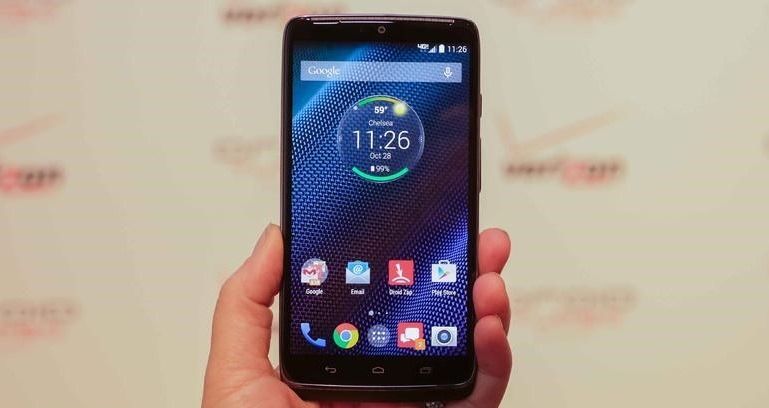
    Motorola has launched its latest Droid-series smartphone, the Droid Turbo, exclusively on US mobile carrier Verizon. Verizon announced that the Droid Turbo smartphone by Motorola will be available starting October 30 from its online and retail stores. It comes in a choice of a durable “Ballistic Nylon” build, or a “metalized” Kevlar fiber build.

    droid-turbo

    The display has the highest pixels density seen on any phone to date. It is the first ‘phone’ to ship with a Snapdragon 805 chipset running at full speed and only phablets have previously shipped with 3GB of RAM. The main attraction is the huge 3900mAh, larger than any phone has ever fitted.

    The quick charging seen in other Motorola handsets has made it across as well with the company stating the Droid Turbo will get eight hours of usage from a 15 minute charge. It features a 5.2-inch QHD (1440×2560 pixels) display offering a pixel density of 565ppi, much higher than the 5.5-inch LG G3 at 534ppi and 5.7-inch Galaxy Note 4 at 515ppi. The screen also includes Corning Gorilla Glass 3 protective layer.

    The Motorola Droid Turbo sports a 21-megapixel rear autofocus camera with f/2.0 aperture and dual-LED flash. The rear camera comes with features such as slow motion video; burst mode; auto HDR; Panorama, and tap to focus. Meanwhile, it can also record 4K videos at 24fps. It includes a 2-megapixel front camera.

    iPhone 6 Wins the Race With its Close Competitors

    Droid Turbo will ship with Android 4.4 KitKat rather than the impending Android 5.0 Lollipop, though Motorola does promise an upgrade to it and Verizon has allowed Motorola to keep Android relatively stock.

    It will go on sale on 30 October and will be competitively priced at $199 and $249.99 for 32 and 64GB models respectively, both on two year contracts.

  • Micromax Canvas A1 Android One Review : Superior experience

    Micromax Canvas A1 Android One Review : Superior experience

    micromax_android_oneIn keeping with the trend in emerging markets like India, Google’s R&D work on Android One assists the hardware and software to mingle without hitches. And the best, you won’t have to wait for Micromax to give you Android L since the Android One tag will take matters into its own hands and deliver updates to end users directly.

    The Micromax Canvas A1 boasts of a sophisticated, posh appearance even though the phone is made of plastic material. It is stylish and has an attractive design to suit people of different age groups.

    Equipped with a 4.5 inch FWVGA IPS display but no Gorilla Glass here.The display looks bright, is clear even under sunlight and running on stock Android makes it a delight to browse through.

    As budget handsets go, the A1 sets a high benchmark for performance, surpassing the Moto E quite comfortably. It is pure stock UI where you get the Android experience that Google wants you to. The model runs on an decent 1.3 GHz Mediatek quad core processor and 1 GB of RAM.

    Also Read: Everything Apple announced that you care about

    The 5 MP autofocus rear camera is also great for the price tag. To please the selfie lovers, a 2 megapixel front-facing camera has also been covered.

    The Canvas A1 lasted us 18 hours from 100 percent to 2 percent including over 4 hours of screen on time with a mix of gaming, phone calls, text and IMs, and a long session of browsing and surfing.

    It comes with latest android 4.4.4 with a price tag of just Rs 6,499 which available on Amazon.

    Round 2 in Android One will have new phones hitting market by December-end.

    Micromax Canvas A1 Quick Specs

    – Android v4.4.4 KitKat OS
    – 4.5-inch FWVGA IPS touchscreen
    – 1.3GHz quad core MediaTek chip
    – 1GB RAM, 4GB ROM, 32GB expandability
    – 2MP and 5MP cameras
    – Dual SIM support
    – 3G, Wi-Fi, GPS, Bluetooth
    – 1700mAh battery

    Also Read: The 4.5-inch Asus ZenFone 4 available for Rs.6,999