Category: Tech

  • Sony unveils PlayStation 4 with social, remote features

    Sony unveils PlayStation 4 with social, remote features

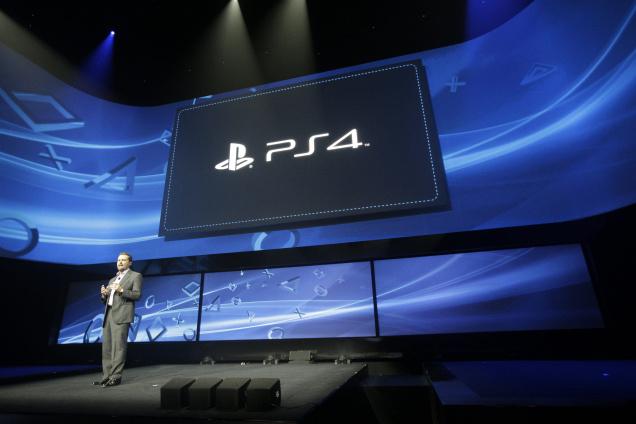
    Sony launched the latest salvo in its ongoing rivalry with Microsoft with the launch of the PlayStation 4, the first of a new generation of consoles. At an event held in the Hammerstein Ballroom in New York’s Manhattan Center, Sony revealed that the PlayStation 4 would go on sale this Christmas. It refused to set a price, or even show the console itself but it is unlikely to cost much less than £300.

    With under-the bonnet power considerably in excess of that of the PlayStation 3 and Xbox 360, it will usher in a new breed of games with startlingly lifelike graphics, set in virtual worlds that operate in a much more believable manner than the current crop. But it will not have that ground to itself: Microsoft is applying the finishing touches to a successor for its Xbox 360 which, it is believed, it will unveil at the E3 Show in Los Angeles in June. That, too, is likely to go on sale this Christmas, unleashing a titanic battle for living room supremacy between Sony and Microsoft.

    “Today marks a moment of truth and a bold step forward for PlayStation,” said Andrew House, CEO of Sony Computer Entertainment.

    Sony said the system will feature an eight-core processor that can juggle more tasks than the PlayStation 3 and be part of a new digital ecosystem that’s “the fastest, most powerful gaming network.”

    There was no word on price or availability, other than a flash on the screen saying “holiday 2013.”

    The PS4 is arriving amid declines in video game hardware, software and accessory sales. Research firm NPD Group said game sales fell 22 per cent to $13.3 billion in 2012. With the launch of the PS4, Sony is looking to attract audiences who may have shifted their attention to games on Facebook, tablet computers and mobile phones.

    Beyond games, the PlayStation 4 will let people create animation in 3-D using a Move motion controller all in real time.

    Full Specifications and Features

    Main Processor

    • Single-chip custom processor
    • CPU : x86-64 AMD “Jaguar”, 8 cores
    • GPU : 1.84 TFLOPS, AMD next-generation Radeon based graphics engine

    Memory

    • GDDR5 8GB

    Hard Disk Drive

    • Built-in

    Optical Drive

    • (read only)
    • BD 6xCAV
    • DVD 8xCAV
    • I/O
    • Super-Speed USB (USB 3.0), AUX

    Communication

    • Ethernet (10BASE-T, 100BASE-TX, 1000BASE-T)
    • IEEE 802.11 b/g/n
    • Bluetooth 2.1 (EDR)

    AV output

    • HDMI
    • Analog-AV out
    • Digital Output (optical)*Specifications are subject to change without notice.

    Wireless Controller for PlayStation4 (DUALSHOCK4)

    External Dimensions

    • Approx. 162mm x 52mm x 98mm (width x height x depth) (tentative, excludes largest projection)

    Weight

    • Approx. 210g (tentative)

    Keys / Switches

    • PS button, SHARE button, OPTIONS button
    • Directional buttons (Up/Down/Left/Right)
    • Action buttons (Triangle, Circle, Cross, Square)
    • R1/L1/R2/L2 button, Left stick / L3 button, Right stick / R3 button, Pad Button
    • Touch Pad 2 Point Touch Pad, Click Mechanism, Capacitive Type
    • Motion Sensor Six-axis motion sensing system (three-axis gyroscope, threeaxis accelerometer)

    Other Features

    • Light Bar, Vibration, Built-in Mono Speaker
    • Ports: USB (Micro B), Extention Port, Stereo Headset Jack
    • Wireless Communication Bluetooth Ver2.1+EDR
    • Battery Type Built-in Lithium-ion Rechargeable Battery Voltage DC3.7V (tentative) Capacity 1000mAh (tentative)

    PlayStation 4 Eye

    • External Dimension Approx. 186mm x 27mm x 27mm (width x height x depth)(tentative)
    • Weight Approx. 183g (tentative)
    • Video Pixel (Maximum) 1280 x 800 pixel x 2
    • Video Frame Rate 1280×800 pixel @ 60fps
    • 640×400 pixel @ 120fps
    • 320×192 pixel @ 240fps
    • Video Format RAW, YUV (uncompressed)
    • Lens Dual Lenses, F value/F2.0 fixed focus
    • Capture Range 30cm~∞
    • Field-of-View 85
    • Microphone 4 Channel Microphone Array
    • Connection Type PS4 dedicated connector (AUX connector)
    • Cable Length Approx. 2m (tentative) *Specifications are subject to change without notice.-
  • HTC One unveiled with Sense 5

    2012 was a tough year for HTC and they need to do something dramatic in 2013 to compete for customers in the Android market.

    With the HTC One we see innovations in hardware and software along with HTC finally releasing an Android device across multiple carriers in the US with the same name and hardware. Apple does this with the iPhone and Samsung has done it with the Galaxy S III and Note II.

    HTC was able to actually release hardware with the same name and design on multiple carriers with the HTC 8X, but that is running a platform (Windows Phone 8) that has yet to gain any appreciable market share. I think having the HTC One, an Android smartphone, on multiple carriers with the same name and design will indeed help the HTC brand and that is something that must be done to succeed.

    Gone by the wayside are those pure polycarbonate hulls — HTC’s Sense 5-laden Android Jelly Bean (4.1.2) handset comes crafted with an all-around premium look and feel, housing its 4.7-inch 1080p Super LCD 3 display (boasting 468 dpi and protected by Gorilla Glass 2) in a machined aluminum unibody. And, in a bid for the top spot on the mobile totem pole, the One also bears the distinction of being (one of) the first smartphones to feature Qualcomm’s quad-core Snapdragon 600, clocked here at 1.7GHz and paired with 2GB RAM.

    One of the coolest new functions, HTC Zoe camera utility. Zoe is named after the zoetrope, a device that appears to make still images move. The HTC Zoe utility lets you use the camera to create Zoes, 3-second videos that can then be easily "mashed" together with still images, videos, and theme music to create fun highlight films that you can then share with others.

    HTC’s taking a risk with the One. Flip the handset around and you’ll find an unassuming rear shooter in the midst of that clean aluminum body. Or, as the company calls it, the UltraPixel camera. Tackling the "myth of the megapixel," HTC’s outfitted the One with a 4-megapixel BSI sensor and f/2.0 lens, such that each pixel is meant to gather 300 percent more light than the current crop of smartphone sensors. The camera unit also features optical image stabilization and HTC’s ImageChip 2 for HDR, 1080p and 60fps video. But that’s not the end of HTC’s imaging focus. It’s also introducing a new feature / service dubbed Zoe, which allows users to capture and share short videos, much like Vine, via

    HTC’s dedicated site

    .

    Specifications for the HTC One include:

    • 4.7 inch, 1080p, 468 ppi, Super LCD 3 display
    • Qualcomm Snapdragon 600 quad-core 1.7 GHz processor
    • Android Jelly Bean with HTC Sense 5
    • 2GB RAM
    • 32GB and 64GB integrated storage capacity
    • NFC, Bluetooth 4.0, 802.11 a/ac/b/g/n WiFi, DLNA, Infrared (more on this below)
    • Dual front facing speakers with integrated amplifiers
    • Beats Audio
    • HDR microphone
    • HTC Ultrapixel camera with 2.0 micrometer pixel, F2.0 aperature, 28 mm lens, and 1/3′ sensor
    • 2,300 mAh Li-polymer battery
    • Dimensions: 137.4 x 68.2 x 9.3 mm and 143 grams
  • Mozilla Firefox 19 Out with in-built pdf viewer

    The latest version of Web browser comes with in-built PDF viewer.

    Mozilla’s latest Firefox 19 version is already available for download , even before it gets officially launched later today. Firefox 19 brings features like built-in PDF-viewer, performance related fixes.
    The introduction of in-built viewer ensures that the any other PDF viewing plug-ins are obsolete. The viewer has been built using HTML5 and will provide a quicker, more secure way to read PDFs in the browser.

    Official Firefox 19 changelog:

    • NEW: Built-in PDF viewer.
    • CHANGED: Canvas elements can export their content as an image blob using canvas.toBlob().
    • CHANGED: Startup performance improvements (bugs 715402 and 756313).
    • DEVELOPER: Debugger now supports pausing on exceptions and hiding non-enumerable properties.
    • DEVELOPER: Remote Web Console is available for connecting to Firefox on Android or Firefox OS (experimental, set devtools.debugger.remote-enabled to true).
    • DEVELOPER: There is now a Browser Debugger available for add-on and browser developers (experimental, set devtools.chrome.enabled to true).
    • DEVELOPER: Web Console CSS links now open in the Style Editor.
    • HTML5: CSS @page is now supported.
    • HTML5: CSS viewport-percentage length units implemented (vh, vw, vmin and vmax).
    • HTML5: CSS text-transform now supports full-width.
    • FIXED: Starting Firefox with -private flag incorrectly claims you are not in Private Browsing mode
      (802274).


  • Torrent Player : Stream your torrents

    Torrent Player is a free torrent video player for mobile devices. Using this application you can watch videos without having to wait until it will download.

    • Allows watch movies from torrent directly
    • Support embedded file types (mp4, mov, 3gp, mpv)
    • Support seeking in movie while downloading
    • Support encryption connection
    • Support Airplay!
    • Completely Free!!!

    Available in the CydiaComing soon on the Android Market


    Requirements:
    Compatible with jailbroken iPad, iPhone and iPod touch. Requires iOS 5.0 or later.
    Android version will be added soon.

    About:

    Torrent Player allows to watch movies from torrent. Apple never let this app to the App Store. So if you want to use this app you must have jailbroken iOS device and follow instructions below.

    Android version will be finished as soon as posible. It will be awailable at Google android market.

    In next updates we try to add support all video formats. We promise 🙂

    Updates:

    Version 0.0.11

    Released on September 12, 2012

    • NEWChinese localization
    Version 0.0.10

    Released on September 7, 2012

    • FIXThepiratebay Bug Fix
    Version 0.0.9

    Released on September 2nd, 2012

    • FIXVarious Bug Fixes
    • NEWGraphics for Retina Display

    How to install on iOS

    Torrent Player allows to watch movies from torrent. Apple never let this app to the App Store. So if you want to use this app you must have jailbroken iOS device and follow instructions below:

    1. Open Cydia “Search” view. Input “TorrentPlayer” and tap cell with TorrentPlayer.
    2. Tap “Install” and “Confirm” buttons at top-right corner.
    3. Return to Cydia after install.

    Done!!!!

    Screenshots


  • What does Refresh Desktop or Refresh explorer window actually do?

    I am sure that you must have noticed that when you right-click on your Windows desktop or inside an open explorer window, you see an option called Refresh in the context menu. The Refresh option has been there since you can remember!

    But have you really wondered what this option actually does? Does it refresh your Windows OS and keep it running smoothly? Does it make your Windows faster? Or maybe you think it will clear your computer’s memory or refresh the RAM…? Actually it is none of these!

    What does Refresh Desktop or Folder do

    The Desktop is nothing but a folder in the Windows operating system. It is programmed to auto-refresh when its contents change. When the contents of the folder changes, it will auto-refresh. But at times, you may find that the desktop or folder does not auto-refresh.

    You may then need to refresh your desktop manually in the following circumstances:

    • The desktop does not display the files or folders you just created, moved, deleted, renamed or saved on it
    • You need to re-align your desktop icons
    • You find that you cannot use the desktop icons.
    • Files that were created to the desktop by some 3rd-party application do not appear
    • And such similar situations where the contents of the desktop or the folder do not change when expected to.

    In such a case, when you press F5 or right-click on your Windows desktop and select Refresh, the situation will be corrected. Manually refreshing the desktop or folder may re-order its contents as, folders first, then files, in an alphabetical order.

    Why do some people Refresh desktop constantly?

    You may have noticed that some people just refresh their desktops frequently for the sake of refreshing it. It has become almost like a compulsive disorder, to refresh the desktop constantly. You may have noticed this habit especially among some Computer Engineers and Technicians who are obsessed with using the Refresh option – almost in a state of frenzy.

    What is the reason for this? There is no need or reason to do this. It is just a silly habit, they simply need to break.

    Do you have any friends who are in habit of using Refresh Desktop option frequently? Maybe you want to share this post with them.

    Or maybe you too are one of them … if so do try and break this habit! icon wink What does Refresh Desktop or Refresh explorer window actually do?

  • Mozilla announces Nightly build of Metro Firefox for Windows 8

    Mozilla today announced the release of the first Nightly build of Firefox Metro. The company also confirmed that the browser is now stable enough for “regular testing” by interested Windows 8 users.


    Mozilla’s Director of Community Development Asa Dotzler revealed the news last night:

    On Tuesday, our preliminary Metro Firefox development work arrived at mozilla-central, the source code repository that feeds the Firefox Nightly channel. This means that if you are on the Firefox Nightly channel and you have a Windows 8 device, your Wednesday Firefox update should deliver a Metro Firefox tile to the far right end of your Windows Start screen. There’s plenty of work still to do, but it’s stable enough that we’re ready for more and more regular testing.

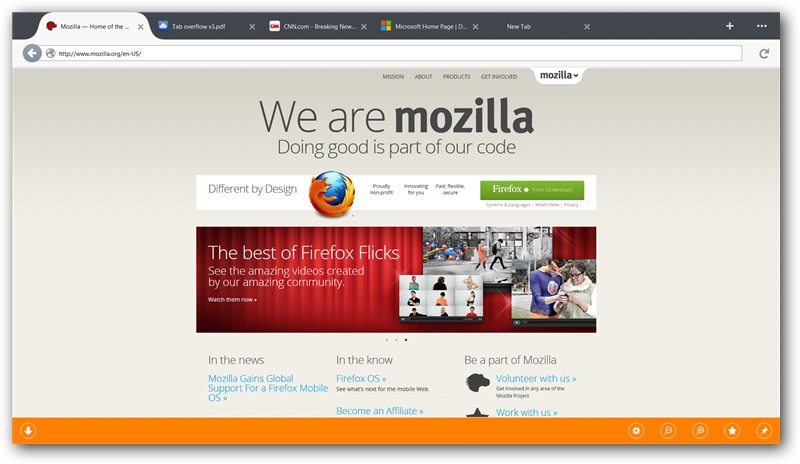
    Unfortunately, as the comments on his post indicate, some users (including yours truly) are having issues enabling the new user interface. A new Nightly build will be coming out tonight though and might fix some of these issues. The new Nightly is supposed to launch a chromeless browser window similar to Metro IE. Here’s how it should look:

    You can only access the new user interface if you set Firefox Nightly as your default browser. If not, the Desktop version of Firefox will launch instead when you click on the Nightly icon in your Start Screen. This is a limitation Microsoft has purposefully included for security reasons: only the default browser can run in the Metro UI.

    The Firefox Nightly channel, as its name implies, is automatically updated each night. The builds are meant only for developers interested in helping out the company test new and experimental features.

    After six weeks or so, Nightly builds are brought into the Aurora channel. This is the alpha channel, which is followed by the beta and release channels. We can thus expect the Metro version of Firefox to be released as a stable build somewhere in May or June, but possibly later if testing takes more time.

    Mozilla first revealed it had a Windows 8 Metro prototype of Firefox back in April 2012. The company then showed off a pre-release of Firefox for Windows 8 in October 2012.

  • NVIDIA Tegra 4: Quad-core Cortex A15, 72 GPU cores, LTE support

    The chip, which retains the same 4-plus-1 arrangement of its predecessor, arrives with a whopping 72 GeForce GPU cores — effectively offering six times the Tegra 3’s visual output and is based on the 28nm process. It also is the first quad-core processor with Cortex A15 cores on-board, and offers compatibility with LTE networks through an optional chip. NVIDIA claims this piece of silicon is the world’s fastest mobile processor, and showed a demonstration in which a Tegra 4 went head-to-head against a Nexus 10 in loading websites (you can guess which one won).

    The Tegra 4 also introduces new computational photography architecture, which adds a new engine to drive the image processing and significantly improve the amount of time it takes to calculate the necessary mathematics 10 times faster than current platforms. To show off its power, NVIDIA demonstrated HDR rendering on live video. The chip is also capable of implementing HDR in burst shots and with LED flash. The idea, NVIDIA says, is to eventually make our mobile cameras more powerful than DSLRs, and this is certainly a step in the right direction.

    The Tegra 4 will also enable 4K ultra high-definition video support, as well as PRISM 2 display tech that claims to reduce the power used by the backlight. Doing so will result in a 45 percent decrease in power consumption when compared to Tegra 3.

    Announced alongside the Tegra 4 was the i500 Soft Modem, which is essentially a reprogrammable baseband solution that is capable of utilizing a wide variety of networks. The chip, which is an optional addendum to the Tegra 4 platform to enable LTE support, is able to process 1.2 trillion operations per second and is 40 percent the size of a conventional baseband chip.

  • XBMC 12 “Frodo” brings Live TV & Android Support

    XBMC 12 “Frodo” brings Live TV & Android Support

    The latest version of XBMC, codenamed "Frodo," is finally available for all platforms—including Android—and it’s got a bunch of great new features.

    EXCELLENT REPLACEMENT TO WINDOWS MEDIA CENTER 

    What’s new in Frodo

    • HD audio support, including DTS-MA and Dolby True-HD, via the new XBMC AudioEngine (OSX/iOS not yet available)
    • Live TV and PVR support
    • h.264 10bit (aka Hi10P) video software decoding for anime
    • 64bit support in OSX to match the 64bit support in Linux
    • Improved image support, allowing the XBMC database to accomodate numerous additional image types and more interesting and complex skins
    • Support for the Raspberry PI
    • Initial support for the Android platform
    • Improved Airplay support across all platforms, including Airplay audio in XBMC for Windows to match the other platforms
    • Improved controller support in Windows and Linux
    • Advanced Filtering in the library
    • Video library tags to complement movie sets
    • Advanced UPnP sharing
    • Default video languages now match the language being used by XBMC
    • Translations now powered by Transifex


    XBMC – ‘Frodo’


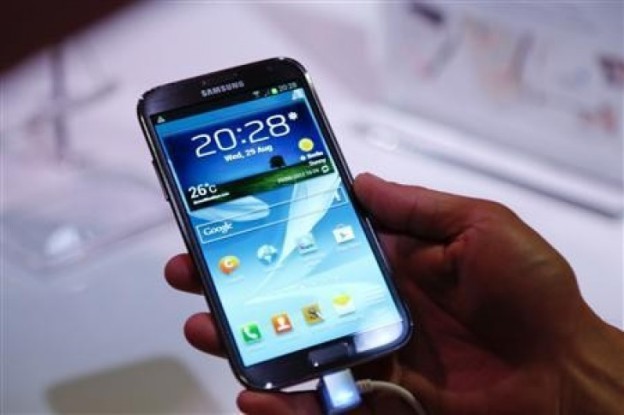
  • Samsung Galaxy Grand Review

    Samsung Galaxy Grand Review

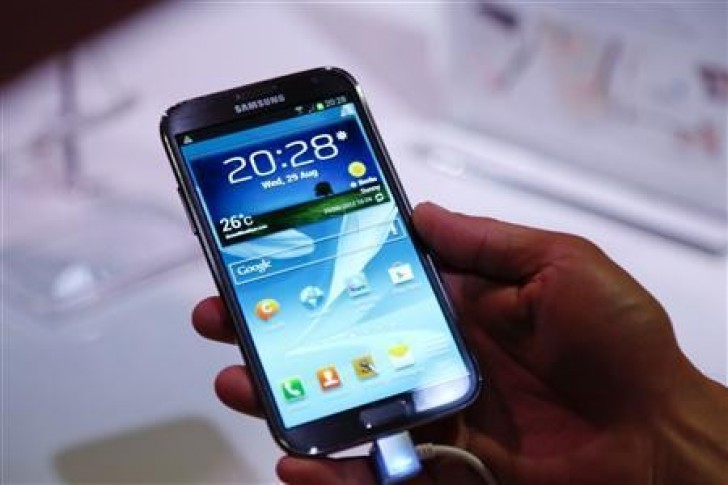
    The Galaxy Grand is Samsung’s attempt to woo those who can’t afford a top-end device like the Galaxy Note II.

    b7a77b0ac0ab4caaefed02b0d5faa241_XLThe Galaxy Grand is Samsung’s attempt to woo those who can’t afford a top-end device like the Galaxy Note II.

    Price approx Rs 21,500

    Which is almost twice as expensive as its low-cost rivals, but it’s the most-affordable option if you’re looking for a device from a tier 1 brand. Currently, the Galaxy Grand doesn’t face any competition from other tier 1 brands, but you may want to know how much better it is than the low-cost devices that offer similar specifications. Here’s a breakdown of the specifications to give you an idea how it compares with the closest competition.

    A large-screen handset for those who can't afford the Galaxy Note II

    A large-screen handset for those who can’t afford the Galaxy Note II

    OS – Android 4.1.2 Jelly Bean

    Very few current-generation low-cost Android phablets come preloaded with Android Jelly Bean; most of them come with Android ICS—however, you get the OS in the stock form. The Galaxy Grand runs Jelly Bean out of the box and not to mention, it boasts features found in the higher-end Galaxy handsets, such as Smart Stay, Pop up Play and Direct Call.

    Cellular network – Dual SIM GSM and 3G 

    The Galaxy Grand is the first phablet from a tier 1 brand to offer dual-SIM capability in the sub-Rs 20,000 price band. Quad-band 2G is supported by both the SIM card slots, whereas 3G connectivity is supported only in the SIM1 slot.

    Display – 5-inch WVGA

    An HD display would have made the Galaxy Grand a killer deal, but unfortunately, it sports a 5-inch WVGA display that has a resolution of 480 x 800 pixels. On the other hand, you have the Micromax Canvas HD with a 720p IPS LCD. The pixel density of Galaxy Grand’s display is 187 ppi as against 294 ppi in the Canvas HD—that’s a difference of a good 107 ppi or 57 percent in density! That doesn’t mean it’s bad; there’s ample real estate for viewing web pages and documents comfortably and videos are enjoyable on the large 5-inch display.

    Quite slim at 9.6mm

    Quite slim at 9.6 mm

    Form factor and weight – a tad lighter than the Note II

    Weighing in at 162 grams, Galaxy Grand is 20 grams lighter than Note II. It’s also a few millimetres less in height and width, but the Note II is slimmer than the Grand by a fraction of a millimetre.

    Wi-Fi – Dual-band, 802.11 ‘n’

    Like the Nokia Lumia 620, the Galaxy Grand is one of the few handsets in its segment to feature dual-band Wi-Fi ‘n’. So, if your router supports 5GHz wireless band, you can harness much faster connectivity.

    SoC

    This is grey area and we shall be able to give a clear picture only when we get our hands on the device. We got in touch with Samsung for exact details of the SoC this device uses, but we didn’t get any answer. For now, we can only say it’s powered by a 1.2GHz dual-core processor. According to one source who captured a glimpse of the Galaxy Grand at the Broadcom booth at the CES 2013, it’s quite evident that it’s powered by the Broadcom BCM28155 SoC. It comprises a pair of ARM Cortex-A9 cores and Broadcom’s own VideoCore-IV graphics engine for 2D and 3D acceleration.

    Storage – 8GB with the option to expand by up to 64GB

    Here, Galaxy Grand has an upper hand over Micromax Canvas HD. Firstly, Galaxy Grand packs 8GB of built-in storage, which is twice as much as in Canvas HD. And secondly, in contrast to microSD expansion of up to 32GB in Canvas HD, Galaxy Grand can take up to a 64GB microSD card.

    8 megapixel camera with autofocus and LED flash

    8 megapixel camera with autofocus and LED flash

    Primary camera – 8MP with LED flash

    The 8MP primary camera featured in the Galaxy Grand has the same resolution as the one featured in Note II. There’s LED flash and digital image stabilisation to help you take clear shots in low light. Videos can be recorded at 1080p at 30fps. The Canvas HD too features an 8MP camera with LED flash, but only our hands-on tests will reveal which of the two takes better photos. Also, the secondary front camera in the Galaxy Grand is a 2MP one as against the VGA camera in the Canvas HD.

    Sensors – Gyro, compass and more

    The Galaxy Grand comes armed with sensors that will be of most use to the end user—accelerometer, gyro, proximity and compass. The list excludes barometer, but it’s fair for an entry-level phablet.

    Battery – Li-ion 2100mAh

    Both, the Galaxy Grand and Canvas HD feature a hefty 2100 Li-ion mAh battery to provide decent amount of talk time in addition to fuelling other tasks such as media playback, web browsing, gaming and so on. The Note II packs a 3100 mAh battery and it lasted for over two days without the need for a charge. Test revealed it played a 720p video in loop for over 12 hours without any hiccup.

    The bottom line

    Off late, we’ve seen many low-cost Android phablets (such as Micromax Canvas 2 and Lava Iris 501) featuring a dual-core processor, 512MB RAM, 4GB of internal storage and at least a 5 megapixel camera—you can buy one for around Rs 11,000. Cough up another few thousand rupees and you can buy a more feature rich device like the Canvas HD. However, if you’re reluctant to consider a lower-tier brand and don’t want to look beyond top-tier brands, the Galaxy Grand is for you. The specifications look good on paper, and the price point is sweet!

  • Intel unveils 4th Gen Core ‘Haswell’ and ULV Ivy Bridge processors

    Intel unveils 4th Gen Core ‘Haswell’ and ULV Ivy Bridge processors

    Very good news for techies as Intel has confirmed the 4th generation Intel Core processors. Codenamed Haswell, these processors are designed for the next generation ultrabooks and convertible ultrabooks. Intel claims that these processors are designed for “all-day battery life”, delivering up to 9 hours battery life.

    “The 4th generation Core processors are the first Intel chips built from the ground up with the Ultrabook in mind,” said Kirk Skaugen, vice president and general manager of the PC Client Group at Intel. “We expect the tremendous advancements in lower-power Core processors, and the significant ramp of touch-based systems will lead to a significant new wave of convertible Ultrabooks and tablets that are thinner, lighter and, at the same time, have the performance required for more human-like interaction such as touch, voice and gesture controls.”


    The most interesting announcement is the confirmation of the ultra low voltage Ivy Bridge processors. These chips will operate as low as 7 watts, allowing forever-slimmer and lighter ultrabook and convertible designs. Intel says that currently there are more than a dozen designs in development based on this new low-power. The Lenovo IdeaPad Yoga 11S Ultrabook and a future Ultrabook detachable from Acer will be among the first to market this spring based on the new Intel processors. These processors are now shipping.