Category: Tech

  • LG Optimus G Pro launches at Rs.42,500

    LG Optimus G Pro launches at Rs.42,500

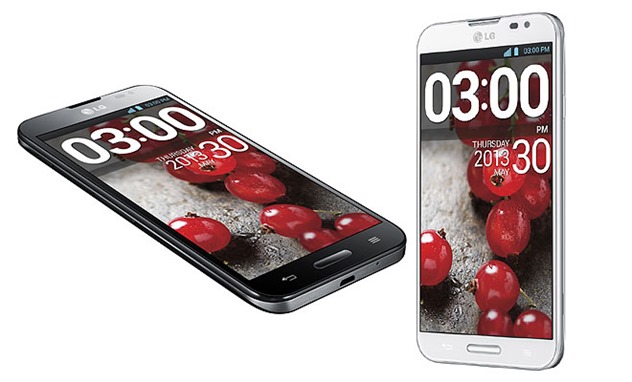
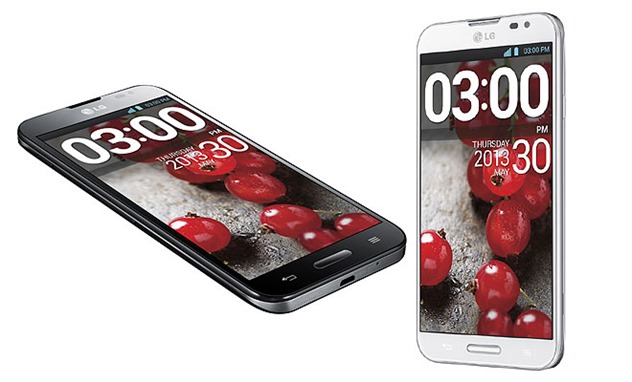
    LG_Optimus_G_ProLG launched their Galaxy Note II competitor phablet LG Optimus G Pro in India today and the phone definitely packs a punch! LG Optimus G Pro is definitely a premium gadget but comes with specifications to match the price and the hype.

    With this launch, the company has entered into the high-end smartphone segment ranging around Rs 40,000, eyeing a slice of the share from competitors like BlackBerry, Samsung, Sony and Apple’s iPhone.

    LG Optimus G Pro price in india Rs 42,500

    Reports suggest that LG is working on a long term strategy for India. With a solid investment of Rs 80 crore to push its sales in the Indian market, LG’s Optimus Pro G runs on Android Jellybean v4.1.2 operating system and is powered by a 1.7 GHz Qualcomm Snapdragon 600 quad-core processor. The smartphone has a 5.5 inch full HD IPS display, which carries the DNA of LG’s high definition TVs. This model has a pixel density of 400ppi, one of the highest in the market. The device has 2GB RAM and an internal memory of 16 GB. Equipped with 4G LTE, LG Optimus G Pro has the battery capacity with 3,140 mAh with an improved 13 MP rear and 2.1 MP front Full HD camera. The smartphone boasts dual recording that captures video with both the front and rear cameras simultaneously and virtual reality panorama feature allowing 360 degree viewing, from taking pictures of both horizontal and vertical environment. The UX features popular with Optimus G users have been added to the Optimus G pro, such as upgraded Q Slide, Live Zooming and Quick Memo. Other features in the smartphone include Q Remote, Audio Zoom, Video Wiz, Magic Remote Pad.

    Soon Kwon, Managing Director, LG India said, “Smartphone market in India is growing rapidly and there is a huge demand for big screen size mobile phones. The market size for 5 inch and above screens is expected to be 1.5 million units by end of 2013. With this launch we are gearing towards our aim of capturing 10% market share of the smartphone category by end of 2014.”

    LG Optimus G Pro Specs

    – Chipset: 1.7GHz Quad-Core Qualcomm Snapdragon 600 Processor
    – RAM: 2GB DDR
    – Memory: 32GB / microSD (up to 32GB)
    – Display: 5.5-inch Full HD (1920 x 1080 pixels / 400ppi)
    – Camera: Rear 13.0MP with LED Flash / Front 2.1MP
    – OS: Android 4.1.2 Jelly Bean
    – Battery: 3,140mAh (removable / wireless charging capable)
    – Size: 150.2 x 76.1 x 9.4mm
  • Android 4.3 root using SuperSU via xda

    Android 4.3 root using SuperSU via xda

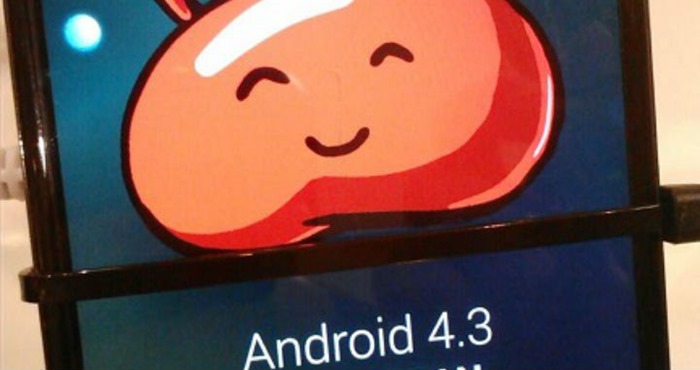
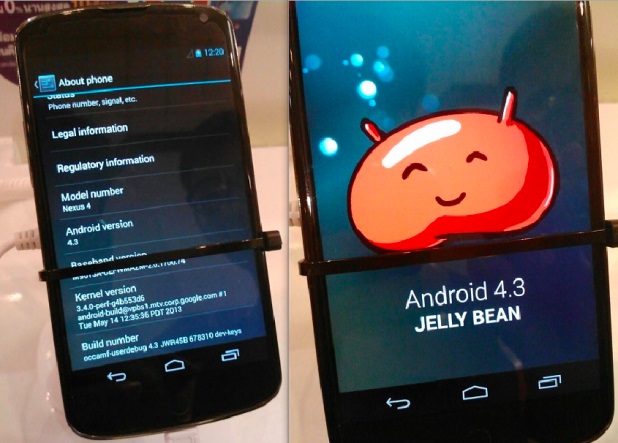
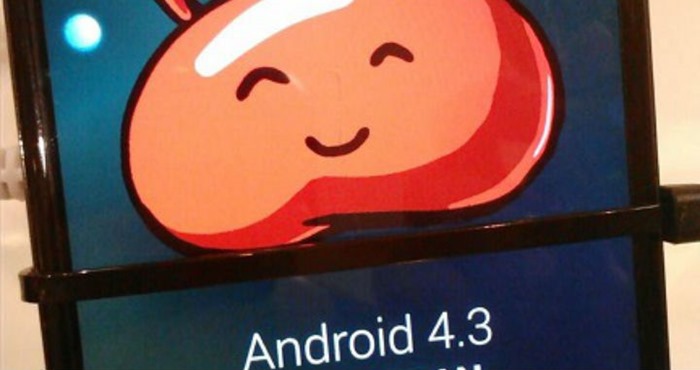
    android-4.3-rootThe leak stems from a Samsung insider with access to an early build of Android 4.3 (JWR66N) as the company adapts it to run on the phone’s hardware. This insider, who provided screenshots as proof, believes the phone will actually be updated with the latest “Jelly Bean” installment this July. That said, we’ll likely see the HTC One Google Play Edition get the same first-class Android 4.3 love next month along with the Nexus 4, Nexus 7 and Nexus 10.
    Install Android 4.3 on your Galaxy S4
    A recently leaked Samsung firmware based on Android 4.3 (JWR66N for those keeping track) has been found to work pretty darn well on the original TouchWiz-laden Snapdragon-powered Galaxy S4. However it was not rootable until today, and therefore somewhat less viable of an option for those who can’t live without their root applications. Cue XDA Elite Recognized Developer Chainfire and his modified version of SuperSU, which is specially adapted for use with 4.3.

    For this root, SuperSU is running in daemon mode (new feature), and launched during boot.
    The daemon handles all su requests, and while this should mostly work just fine, some apps may expect their su session to be running on the same branch on the process tree as the app that launched the session.

    Whether these changes are due to Samsung or just Android 4.3 in general remains to be seen. But needless to say, once we see a few more 4.3-based firmwares, we will have an answer. There are also some other differences  that will you will want to be aware of, especially those of you using a CWM-based recovery, so I highly recommend checking out that post in full. For how to root android 4.3 follow on.. If you’re currently running the 4.3 leak on your S4, this is probably something you’ve been looking forward to for a few days now. The flashable zip file itself can be downloaded from the Google+ post, and the current SuperSU thread should be used for any related issues.

  • Design your own smartphone with Moto X

    Design your own smartphone with Moto X

    Moto-X-ad-designGoogle with its Motorola–are releasing a brand new smartphone sometime in the near future. And beyond the revelation domestic models of the Moto X will be assembled entirely in the United States, Motorola is now claiming the consumer will have some type of say in the smartphone’s design. As reported by a new ad touts the Moto X as the first smartphone designed by you. As ad says
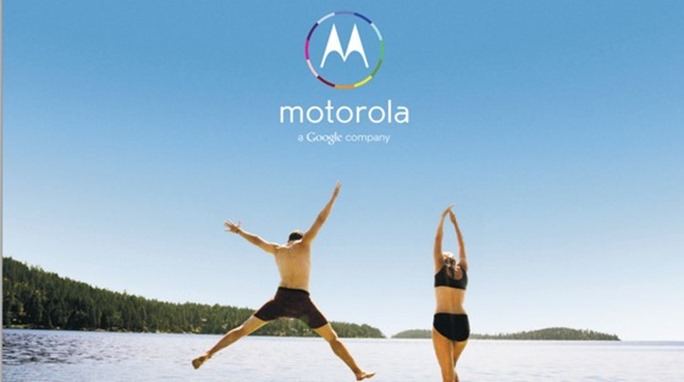
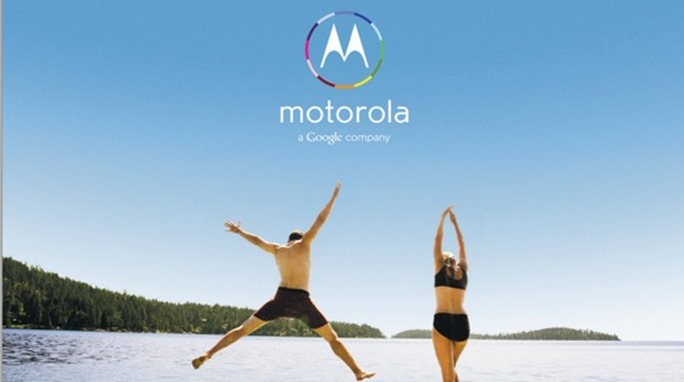
    “The first smartphone that you can design yourself. Because today you should have the freedom to design the things in your life to be as unique as you are.”

    Pushing the “made in the USA” theme, the newspaper ad evokes images of the July 4th holiday and summer. Citing the Moto X as “something new,” the ad seems to state you’ll have some opportunity to have input in the Moto X model you purchase. Granted, what the means precisely is still pretty unclear. But the possibilities are interesting, nonetheless.

    A spokesman for Motorola said that by keeping its assembly work in the U.S. instead of Asia, it didn’t need to fly its engineers out to far flung locales to check on production.

    What would you want in a customizable smartphone? Let us know what kind of hardware or software you would pack into a smartphone from Motorola in comments.

  • Fedora 19 ‘Schrodinger’s Cat’ is out officially

    Fedora 19 ‘Schrodinger’s Cat’ is out officially

    fedora-19-logoThe Fedora Project has released the latest version of the team’s open source operating system. Fedora 19 “Schrodinger’s Cat” is now available for download.

    Fedora 19 includes a wide range of updates, uses the Linux 3.9 kernel, and comes with a choice of GNOME 3.8, KDE Plasma 4.10, or MATE 1.6 desktop environments.

    “Fedora is a Linux-based operating system, a suite of software that makes your computer run. You can use the Fedora operating system to replace or to run alongside of other operating systems such as Microsoft Windows or Mac OS X. The Fedora operating system is 100% free of cost for you to enjoy and share,” reads the official website.

    What’s new in Fedora 19 ?

    The Linux kernel has been updated to version 3.9.0.
    An option has been added in order to enable access to the Extlinux bootloader, which is part of the Syslinux family of bootloaders.
    The initial setup screens have been revamped for Fedora 19.

    The anaconda installer has been reworked and the distribution now provides support during installation for advanced storage, such as fcoe, iscsi, and multipath.
    The text mode of the anaconda installer has also been improved.
    The distribution can now join a domain from a kickstart file or from the anaconda installer.
    The appearance of GRUB and GRUB menus have been changed.
    FreeIPA realmd support has been added.

    Complete list of new features and changes are available in the official announcement.

    Fedora 19 also includes an improved Anaconda installer (which walks you through the process of actually installing the operating system, 3D modelling and printing software, a built-in language translation tool, and updated apps including the LibreOffice 4.0 office suite.

    Download your copy from project website or the Fedora Project Bittorrent Tracker.

  • Samsung Galaxy note 3 on Sept. 4 with 3GB Ram, octa-core processor

    Samsung Galaxy note 3 on Sept. 4 with 3GB Ram, octa-core processor

    This is a heart-warming news for many Sammy fans. Samsung Galaxy note 3 release date is set for Sept. 4 and specs include 3GB Ram, octa-core processor and FullHD display

    Korean tech giant Samsung’s next generation version of its top selling phbalet Galaxy Note 3 is all set to be introduced in the market next month. The phablet that is being talked about as the next big thing following the introduction of the flagship handset of the company is expected to come with a slightly bigger display compared to 5.5 inch display size of the current version Galaxy Note 2.

    Galaxy Note 3 will ship with the same 13-megapixel camera as the Samsung Galaxy S4.

    Pricing on the Samsung Galaxy Note 3 is yet to even be rumoured, but we think it will probably be more expensive than the Galaxy Note 2. After all, the screen is much larger.

    Taking the price change between the 5-inch Galaxy Note and 5.5-inch Galaxy Note 5-inch into account,

    The phablet will come loaded with Exynos 5 octa-core processor, Mali 450 GPU with 8 cores and 3GB of RAM. The combination of these is going to make the phablet the best of all in the market.

  • The New Linux Kernel 3.1

    The New Linux Kernel 3.1

    It just took nine weeks of development and the latest Linux version, Linux kernel 3.10 is out. Although the latest Linux kernel has been released after a brief delay, but it surely promises significant improvements over the previous versions. Along with a lot of improved features, the latest Linux offers a lot for the users of solid-state storage devices and AMD graphics hardware.
    Linus Torvalds, the founder of Linux, announced the release of Linux kernel 3.10 late last night and mentioned the reasons of delay as well. Torvalds wrote in a post, “So I delayed this by a day, considering whether to do another -rc, but decided that there wasn’t enough upside. Sure, it hasn’t been as quiet as I’d like, and we had this long discussion about an inode list locking scalability issue over the last week or two, but in the end that issue turned out to not be new, and while we may end up back-porting the eventual resolution to 3.10, it wasn’t a reason to delay the release. Similarly, while I might wish for fewer pull requests during the late rc’s (and particularly the ones that came in Friday evening – inconvenient for a weekend release), at some point delaying things doesn’t really help things, and just makes the pent up demand for the next merge window worse. In other words, I could really have gone either way, but decided that there wasn’t enough reason to break the normal pattern of “rc7 is the last rc before the release”. So here goes.”

    An A-Z of Linux – 40 Essential Commands You Should Know

    Apart from the usual bug fixes in the Linux kernel version, the latest version brings along support for the ‘bcache’ block-layer cache. This allows a fast solid-state drive to be used as a cache for a larger, slower mechanical drive. ‘bcache’ has been designed as an alternative to ‘dm-cache’ present in Linux 3.9 and it works for individual blocks rather than whole files. This boosts performance of over file-level solutions, and allows the users to set up their own hybrid storage devices rather quickly.
    Linux kernel 3.10 also offers interfaces that can help in controlling the Unified Video Decoder (UVD) portion of AMD graphics processing units (APUs.) UVD was previously available only for using AMD’s closed-source proprietary driver – but the new kernel will also have an open-source driver to shunt video through UVD. Linux Kernel 3.10 also brings support for AMD’s latest Richland APUs.
    The latest version of Linux kernel also brings changes in Samsung UEFI fix. According to Bit-Tech report, this fix will “prevent the write-blocking mechanism designed to protect the devices from bricking from triggering on devices that aren’t affected by the flaw, support for running on ARM’s big. LITTLE chip architecture, additional drivers for previously poorly supported hardware including Apple’s IrDA receiver and Roccat’s latest Kone Pure and IskuFX devices, and networking tweaks to improve performance.”

    Get your fresh copy here

  • Say GoodBye to Google Reader : Alternatives

    Say GoodBye to Google Reader : Alternatives

    INTERNET GIANT Google’s Reader is no more, with the firm having closed the doors on its popular RSS news reader on Monday.

    We know, it’s a tough day for all of us. As of today, 1 July, Google Reader has gone the way of services such as Google’s Buzz and SMS services, and is no longer operating.

    “We launched Google Reader in an effort to make it easy for people to discover and keep tabs on their favorite website, While the product has a loyal following, over the years usage has declined.”

    Fortunately, there’s an afterlife. Google has made it easy to move your list of sites you follow, known as feeds, to another service. And many of those rival services have made it easy to accept those feeds, especially after Google said in March that it would retire Reader.

    Alternatives to Google Reader

    RSS feeds – for really simple syndication – used to be a popular way to keep track of multiple websites without having to visit each and every one. Content comes to you, through readers such as Google Reader. More recently, though, Twitter and Facebook have performed a similar role in discovering content.

    Feedly – Feedly excels in highlighting the most popular items from all your feeds, based on sharing and other interactions on Feedly and elsewhere. Simply visit a page called “Today.” Under the default layout, you see headlines and the first sentence or two of each item. You can click on any item for more.

    You can also share the item on a number of social networking sites. That freedom isn’t available on Reader, which confines sharing to Google’s own Plus service.

    The Old Reader – For those users seeking just the basics, The Old Reader is a strong choice. Designed to look very similar to Google Reader, The Old Reader is simple and easy to use. Importing and adding feeds is easy, but it seems sharing is limited to the service. So, it’s tough to directly share to social networks. But for users who want feeds on the go, Old Reader will work with the iOS app Feeddler.

    Flipboard – The mobile app for iOS and Android opts for a more visual approach to story syndication, presenting feeds in a magazine-style format. Along with RSS feeds, users can add updates from social networks such as Facebook, Twitter and Tumblr, “flipping” pages with simple swipes on the touchscreen. Similar to note taking app Evernote, Flipboard allows users to clip content from the Web to display in a digital magazine for their mobile devices. The big drawback to Flipboard is users can’t read their feeds on a desktop or laptop. It’s for smartphones and tablets only.

    AOL Reader One of two new entrants into the RSS reader market, AOL Reader has promise. Several views are available, from a traditional list to a pane view similar to the Microsoft Outlook email client. Users can share stories to Facebook, Twitter, Google+ and LinkedIn, as well as star items for later reading. However, I couldn’t find any options for saving to offline services such as Pocket. Also, feeds didn’t seem to update as quickly as other options, but that should improve over time. A native Android and iOS app is coming soon, the reader still functions nicely on a mobile browser. Among other options AOL plans to add soon: Search, Notifications and sharing with other AOL Reader users.

    Digg Reader – The newest RSS reader from Digg is a clean, simple choice. Sharing is limited to Twitter and Facebook, but users can set up connections to Pocket, Instapaper or Readability to view content later. Users can “Digg” stories, which bolsters a cool Popular section that breaks down the most popular stories appearing on your RSS. There are some important functions missing, such as “Mark as Unread” and “View Unread Items Only” options, but Digg says they plan to add those features quickly.

  • Madeleine ‘scentography’ camera captures your favorite smells

    Madeleine ‘scentography’ camera captures your favorite smells

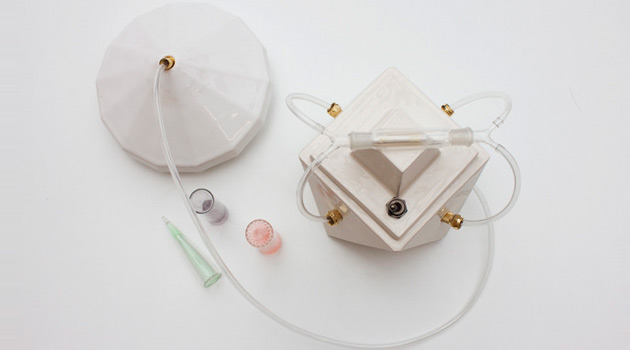
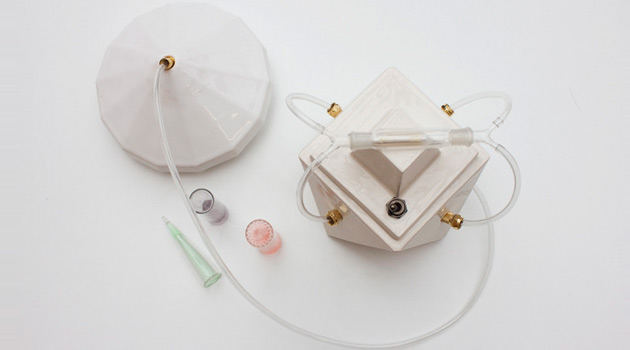
    A new camera has been developed that can capture the whiff of your first pet or the smell of the seaside holiday.
    Designer Amy Radcliffe’s MA project at Central Saint Martins set out to bring a more meaningful sensory dimension to storing our favourite memories.

    What if you could recapture the aroma of that freshly baked birthday cake, or the scent of the wild flowers in that Alpine meadow on your last holiday? Or maybe you would choose to recall the musky pong of your first pet, or the comforting whiff of that shampoo your girlfriend used to use.

    So how does it work?

    The smell meant to preserved needs to be trapped in an odor trap from which the machine absorbs the scent. The scent is stored in the filter which is then analyzed so that the chemical nature can be decoded and the liquid fragrance of the same can be generated. The time taken for generation may vary from a few minutes to a few hours.

    Madeleine, interestingly refers to some special kind of cake, an apt name for the product that can be used to store and generate wide number of food essences.

    The point is that such technology is just waiting to be exploited and one Amy Radcliffe has now come out with the Madeleine, a camera of sorts which captures scents instead of photos. The moniker is derived from Marcel Proust’s seven-volume French novel, À la recherche du temps perdu (In Search of Lost Time), which explores involuntary memory invoked by biting into a piece of Madeleine cake. Radcliffe talks about being able to manipulate our emotional state through ‘prescribed nostalgia,’ a term that inspires paranoia in our heads.

  • Micromax A92 Canvas Lite Now Available For Rs 8,499

    Micromax A92 Canvas Lite Now Available For Rs 8,499

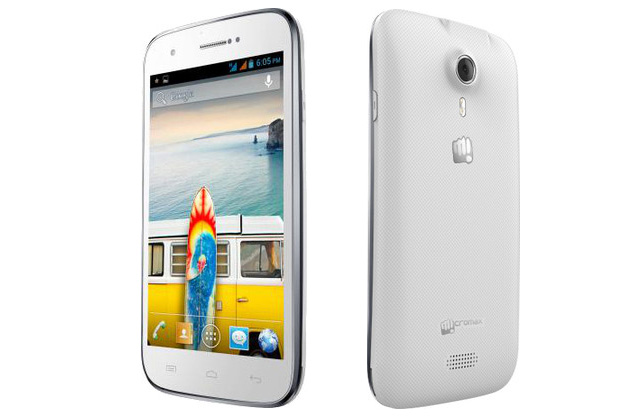
    The price tag is 8,499. The smartphone has features such as 12.7-cm (5-inch) TFT capacitive touch screen display with a resolution of 480X854 pixels.

    It boasts of 1GHz dual-core processor apart from 512MB of RAM. In addition to it, the smartphone has 4GB of internal storage with 0.94GB being user accessible. Moreover, the storage can be increased to 32GB through microSD card. A dual-SIM GSM+GSM smartphone, connectivity options include 3G, Wi-Fi 802.11 b/g/n, Bluetooth and GPS.
    It has a 5 megapixel auto focus camera with LED flash, where the camera can record videos at 30 fps. But, there is no front camera for sure.
    Running on Android 4.1 (Jelly Bean), it has G-Sensor, light sensor and proximity sensor. The smartphone measures 77X147X10.8 mm and is powered by a 2,000mAH battery. According to the company, it provides 6 hours of talk time and 240 hours of standby time on 2G network.

  • Install Android 4.3 on your Galaxy S4

    Install Android 4.3 on your Galaxy S4

    android 4.3The leak stems from a Samsung insider with access to an early build of Android 4.3 (JWR66N) as the company adapts it to run on the phone’s hardware. This insider, who provided screenshots as proof, believes the phone will actually be updated with the latest “Jelly Bean” installment this July. That said, we’ll likely see the HTC One Google Play Edition get the same first-class Android 4.3 love next month along with the Nexus 4, Nexus 7 and Nexus 10.


    The same source that provided the screenshots and insider info may have provided the firmware to download and test as well. As seen on SamMobile, it’s the very one fitted for the Galaxy S4 Google Play Edition, but the site ported it to a standard Galaxy S4 and reportedly received some “outstanding” results. The port is working perfectly, the site claims; nothing is apparently broken. The build date was June 26, so this firmware is essentially fresh out of the oven.

    -> Android 5.0 “Key Lime Pie” UI Concepts Hitting the Web <-


    Android 4.3 test build firmware for the Google Play Edition Galaxy S4 (GT-I9505G).

    Android 4.3 port from the Google Play Edition Galaxy S4 is fully functional on the standard Snapdragon-powered Galaxy S4 (GT-I9505), there is not even a single thing which isn’t working. No changes to the port, so it’s 100% original with zero changes.

    Note:
    – This is not flashable through Odin.
    – This will void your warranty.
    – Don’t attempt this if you don’t have the skills to flash a custom ROM
    – You are doing this on your own risk

    System details:
    Android version: 4.3
    Build ID: JWR66N
    PDA: I9505GUEUBMFP
    CSC: I9505GXARBMFP
    Build Date: 26 June 2013
    Changelist: 968842

    Requirements:
    – Samsung Galaxy S4 (GT-I9505)
    – Custom Recovery

    Instructions:
    – Copy Google Play Edition ROM to your internal SD Card
    – Enter Recovery (Power + Volume Up + Home)
    – Do a Wipe/Factory Reset (Necessary due to new Android version)
    – Flash Google Play Edition ROM
    – Reboot your device!


    Download: (Choose either one)


    – Android-4.3-I9505GUEUBMFP-Odexed-I9505.zip
    MD5: 363ED9CC32A841A512E72372A19C7D05

    – Android-4.3-I9505GUEUBMFP-Deodexed-I9505.zip
    MD5: 74D241B64266220161018EB98A19F279


    Download and install at your own risk!

    Google hasn’t made Android 4.3 public yet, but it’s good to know that OEMs already have access to the source code. Early access will result in quick software updates and less Android fragmentation. Keep in mind, Android 4.3 is still in development phases and does not have all the features which are yet to be implemented.


    Read Original Thread here